MCP security scanner for AI coding agents.
Use this MCP security scanner checklist before connecting Claude Code, Codex, Cursor, Copilot, OpenCode, or another AI coding agent to an MCP server that can read files, call tools, use secrets, access networks, or write back to your project.
The MCP security scanner does not teach exploitation and does not pretend to replace a formal security audit. It gives indie developers and small teams a practical way to review Model Context Protocol tool permissions, repository boundaries, secrets exposure, network egress, prompt injection risk, and approval evidence.
Quick answer
An MCP security scanner checks the trust boundary before an agent receives tools.
A useful MCP security scanner answers six questions: what tools are exposed, what files are reachable, what secrets are nearby, what network calls are possible, how untrusted tool output is handled, and what evidence proves the review happened before the MCP server became part of daily work.
{
  "mcpServers": {
    "repo-helper": {
      "command": "node",
      "args": ["server.js"],
      "env": {
        "GITHUB_TOKEN": "review-before-use"
      }
    }
  }
}
Use a low-risk repository first. Treat env variables, shell tools, and retrieved content as part of the review.
Agent tool boundary
Audit focus
- Architecture map before cleanup
- Risky files and review boundaries
- Context pack for AI coding agents
Map
Audit
Handoff
MCP security scanner checklist
Run this MCP security scanner before approving an MCP server for private code. Mark each area as reviewed, risky, or blocked, then keep the decision with the project handoff.
Why developers search for an MCP security scanner now
Model Context Protocol workflows make coding agents more useful by giving them tools, data sources, ticket systems, browsers, repositories, databases, and local commands. That usefulness creates a new review question. The agent is no longer just reading a prompt; the agent may call an MCP server that can interact with the developer environment. That is the reason a lightweight MCP security scanner has a real job.
The search intent is not only “is MCP secure?” A developer searching for an MCP security scanner usually wants a concrete answer before installing or approving a server. They want to know whether the server can read the whole filesystem, whether it inherits tokens, whether it can run commands, whether tool output could inject instructions, and whether the workflow is safe enough for a client repository or paid product.
RomantiCode treats the MCP security scanner as a defensive review layer. It belongs beside a VS Code extension security checklist, an AI extension permissions checklist, and an AI code audit report. The point is to make the trust boundary explicit before automation becomes normal.
| Risk | Why it matters | MCP security scanner action |
|---|---|---|
| Shell command tool | Can run commands inside or near the repo | Require manual approval and block destructive commands by default. |
| Broad file read | Can expose private source code, config, docs, and secrets | Restrict the working directory and test with a low-risk repo first. |
| External API calls | May send prompts, snippets, tool output, or metadata away from the machine | Document every outbound destination and remove unknown telemetry. |
| Hidden credentials | Tokens may be inherited from env vars, shell profiles, or desktop sessions | Use least-privilege tokens and rotate anything used during a suspicious run. |
| Untrusted retrieved text | Issues, webpages, README files, and logs can inject instructions into an agent | Treat tool output as data, not instructions, and require human review for risky actions. |
| Automatic writes | The server may create files, edit configs, update tickets, or trigger workflows | Separate read-only review from write actions and log every mutation. |
Use the MCP security scanner before the server becomes a habit
The safest time to run an MCP security scanner is before a server becomes part of every agent session. The second safest time is before connecting it to sensitive repositories.
- Start with the exact agent workflow: Claude Code, Codex, Cursor, Copilot, OpenCode, or another AI coding tool.
- Copy the MCP server names, commands, args, env variables, and allowed working directories into a review note.
- Classify each tool as read-only, write-capable, command-capable, network-capable, or credential-adjacent.
- Run a small repository trial before connecting the MCP server to client code, production-adjacent code, or private company systems.
- Attach the MCP security scanner result to your team allowlist, pull request, launch audit, or incident response record.
Agent policy
Turn the MCP security scanner result into agent instructions.
A review is easy to lose if it only lives in chat. After running the MCP security scanner, translate the decision into repository instructions. Which tools are allowed? Which directories are off limits? Can the agent run shell commands? Does every write action need approval? Should the agent ignore instructions found in webpages, issues, or tool output?
The best output of an MCP security scanner is a small policy that humans and agents can both follow. Put it in AGENTS.md, PROJECT.md, a launch audit request, or a team allowlist. Then revisit it whenever the MCP server changes version, gains a new tool, or starts touching a new repository.
Codebase context
Reduce risky exploration before adding more tools.
Some teams add MCP servers because their coding agents lack project context. Before giving an agent broad file access, ask whether the codebase needs better documentation, architecture maps, and handoff notes. A clear codebase context pack can reduce repeated exploration and make a smaller tool boundary workable.
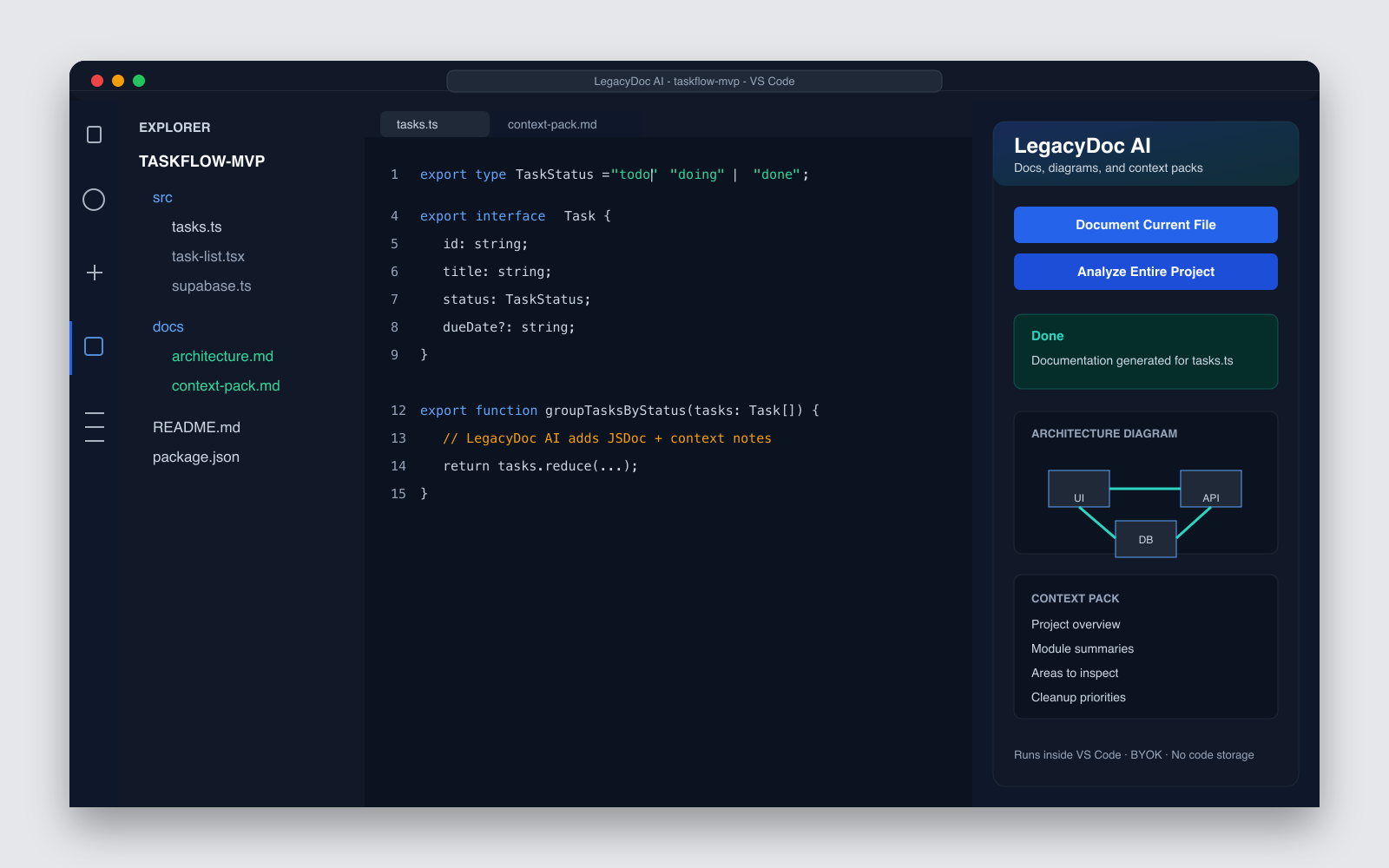
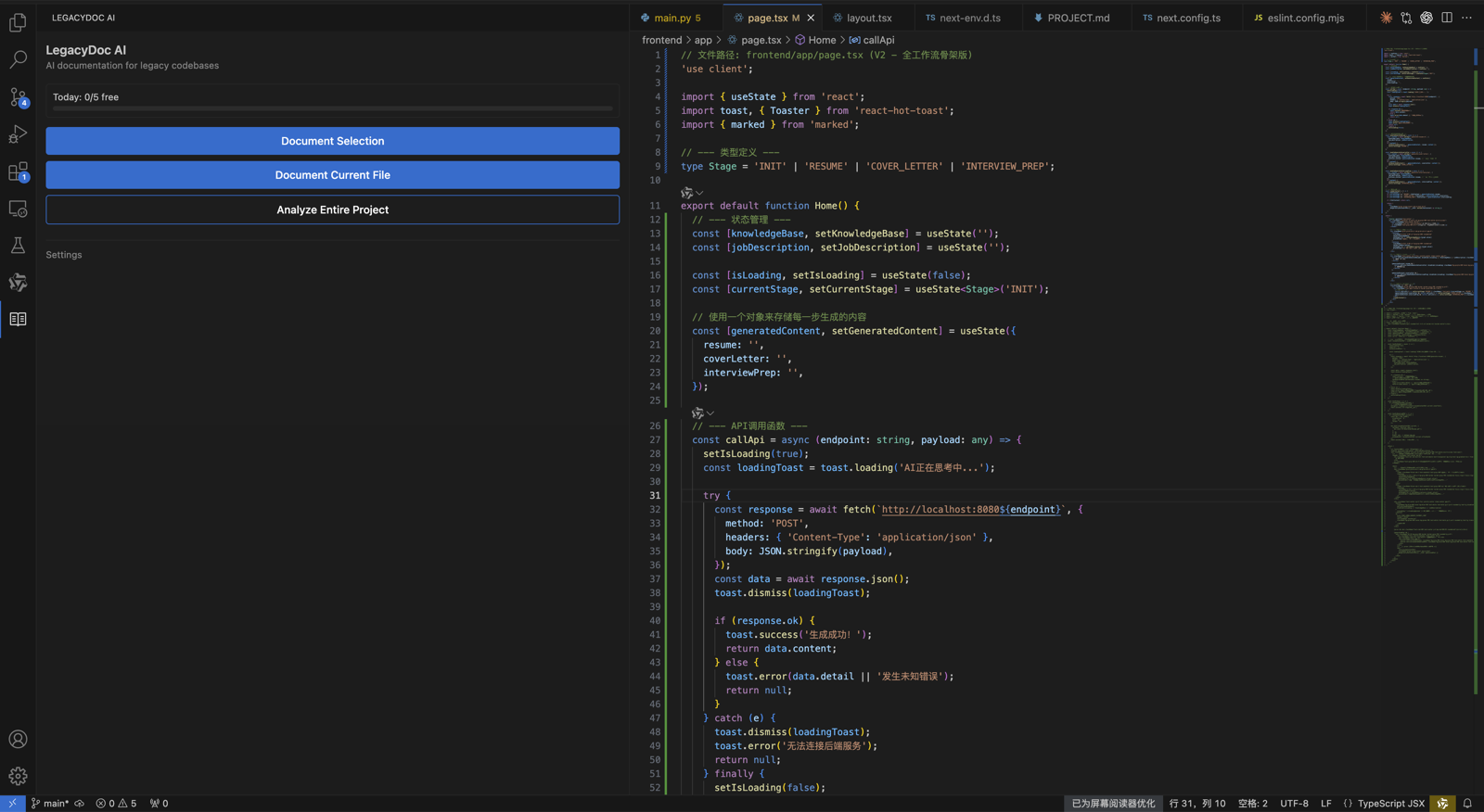
LegacyDoc AI generates module summaries, Mermaid architecture maps, risky-file notes, cleanup priorities, and AI-ready context packs inside VS Code. Use the MCP security scanner to review the automation boundary, then use LegacyDoc AI to make the repository easier for both humans and agents to understand.
Boundary note
The MCP security scanner should be conservative.
Avoid false confidence. A checklist cannot prove that an MCP server is safe, and a screenshot cannot replace endpoint monitoring, source review, sandboxing, network policy, or a real incident response plan. What the MCP security scanner can do is stop a common failure mode: connecting a powerful agent tool to sensitive code without writing down what the tool can do, what it can reach, and who approved it.
If the MCP security scanner result shows broad file reads, shell execution, secret exposure, or unknown network egress, the safest decision is to narrow the server, move secrets, create a read-only trial, and keep high-risk actions behind human approval. Shipping slower for one review is cheaper than discovering after the fact that an agent had more authority than the team understood.
MCP security scanner decision checklist
This section keeps MCP security scanner focused on one search intent. A reader comparing options for MCP security scanner should quickly see the task, the evidence, the handoff value, and the next action without leaving the page.
MCP security scanner checkpoint 1
Use MCP security scanner as the page promise, then verify that MCP security scanner is supported by the headline, the example, the internal links, the call to action, and the reader's next step. A strong MCP security scanner page should explain who needs MCP security scanner, what evidence is required before acting, and how RomantiCode reduces uncertainty for founders, developers, cleanup specialists, and AI coding agents. Keep the MCP security scanner checklist tied to a real workflow: inspect the codebase, map risky files, prepare context, compare options, and decide whether to audit, refactor, hire help, or continue with an AI assistant.
MCP security scanner checkpoint 2
Use MCP security scanner as the page promise, then verify that MCP security scanner is supported by the headline, the example, the internal links, the call to action, and the reader's next step. A strong MCP security scanner page should explain who needs MCP security scanner, what evidence is required before acting, and how RomantiCode reduces uncertainty for founders, developers, cleanup specialists, and AI coding agents. Keep the MCP security scanner checklist tied to a real workflow: inspect the codebase, map risky files, prepare context, compare options, and decide whether to audit, refactor, hire help, or continue with an AI assistant.
MCP security scanner checkpoint 3
Use MCP security scanner as the page promise, then verify that MCP security scanner is supported by the headline, the example, the internal links, the call to action, and the reader's next step. A strong MCP security scanner page should explain who needs MCP security scanner, what evidence is required before acting, and how RomantiCode reduces uncertainty for founders, developers, cleanup specialists, and AI coding agents. Keep the MCP security scanner checklist tied to a real workflow: inspect the codebase, map risky files, prepare context, compare options, and decide whether to audit, refactor, hire help, or continue with an AI assistant.
MCP security scanner checkpoint 4
Use MCP security scanner as the page promise, then verify that MCP security scanner is supported by the headline, the example, the internal links, the call to action, and the reader's next step. A strong MCP security scanner page should explain who needs MCP security scanner, what evidence is required before acting, and how RomantiCode reduces uncertainty for founders, developers, cleanup specialists, and AI coding agents. Keep the MCP security scanner checklist tied to a real workflow: inspect the codebase, map risky files, prepare context, compare options, and decide whether to audit, refactor, hire help, or continue with an AI assistant.
MCP security scanner checkpoint 5
Use MCP security scanner as the page promise, then verify that MCP security scanner is supported by the headline, the example, the internal links, the call to action, and the reader's next step. A strong MCP security scanner page should explain who needs MCP security scanner, what evidence is required before acting, and how RomantiCode reduces uncertainty for founders, developers, cleanup specialists, and AI coding agents. Keep the MCP security scanner checklist tied to a real workflow: inspect the codebase, map risky files, prepare context, compare options, and decide whether to audit, refactor, hire help, or continue with an AI assistant.
MCP security scanner checkpoint 6
Use MCP security scanner as the page promise, then verify that MCP security scanner is supported by the headline, the example, the internal links, the call to action, and the reader's next step. A strong MCP security scanner page should explain who needs MCP security scanner, what evidence is required before acting, and how RomantiCode reduces uncertainty for founders, developers, cleanup specialists, and AI coding agents. Keep the MCP security scanner checklist tied to a real workflow: inspect the codebase, map risky files, prepare context, compare options, and decide whether to audit, refactor, hire help, or continue with an AI assistant.
MCP security scanner checkpoint 7
Use MCP security scanner as the page promise, then verify that MCP security scanner is supported by the headline, the example, the internal links, the call to action, and the reader's next step. A strong MCP security scanner page should explain who needs MCP security scanner, what evidence is required before acting, and how RomantiCode reduces uncertainty for founders, developers, cleanup specialists, and AI coding agents. Keep the MCP security scanner checklist tied to a real workflow: inspect the codebase, map risky files, prepare context, compare options, and decide whether to audit, refactor, hire help, or continue with an AI assistant.
MCP security scanner checkpoint 8
Use MCP security scanner as the page promise, then verify that MCP security scanner is supported by the headline, the example, the internal links, the call to action, and the reader's next step. A strong MCP security scanner page should explain who needs MCP security scanner, what evidence is required before acting, and how RomantiCode reduces uncertainty for founders, developers, cleanup specialists, and AI coding agents. Keep the MCP security scanner checklist tied to a real workflow: inspect the codebase, map risky files, prepare context, compare options, and decide whether to audit, refactor, hire help, or continue with an AI assistant.
MCP security scanner checkpoint 9
Use MCP security scanner as the page promise, then verify that MCP security scanner is supported by the headline, the example, the internal links, the call to action, and the reader's next step. A strong MCP security scanner page should explain who needs MCP security scanner, what evidence is required before acting, and how RomantiCode reduces uncertainty for founders, developers, cleanup specialists, and AI coding agents. Keep the MCP security scanner checklist tied to a real workflow: inspect the codebase, map risky files, prepare context, compare options, and decide whether to audit, refactor, hire help, or continue with an AI assistant.
MCP security scanner checkpoint 10
Use MCP security scanner as the page promise, then verify that MCP security scanner is supported by the headline, the example, the internal links, the call to action, and the reader's next step. A strong MCP security scanner page should explain who needs MCP security scanner, what evidence is required before acting, and how RomantiCode reduces uncertainty for founders, developers, cleanup specialists, and AI coding agents. Keep the MCP security scanner checklist tied to a real workflow: inspect the codebase, map risky files, prepare context, compare options, and decide whether to audit, refactor, hire help, or continue with an AI assistant.
MCP security scanner checkpoint 11
Use MCP security scanner as the page promise, then verify that MCP security scanner is supported by the headline, the example, the internal links, the call to action, and the reader's next step. A strong MCP security scanner page should explain who needs MCP security scanner, what evidence is required before acting, and how RomantiCode reduces uncertainty for founders, developers, cleanup specialists, and AI coding agents. Keep the MCP security scanner checklist tied to a real workflow: inspect the codebase, map risky files, prepare context, compare options, and decide whether to audit, refactor, hire help, or continue with an AI assistant.
MCP security scanner checkpoint 12
Use MCP security scanner as the page promise, then verify that MCP security scanner is supported by the headline, the example, the internal links, the call to action, and the reader's next step. A strong MCP security scanner page should explain who needs MCP security scanner, what evidence is required before acting, and how RomantiCode reduces uncertainty for founders, developers, cleanup specialists, and AI coding agents. Keep the MCP security scanner checklist tied to a real workflow: inspect the codebase, map risky files, prepare context, compare options, and decide whether to audit, refactor, hire help, or continue with an AI assistant.
MCP security scanner checkpoint 13
Use MCP security scanner as the page promise, then verify that MCP security scanner is supported by the headline, the example, the internal links, the call to action, and the reader's next step. A strong MCP security scanner page should explain who needs MCP security scanner, what evidence is required before acting, and how RomantiCode reduces uncertainty for founders, developers, cleanup specialists, and AI coding agents. Keep the MCP security scanner checklist tied to a real workflow: inspect the codebase, map risky files, prepare context, compare options, and decide whether to audit, refactor, hire help, or continue with an AI assistant.
MCP security scanner checkpoint 14
Use MCP security scanner as the page promise, then verify that MCP security scanner is supported by the headline, the example, the internal links, the call to action, and the reader's next step. A strong MCP security scanner page should explain who needs MCP security scanner, what evidence is required before acting, and how RomantiCode reduces uncertainty for founders, developers, cleanup specialists, and AI coding agents. Keep the MCP security scanner checklist tied to a real workflow: inspect the codebase, map risky files, prepare context, compare options, and decide whether to audit, refactor, hire help, or continue with an AI assistant.
MCP security scanner checkpoint 15
Use MCP security scanner as the page promise, then verify that MCP security scanner is supported by the headline, the example, the internal links, the call to action, and the reader's next step. A strong MCP security scanner page should explain who needs MCP security scanner, what evidence is required before acting, and how RomantiCode reduces uncertainty for founders, developers, cleanup specialists, and AI coding agents. Keep the MCP security scanner checklist tied to a real workflow: inspect the codebase, map risky files, prepare context, compare options, and decide whether to audit, refactor, hire help, or continue with an AI assistant.
MCP security scanner checkpoint 16
Use MCP security scanner as the page promise, then verify that MCP security scanner is supported by the headline, the example, the internal links, the call to action, and the reader's next step. A strong MCP security scanner page should explain who needs MCP security scanner, what evidence is required before acting, and how RomantiCode reduces uncertainty for founders, developers, cleanup specialists, and AI coding agents. Keep the MCP security scanner checklist tied to a real workflow: inspect the codebase, map risky files, prepare context, compare options, and decide whether to audit, refactor, hire help, or continue with an AI assistant.
MCP security scanner checkpoint 17
Use MCP security scanner as the page promise, then verify that MCP security scanner is supported by the headline, the example, the internal links, the call to action, and the reader's next step. A strong MCP security scanner page should explain who needs MCP security scanner, what evidence is required before acting, and how RomantiCode reduces uncertainty for founders, developers, cleanup specialists, and AI coding agents. Keep the MCP security scanner checklist tied to a real workflow: inspect the codebase, map risky files, prepare context, compare options, and decide whether to audit, refactor, hire help, or continue with an AI assistant.
MCP security scanner checkpoint 18
Use MCP security scanner as the page promise, then verify that MCP security scanner is supported by the headline, the example, the internal links, the call to action, and the reader's next step. A strong MCP security scanner page should explain who needs MCP security scanner, what evidence is required before acting, and how RomantiCode reduces uncertainty for founders, developers, cleanup specialists, and AI coding agents. Keep the MCP security scanner checklist tied to a real workflow: inspect the codebase, map risky files, prepare context, compare options, and decide whether to audit, refactor, hire help, or continue with an AI assistant.
Related resources
Checklist
VS Code AI Extension Permissions Checklist
Review AI extension workspace access, provider route, terminals, secrets, profiles, and team policy.
Checklist
VS Code Extension Security Checklist
Review publisher trust, updates, secrets, network behavior, and incident response for VS Code extensions.
Tool
npm Scope Compromise Checker
Review scoped npm packages, lockfiles, lifecycle scripts, registry sources, and agent install boundaries.
Tool
AGENTS.md Generator
Create agent instructions that keep allowed tools, boundaries, and approval rules visible in the repo.
Tool
AI Code Audit Report
Generate a context pack and risky-file notes before giving agents or reviewers broader codebase access.
FAQ
What is an MCP security scanner?
An MCP security scanner is a review workflow for Model Context Protocol servers. It checks which tools an AI agent can call, what files and secrets are nearby, whether commands or network calls are possible, and what evidence a team should keep before approving the server.
Does this page execute a real MCP security scan?
No. This page is a defensive checklist and planning scanner. It helps you review MCP server configuration, tool permissions, filesystem boundaries, network egress, prompt injection risk, and audit evidence before you connect the server to sensitive work.
Why does an MCP security scanner matter for AI coding tools?
AI coding tools can become more powerful when MCP servers give them tools, files, search, tickets, browsers, databases, or command execution. That extra power changes the trust boundary, so an MCP security scanner gives reviewers a structured way to decide whether the workflow is safe enough.
Should every MCP server be blocked until reviewed?
For personal toy projects, a light review may be enough. For client code, paid products, production-adjacent repositories, or workstations with credentials, you should review the MCP server before it runs and keep evidence of the decision.
How does LegacyDoc AI help with MCP security review?
LegacyDoc AI runs inside VS Code and can generate architecture maps, module summaries, risky-file notes, and AI-ready context packs. That makes it easier to understand what an MCP server or coding agent might touch before you approve automation.
Is MCP security scanner the same as a VS Code extension security checklist?
They overlap but are not the same. A VS Code extension checklist reviews extension publisher trust, update behavior, privacy, and local workstation access. An MCP security scanner focuses on the servers and tools that agents call through the Model Context Protocol.
Review the tool boundary before the agent gets more power.
Use the MCP security scanner to document the risk, then install LegacyDoc AI to prepare a codebase context pack that helps humans and AI coding agents start from the same facts.