VS Code AI extension permissions checklist
Use this VS Code AI extension permissions checklist before an AI coding tool sees a private repository, reads workspace context, opens a terminal, or routes prompts through a provider path your team has not reviewed.
Quick answer
A VS Code AI extension permissions checklist should answer six questions before install: what workspace files can the tool use, where code or prompts go, whether it can run commands, what secrets are nearby, which VS Code profile should contain it, and what evidence proves the review happened.
Official VS Code doc
Workspace Trust
VS Code explains Restricted Mode and trust prompts for unfamiliar workspaces.
Extension API
Workspace Trust guide
Extension authors can declare and gate behavior for untrusted workspaces.
Extension manifest
Capabilities and package.json
The manifest records extension metadata, contributions, and capabilities.
Why this page exists
AI extensions need a permissions review, not just a publisher glance
A normal extension review often starts with publisher trust, marketplace history, repository links, and release cadence. That still matters. But AI coding extensions add a second layer: they can collect context, summarize files, generate patches, ask a model to reason about private code, and sometimes suggest commands that run inside your local environment.
The right question is not simply "is this extension popular?" The right question is whether the extension belongs inside this exact workspace, with these secrets nearby, using this provider route, under this team policy. That is why a VS Code AI extension permissions checklist should be specific enough for a developer to use before the first install.
VS Code has security controls such as Workspace Trust, Restricted Mode, publisher trust signals, and extension metadata. Those controls are useful, but they do not replace a team decision about AI context flow. If the extension will touch a client repository, production-adjacent codebase, or paid product, treat the review as part of your software supply chain.
Workspace files and repository scope
Decide which folders the AI extension can see, whether the extension reads entire files or selected snippets, and whether client code, private product logic, generated code, or production configuration will be open while it runs.
AI provider and network path
Confirm whether prompts go directly to your chosen model provider, through a vendor proxy, through a company gateway, or to a hosted service you cannot inspect. BYOK is useful only when the route is clear.
Commands, terminals, tasks, and changes
Check whether the extension can run commands, open terminals, edit files, generate patches, trigger tests, or modify project settings. These are not just convenience features; they change the risk model.
Secrets and local credentials
Review what is visible in the workspace and developer machine: .env files, shell history, npm tokens, GitHub tokens, cloud profiles, local database URLs, SSH keys, and AI provider keys.
Profiles, trust, and team policy
Use separate VS Code profiles for experimental AI tools, client work, and production-adjacent code. Decide whether the extension belongs in a team allowlist before it appears on every workstation.
Audit evidence
Record the extension ID, publisher, version, install date, approved repositories, provider route, privacy boundary, and reviewer. A short note is better than an approval that no one can reconstruct.
Review workflow
Run the VS Code AI extension permissions checklist in this order
1. Start with the workspace, not the marketplace page
First decide which repository you are protecting. A hobby repo, a client repo, a closed-source product, and a production incident workspace do not deserve the same default policy. If the workspace contains private business logic, customer data, API keys, cloud credentials, database URLs, or unreleased product code, use a stricter profile and a smaller trial.
2. Map the AI context path
Identify whether the extension reads selected text, open files, entire folders, search results, dependency graphs, terminal output, or generated context packs. Then identify where that context goes. The provider path matters: direct BYOK to your model provider is different from an opaque proxy, shared service, or unknown logging pipeline.
3. Separate read features from action features
Reading a file is one risk. Editing many files, creating commits, running shell commands, modifying settings, or starting local tasks is another. A useful VS Code AI extension permissions checklist separates "can inspect" from "can change" and asks whether a human must approve commands, patches, and generated migrations.
4. Check secrets proximity before opening the repo
Many teams discover the secret problem too late. They test an AI extension in the same workspace where .env files, deployment configs, local database URLs, GitHub tokens, npm tokens, cloud profiles, and shell history are visible. Move secrets out of project files where possible and keep experimental tools away from high-risk workspaces.
5. Record the approval so future you can audit it
A one-line approval is not enough. Record the extension ID, publisher, version, date, approved repositories, provider path, privacy note, and reviewer. If the extension is later removed, compromised, or re-scoped, this note tells you which repositories and credentials need a second look.
Risk matrix
Permission questions that matter for AI coding extensions
| Review area | Why it matters | Practical control |
|---|---|---|
| Workspace read access | Private source files, customer logic, generated code hotspots | Limit the workspace, use profiles, and avoid opening sensitive repos during trial runs. |
| Provider routing | Code or prompts may leave the machine through an unclear path | Prefer direct provider connections, documented BYOK, or a known company gateway. |
| Terminal and task execution | Generated commands can touch files, services, databases, or credentials | Require manual review before running commands; keep high-risk terminals out of experiments. |
| Secrets proximity | Tokens may sit beside the tool in .env files, configs, history, or cloud profiles | Move secrets out of project files and rotate credentials after suspicious extension behavior. |
| Auto-edits and refactors | Large patches can hide unrelated changes or downgrade tests | Review diffs, run tests, and keep AI-generated changes small enough to understand. |
| Telemetry and logs | Prompts, filenames, errors, or snippets may appear in logs | Check privacy docs, disable unnecessary telemetry where possible, and keep sensitive examples out of prompts. |
Copyable approval note
Template for approving an AI extension in VS Code
Extension:
Publisher:
Version:
Marketplace URL:
Approved workspace type:
Blocked workspace type:
Provider path:
BYOK or vendor key:
Can read workspace files:
Can run commands or terminals:
Can edit files:
Secrets policy:
VS Code profile:
Reviewer:
Review date:
Rollback note:
This note makes the VS Code AI extension permissions checklist operational. It is short enough for a solo founder, but structured enough for a small team to revisit when the extension changes behavior or a security warning appears.
How RomantiCode fits
Prefer local-first documentation tools with a clear provider boundary
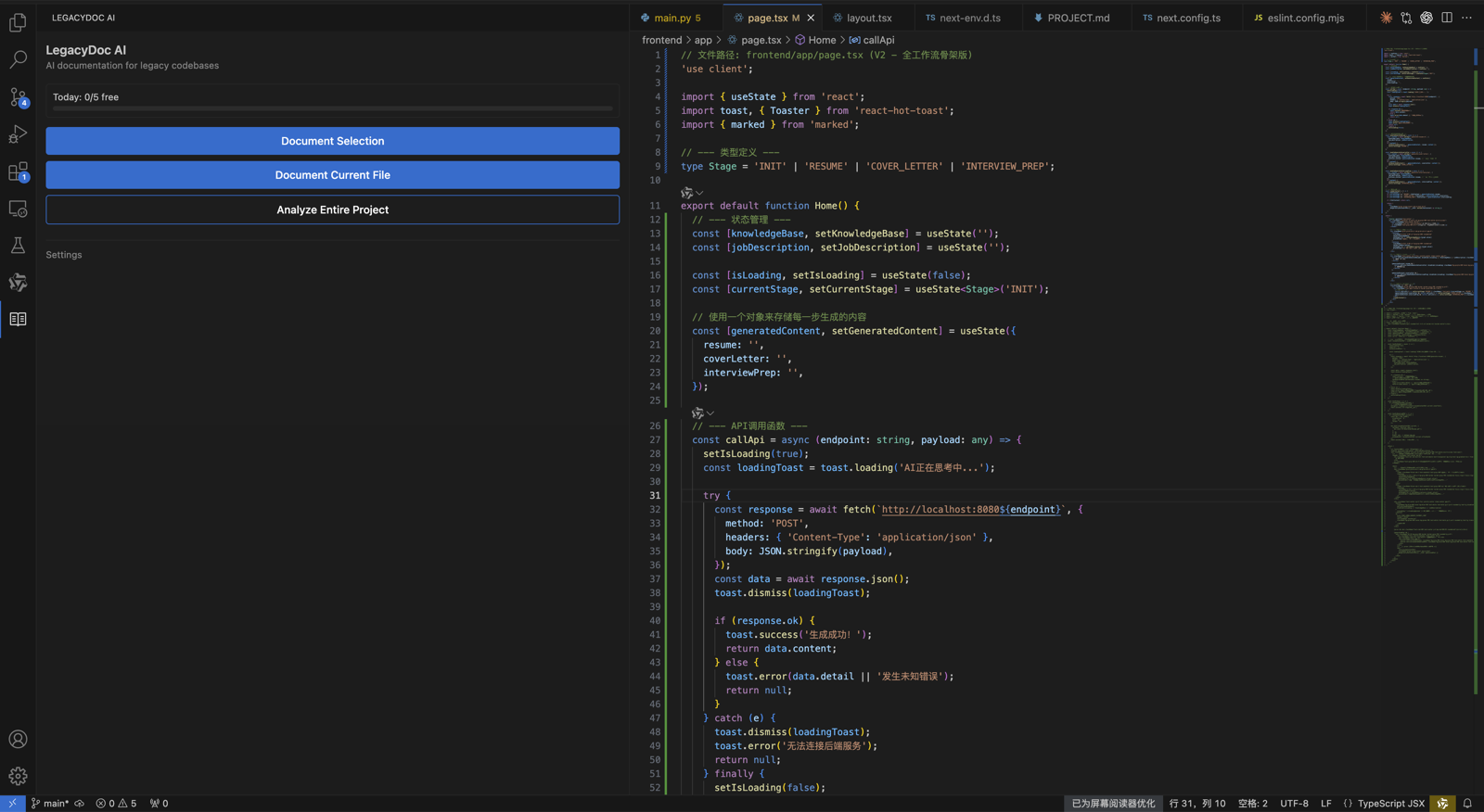
LegacyDoc AI is built for teams that need codebase maps, documentation, and cleanup context from inside VS Code. The trust boundary is deliberately simple: the extension runs in VS Code, you bring your own AI provider key, and RomantiCode does not store your code. That does not remove your responsibility to review the provider you choose, but it makes the extension boundary easier to explain during a permissions review.
If you are preparing an AI-built app for cleanup, use this VS Code AI extension permissions checklist together with the broader VS Code extension security checklist, the RomantiCode privacy policy, and the AI code audit report workflow. The result is a clearer story for developers, clients, and future reviewers.
MCP review
MCP security scanner
Review MCP server tools, files, secrets, network egress, and agent trust boundaries.
General security
VS Code extension security checklist
Review publisher trust, updates, secrets, and incident response.
Audit workflow
AI code audit report
Create a cleanup-ready context pack before handoff or review.
Launch review
AI app launch audit
Scope production readiness, cleanup risk, and release blockers.
FAQ
VS Code AI extension permissions checklist FAQ
What is a VS Code AI extension permissions checklist? +
It is a practical review list for AI coding extensions. It helps a developer or team check workspace access, provider routing, terminal behavior, secrets exposure, profiles, and approval evidence before the extension is used on private code.
Does VS Code show one permission prompt for every extension capability? +
No single prompt answers the whole review question for a team. VS Code has safety features such as Workspace Trust and extension trust signals, but teams still need to review the extension's behavior, data path, and local risk boundary.
How is this different from a VS Code extension security checklist? +
A general extension security checklist covers publisher trust, malware risk, updates, and incident response. This page focuses on AI-specific permission questions: code context, model provider path, generated changes, terminals, secrets, and team approval.
Should I use a separate VS Code profile for AI extensions? +
For sensitive work, yes. Separate profiles make it easier to keep experimental AI tools away from client repos, production-adjacent code, and workspaces that contain credentials or regulated data.
How does LegacyDoc AI handle code and API keys? +
LegacyDoc AI runs inside VS Code and uses the AI provider you configure. Your code is sent directly to that provider, not to RomantiCode servers. You bring your own API key.
Next step
Review AI tools before they touch the wrong workspace.
Use this VS Code AI extension permissions checklist, then generate a codebase map and audit report for the repos that are safe to review with AI assistance.
VS Code AI extension permissions checklist decision checklist
This section keeps VS Code AI extension permissions checklist focused on one search intent. A reader comparing options for VS Code AI extension permissions checklist should quickly see the task, the evidence, the handoff value, and the next action without leaving the page.
VS Code AI extension permissions checklist checkpoint 1
Use VS Code AI extension permissions checklist as the page promise, then verify that VS Code AI extension permissions checklist is supported by the headline, the example, the internal links, the call to action, and the reader's next step. A strong VS Code AI extension permissions checklist page should explain who needs VS Code AI extension permissions checklist, what evidence is required before acting, and how RomantiCode reduces uncertainty for founders, developers, cleanup specialists, and AI coding agents. Keep the VS Code AI extension permissions checklist checklist tied to a real workflow: inspect the codebase, map risky files, prepare context, compare options, and decide whether to audit, refactor, hire help, or continue with an AI assistant.
VS Code AI extension permissions checklist checkpoint 2
Use VS Code AI extension permissions checklist as the page promise, then verify that VS Code AI extension permissions checklist is supported by the headline, the example, the internal links, the call to action, and the reader's next step. A strong VS Code AI extension permissions checklist page should explain who needs VS Code AI extension permissions checklist, what evidence is required before acting, and how RomantiCode reduces uncertainty for founders, developers, cleanup specialists, and AI coding agents. Keep the VS Code AI extension permissions checklist checklist tied to a real workflow: inspect the codebase, map risky files, prepare context, compare options, and decide whether to audit, refactor, hire help, or continue with an AI assistant.
VS Code AI extension permissions checklist checkpoint 3
Use VS Code AI extension permissions checklist as the page promise, then verify that VS Code AI extension permissions checklist is supported by the headline, the example, the internal links, the call to action, and the reader's next step. A strong VS Code AI extension permissions checklist page should explain who needs VS Code AI extension permissions checklist, what evidence is required before acting, and how RomantiCode reduces uncertainty for founders, developers, cleanup specialists, and AI coding agents. Keep the VS Code AI extension permissions checklist checklist tied to a real workflow: inspect the codebase, map risky files, prepare context, compare options, and decide whether to audit, refactor, hire help, or continue with an AI assistant.
VS Code AI extension permissions checklist checkpoint 4
Use VS Code AI extension permissions checklist as the page promise, then verify that VS Code AI extension permissions checklist is supported by the headline, the example, the internal links, the call to action, and the reader's next step. A strong VS Code AI extension permissions checklist page should explain who needs VS Code AI extension permissions checklist, what evidence is required before acting, and how RomantiCode reduces uncertainty for founders, developers, cleanup specialists, and AI coding agents. Keep the VS Code AI extension permissions checklist checklist tied to a real workflow: inspect the codebase, map risky files, prepare context, compare options, and decide whether to audit, refactor, hire help, or continue with an AI assistant.
VS Code AI extension permissions checklist checkpoint 5
Use VS Code AI extension permissions checklist as the page promise, then verify that VS Code AI extension permissions checklist is supported by the headline, the example, the internal links, the call to action, and the reader's next step. A strong VS Code AI extension permissions checklist page should explain who needs VS Code AI extension permissions checklist, what evidence is required before acting, and how RomantiCode reduces uncertainty for founders, developers, cleanup specialists, and AI coding agents. Keep the VS Code AI extension permissions checklist checklist tied to a real workflow: inspect the codebase, map risky files, prepare context, compare options, and decide whether to audit, refactor, hire help, or continue with an AI assistant.
VS Code AI extension permissions checklist checkpoint 6
Use VS Code AI extension permissions checklist as the page promise, then verify that VS Code AI extension permissions checklist is supported by the headline, the example, the internal links, the call to action, and the reader's next step. A strong VS Code AI extension permissions checklist page should explain who needs VS Code AI extension permissions checklist, what evidence is required before acting, and how RomantiCode reduces uncertainty for founders, developers, cleanup specialists, and AI coding agents. Keep the VS Code AI extension permissions checklist checklist tied to a real workflow: inspect the codebase, map risky files, prepare context, compare options, and decide whether to audit, refactor, hire help, or continue with an AI assistant.
VS Code AI extension permissions checklist checkpoint 7
Use VS Code AI extension permissions checklist as the page promise, then verify that VS Code AI extension permissions checklist is supported by the headline, the example, the internal links, the call to action, and the reader's next step. A strong VS Code AI extension permissions checklist page should explain who needs VS Code AI extension permissions checklist, what evidence is required before acting, and how RomantiCode reduces uncertainty for founders, developers, cleanup specialists, and AI coding agents. Keep the VS Code AI extension permissions checklist checklist tied to a real workflow: inspect the codebase, map risky files, prepare context, compare options, and decide whether to audit, refactor, hire help, or continue with an AI assistant.
VS Code AI extension permissions checklist checkpoint 8
Use VS Code AI extension permissions checklist as the page promise, then verify that VS Code AI extension permissions checklist is supported by the headline, the example, the internal links, the call to action, and the reader's next step. A strong VS Code AI extension permissions checklist page should explain who needs VS Code AI extension permissions checklist, what evidence is required before acting, and how RomantiCode reduces uncertainty for founders, developers, cleanup specialists, and AI coding agents. Keep the VS Code AI extension permissions checklist checklist tied to a real workflow: inspect the codebase, map risky files, prepare context, compare options, and decide whether to audit, refactor, hire help, or continue with an AI assistant.
VS Code AI extension permissions checklist checkpoint 9
Use VS Code AI extension permissions checklist as the page promise, then verify that VS Code AI extension permissions checklist is supported by the headline, the example, the internal links, the call to action, and the reader's next step. A strong VS Code AI extension permissions checklist page should explain who needs VS Code AI extension permissions checklist, what evidence is required before acting, and how RomantiCode reduces uncertainty for founders, developers, cleanup specialists, and AI coding agents. Keep the VS Code AI extension permissions checklist checklist tied to a real workflow: inspect the codebase, map risky files, prepare context, compare options, and decide whether to audit, refactor, hire help, or continue with an AI assistant.
VS Code AI extension permissions checklist checkpoint 10
Use VS Code AI extension permissions checklist as the page promise, then verify that VS Code AI extension permissions checklist is supported by the headline, the example, the internal links, the call to action, and the reader's next step. A strong VS Code AI extension permissions checklist page should explain who needs VS Code AI extension permissions checklist, what evidence is required before acting, and how RomantiCode reduces uncertainty for founders, developers, cleanup specialists, and AI coding agents. Keep the VS Code AI extension permissions checklist checklist tied to a real workflow: inspect the codebase, map risky files, prepare context, compare options, and decide whether to audit, refactor, hire help, or continue with an AI assistant.
VS Code AI extension permissions checklist checkpoint 11
Use VS Code AI extension permissions checklist as the page promise, then verify that VS Code AI extension permissions checklist is supported by the headline, the example, the internal links, the call to action, and the reader's next step. A strong VS Code AI extension permissions checklist page should explain who needs VS Code AI extension permissions checklist, what evidence is required before acting, and how RomantiCode reduces uncertainty for founders, developers, cleanup specialists, and AI coding agents. Keep the VS Code AI extension permissions checklist checklist tied to a real workflow: inspect the codebase, map risky files, prepare context, compare options, and decide whether to audit, refactor, hire help, or continue with an AI assistant.
VS Code AI extension permissions checklist checkpoint 12
Use VS Code AI extension permissions checklist as the page promise, then verify that VS Code AI extension permissions checklist is supported by the headline, the example, the internal links, the call to action, and the reader's next step. A strong VS Code AI extension permissions checklist page should explain who needs VS Code AI extension permissions checklist, what evidence is required before acting, and how RomantiCode reduces uncertainty for founders, developers, cleanup specialists, and AI coding agents. Keep the VS Code AI extension permissions checklist checklist tied to a real workflow: inspect the codebase, map risky files, prepare context, compare options, and decide whether to audit, refactor, hire help, or continue with an AI assistant.
VS Code AI extension permissions checklist checkpoint 13
Use VS Code AI extension permissions checklist as the page promise, then verify that VS Code AI extension permissions checklist is supported by the headline, the example, the internal links, the call to action, and the reader's next step. A strong VS Code AI extension permissions checklist page should explain who needs VS Code AI extension permissions checklist, what evidence is required before acting, and how RomantiCode reduces uncertainty for founders, developers, cleanup specialists, and AI coding agents. Keep the VS Code AI extension permissions checklist checklist tied to a real workflow: inspect the codebase, map risky files, prepare context, compare options, and decide whether to audit, refactor, hire help, or continue with an AI assistant.
VS Code AI extension permissions checklist checkpoint 14
Use VS Code AI extension permissions checklist as the page promise, then verify that VS Code AI extension permissions checklist is supported by the headline, the example, the internal links, the call to action, and the reader's next step. A strong VS Code AI extension permissions checklist page should explain who needs VS Code AI extension permissions checklist, what evidence is required before acting, and how RomantiCode reduces uncertainty for founders, developers, cleanup specialists, and AI coding agents. Keep the VS Code AI extension permissions checklist checklist tied to a real workflow: inspect the codebase, map risky files, prepare context, compare options, and decide whether to audit, refactor, hire help, or continue with an AI assistant.
VS Code AI extension permissions checklist checkpoint 15
Use VS Code AI extension permissions checklist as the page promise, then verify that VS Code AI extension permissions checklist is supported by the headline, the example, the internal links, the call to action, and the reader's next step. A strong VS Code AI extension permissions checklist page should explain who needs VS Code AI extension permissions checklist, what evidence is required before acting, and how RomantiCode reduces uncertainty for founders, developers, cleanup specialists, and AI coding agents. Keep the VS Code AI extension permissions checklist checklist tied to a real workflow: inspect the codebase, map risky files, prepare context, compare options, and decide whether to audit, refactor, hire help, or continue with an AI assistant.
VS Code AI extension permissions checklist checkpoint 16
Use VS Code AI extension permissions checklist as the page promise, then verify that VS Code AI extension permissions checklist is supported by the headline, the example, the internal links, the call to action, and the reader's next step. A strong VS Code AI extension permissions checklist page should explain who needs VS Code AI extension permissions checklist, what evidence is required before acting, and how RomantiCode reduces uncertainty for founders, developers, cleanup specialists, and AI coding agents. Keep the VS Code AI extension permissions checklist checklist tied to a real workflow: inspect the codebase, map risky files, prepare context, compare options, and decide whether to audit, refactor, hire help, or continue with an AI assistant.
VS Code AI extension permissions checklist checkpoint 17
Use VS Code AI extension permissions checklist as the page promise, then verify that VS Code AI extension permissions checklist is supported by the headline, the example, the internal links, the call to action, and the reader's next step. A strong VS Code AI extension permissions checklist page should explain who needs VS Code AI extension permissions checklist, what evidence is required before acting, and how RomantiCode reduces uncertainty for founders, developers, cleanup specialists, and AI coding agents. Keep the VS Code AI extension permissions checklist checklist tied to a real workflow: inspect the codebase, map risky files, prepare context, compare options, and decide whether to audit, refactor, hire help, or continue with an AI assistant.
VS Code AI extension permissions checklist checkpoint 18
Use VS Code AI extension permissions checklist as the page promise, then verify that VS Code AI extension permissions checklist is supported by the headline, the example, the internal links, the call to action, and the reader's next step. A strong VS Code AI extension permissions checklist page should explain who needs VS Code AI extension permissions checklist, what evidence is required before acting, and how RomantiCode reduces uncertainty for founders, developers, cleanup specialists, and AI coding agents. Keep the VS Code AI extension permissions checklist checklist tied to a real workflow: inspect the codebase, map risky files, prepare context, compare options, and decide whether to audit, refactor, hire help, or continue with an AI assistant.
VS Code AI extension permissions checklist checkpoint 19
Use VS Code AI extension permissions checklist as the page promise, then verify that VS Code AI extension permissions checklist is supported by the headline, the example, the internal links, the call to action, and the reader's next step. A strong VS Code AI extension permissions checklist page should explain who needs VS Code AI extension permissions checklist, what evidence is required before acting, and how RomantiCode reduces uncertainty for founders, developers, cleanup specialists, and AI coding agents. Keep the VS Code AI extension permissions checklist checklist tied to a real workflow: inspect the codebase, map risky files, prepare context, compare options, and decide whether to audit, refactor, hire help, or continue with an AI assistant.
VS Code AI extension permissions checklist checkpoint 20
Use VS Code AI extension permissions checklist as the page promise, then verify that VS Code AI extension permissions checklist is supported by the headline, the example, the internal links, the call to action, and the reader's next step. A strong VS Code AI extension permissions checklist page should explain who needs VS Code AI extension permissions checklist, what evidence is required before acting, and how RomantiCode reduces uncertainty for founders, developers, cleanup specialists, and AI coding agents. Keep the VS Code AI extension permissions checklist checklist tied to a real workflow: inspect the codebase, map risky files, prepare context, compare options, and decide whether to audit, refactor, hire help, or continue with an AI assistant.
VS Code AI extension permissions checklist checkpoint 21
Use VS Code AI extension permissions checklist as the page promise, then verify that VS Code AI extension permissions checklist is supported by the headline, the example, the internal links, the call to action, and the reader's next step. A strong VS Code AI extension permissions checklist page should explain who needs VS Code AI extension permissions checklist, what evidence is required before acting, and how RomantiCode reduces uncertainty for founders, developers, cleanup specialists, and AI coding agents. Keep the VS Code AI extension permissions checklist checklist tied to a real workflow: inspect the codebase, map risky files, prepare context, compare options, and decide whether to audit, refactor, hire help, or continue with an AI assistant.
VS Code AI extension permissions checklist checkpoint 22
Use VS Code AI extension permissions checklist as the page promise, then verify that VS Code AI extension permissions checklist is supported by the headline, the example, the internal links, the call to action, and the reader's next step. A strong VS Code AI extension permissions checklist page should explain who needs VS Code AI extension permissions checklist, what evidence is required before acting, and how RomantiCode reduces uncertainty for founders, developers, cleanup specialists, and AI coding agents. Keep the VS Code AI extension permissions checklist checklist tied to a real workflow: inspect the codebase, map risky files, prepare context, compare options, and decide whether to audit, refactor, hire help, or continue with an AI assistant.
VS Code AI extension permissions checklist checkpoint 23
Use VS Code AI extension permissions checklist as the page promise, then verify that VS Code AI extension permissions checklist is supported by the headline, the example, the internal links, the call to action, and the reader's next step. A strong VS Code AI extension permissions checklist page should explain who needs VS Code AI extension permissions checklist, what evidence is required before acting, and how RomantiCode reduces uncertainty for founders, developers, cleanup specialists, and AI coding agents. Keep the VS Code AI extension permissions checklist checklist tied to a real workflow: inspect the codebase, map risky files, prepare context, compare options, and decide whether to audit, refactor, hire help, or continue with an AI assistant.
VS Code AI extension permissions checklist checkpoint 24
Use VS Code AI extension permissions checklist as the page promise, then verify that VS Code AI extension permissions checklist is supported by the headline, the example, the internal links, the call to action, and the reader's next step. A strong VS Code AI extension permissions checklist page should explain who needs VS Code AI extension permissions checklist, what evidence is required before acting, and how RomantiCode reduces uncertainty for founders, developers, cleanup specialists, and AI coding agents. Keep the VS Code AI extension permissions checklist checklist tied to a real workflow: inspect the codebase, map risky files, prepare context, compare options, and decide whether to audit, refactor, hire help, or continue with an AI assistant.
VS Code AI extension permissions checklist checkpoint 25
Use VS Code AI extension permissions checklist as the page promise, then verify that VS Code AI extension permissions checklist is supported by the headline, the example, the internal links, the call to action, and the reader's next step. A strong VS Code AI extension permissions checklist page should explain who needs VS Code AI extension permissions checklist, what evidence is required before acting, and how RomantiCode reduces uncertainty for founders, developers, cleanup specialists, and AI coding agents. Keep the VS Code AI extension permissions checklist checklist tied to a real workflow: inspect the codebase, map risky files, prepare context, compare options, and decide whether to audit, refactor, hire help, or continue with an AI assistant.
VS Code AI extension permissions checklist checkpoint 26
Use VS Code AI extension permissions checklist as the page promise, then verify that VS Code AI extension permissions checklist is supported by the headline, the example, the internal links, the call to action, and the reader's next step. A strong VS Code AI extension permissions checklist page should explain who needs VS Code AI extension permissions checklist, what evidence is required before acting, and how RomantiCode reduces uncertainty for founders, developers, cleanup specialists, and AI coding agents. Keep the VS Code AI extension permissions checklist checklist tied to a real workflow: inspect the codebase, map risky files, prepare context, compare options, and decide whether to audit, refactor, hire help, or continue with an AI assistant.
VS Code AI extension permissions checklist checkpoint 27
Use VS Code AI extension permissions checklist as the page promise, then verify that VS Code AI extension permissions checklist is supported by the headline, the example, the internal links, the call to action, and the reader's next step. A strong VS Code AI extension permissions checklist page should explain who needs VS Code AI extension permissions checklist, what evidence is required before acting, and how RomantiCode reduces uncertainty for founders, developers, cleanup specialists, and AI coding agents. Keep the VS Code AI extension permissions checklist checklist tied to a real workflow: inspect the codebase, map risky files, prepare context, compare options, and decide whether to audit, refactor, hire help, or continue with an AI assistant.
VS Code AI extension permissions checklist checkpoint 28
Use VS Code AI extension permissions checklist as the page promise, then verify that VS Code AI extension permissions checklist is supported by the headline, the example, the internal links, the call to action, and the reader's next step. A strong VS Code AI extension permissions checklist page should explain who needs VS Code AI extension permissions checklist, what evidence is required before acting, and how RomantiCode reduces uncertainty for founders, developers, cleanup specialists, and AI coding agents. Keep the VS Code AI extension permissions checklist checklist tied to a real workflow: inspect the codebase, map risky files, prepare context, compare options, and decide whether to audit, refactor, hire help, or continue with an AI assistant.
VS Code AI extension permissions checklist checkpoint 29
Use VS Code AI extension permissions checklist as the page promise, then verify that VS Code AI extension permissions checklist is supported by the headline, the example, the internal links, the call to action, and the reader's next step. A strong VS Code AI extension permissions checklist page should explain who needs VS Code AI extension permissions checklist, what evidence is required before acting, and how RomantiCode reduces uncertainty for founders, developers, cleanup specialists, and AI coding agents. Keep the VS Code AI extension permissions checklist checklist tied to a real workflow: inspect the codebase, map risky files, prepare context, compare options, and decide whether to audit, refactor, hire help, or continue with an AI assistant.
VS Code AI extension permissions checklist checkpoint 30
Use VS Code AI extension permissions checklist as the page promise, then verify that VS Code AI extension permissions checklist is supported by the headline, the example, the internal links, the call to action, and the reader's next step. A strong VS Code AI extension permissions checklist page should explain who needs VS Code AI extension permissions checklist, what evidence is required before acting, and how RomantiCode reduces uncertainty for founders, developers, cleanup specialists, and AI coding agents. Keep the VS Code AI extension permissions checklist checklist tied to a real workflow: inspect the codebase, map risky files, prepare context, compare options, and decide whether to audit, refactor, hire help, or continue with an AI assistant.
VS Code AI extension permissions checklist checkpoint 31
Use VS Code AI extension permissions checklist as the page promise, then verify that VS Code AI extension permissions checklist is supported by the headline, the example, the internal links, the call to action, and the reader's next step. A strong VS Code AI extension permissions checklist page should explain who needs VS Code AI extension permissions checklist, what evidence is required before acting, and how RomantiCode reduces uncertainty for founders, developers, cleanup specialists, and AI coding agents. Keep the VS Code AI extension permissions checklist checklist tied to a real workflow: inspect the codebase, map risky files, prepare context, compare options, and decide whether to audit, refactor, hire help, or continue with an AI assistant.
VS Code AI extension permissions checklist checkpoint 32
Use VS Code AI extension permissions checklist as the page promise, then verify that VS Code AI extension permissions checklist is supported by the headline, the example, the internal links, the call to action, and the reader's next step. A strong VS Code AI extension permissions checklist page should explain who needs VS Code AI extension permissions checklist, what evidence is required before acting, and how RomantiCode reduces uncertainty for founders, developers, cleanup specialists, and AI coding agents. Keep the VS Code AI extension permissions checklist checklist tied to a real workflow: inspect the codebase, map risky files, prepare context, compare options, and decide whether to audit, refactor, hire help, or continue with an AI assistant.
VS Code AI extension permissions checklist checkpoint 33
Use VS Code AI extension permissions checklist as the page promise, then verify that VS Code AI extension permissions checklist is supported by the headline, the example, the internal links, the call to action, and the reader's next step. A strong VS Code AI extension permissions checklist page should explain who needs VS Code AI extension permissions checklist, what evidence is required before acting, and how RomantiCode reduces uncertainty for founders, developers, cleanup specialists, and AI coding agents. Keep the VS Code AI extension permissions checklist checklist tied to a real workflow: inspect the codebase, map risky files, prepare context, compare options, and decide whether to audit, refactor, hire help, or continue with an AI assistant.
VS Code AI extension permissions checklist checkpoint 34
Use VS Code AI extension permissions checklist as the page promise, then verify that VS Code AI extension permissions checklist is supported by the headline, the example, the internal links, the call to action, and the reader's next step. A strong VS Code AI extension permissions checklist page should explain who needs VS Code AI extension permissions checklist, what evidence is required before acting, and how RomantiCode reduces uncertainty for founders, developers, cleanup specialists, and AI coding agents. Keep the VS Code AI extension permissions checklist checklist tied to a real workflow: inspect the codebase, map risky files, prepare context, compare options, and decide whether to audit, refactor, hire help, or continue with an AI assistant.
VS Code AI extension permissions checklist checkpoint 35
Use VS Code AI extension permissions checklist as the page promise, then verify that VS Code AI extension permissions checklist is supported by the headline, the example, the internal links, the call to action, and the reader's next step. A strong VS Code AI extension permissions checklist page should explain who needs VS Code AI extension permissions checklist, what evidence is required before acting, and how RomantiCode reduces uncertainty for founders, developers, cleanup specialists, and AI coding agents. Keep the VS Code AI extension permissions checklist checklist tied to a real workflow: inspect the codebase, map risky files, prepare context, compare options, and decide whether to audit, refactor, hire help, or continue with an AI assistant.
VS Code AI extension permissions checklist checkpoint 36
Use VS Code AI extension permissions checklist as the page promise, then verify that VS Code AI extension permissions checklist is supported by the headline, the example, the internal links, the call to action, and the reader's next step. A strong VS Code AI extension permissions checklist page should explain who needs VS Code AI extension permissions checklist, what evidence is required before acting, and how RomantiCode reduces uncertainty for founders, developers, cleanup specialists, and AI coding agents. Keep the VS Code AI extension permissions checklist checklist tied to a real workflow: inspect the codebase, map risky files, prepare context, compare options, and decide whether to audit, refactor, hire help, or continue with an AI assistant.
VS Code AI extension permissions checklist checkpoint 37
Use VS Code AI extension permissions checklist as the page promise, then verify that VS Code AI extension permissions checklist is supported by the headline, the example, the internal links, the call to action, and the reader's next step. A strong VS Code AI extension permissions checklist page should explain who needs VS Code AI extension permissions checklist, what evidence is required before acting, and how RomantiCode reduces uncertainty for founders, developers, cleanup specialists, and AI coding agents. Keep the VS Code AI extension permissions checklist checklist tied to a real workflow: inspect the codebase, map risky files, prepare context, compare options, and decide whether to audit, refactor, hire help, or continue with an AI assistant.
VS Code AI extension permissions checklist checkpoint 38
Use VS Code AI extension permissions checklist as the page promise, then verify that VS Code AI extension permissions checklist is supported by the headline, the example, the internal links, the call to action, and the reader's next step. A strong VS Code AI extension permissions checklist page should explain who needs VS Code AI extension permissions checklist, what evidence is required before acting, and how RomantiCode reduces uncertainty for founders, developers, cleanup specialists, and AI coding agents. Keep the VS Code AI extension permissions checklist checklist tied to a real workflow: inspect the codebase, map risky files, prepare context, compare options, and decide whether to audit, refactor, hire help, or continue with an AI assistant.
VS Code AI extension permissions checklist checkpoint 39
Use VS Code AI extension permissions checklist as the page promise, then verify that VS Code AI extension permissions checklist is supported by the headline, the example, the internal links, the call to action, and the reader's next step. A strong VS Code AI extension permissions checklist page should explain who needs VS Code AI extension permissions checklist, what evidence is required before acting, and how RomantiCode reduces uncertainty for founders, developers, cleanup specialists, and AI coding agents. Keep the VS Code AI extension permissions checklist checklist tied to a real workflow: inspect the codebase, map risky files, prepare context, compare options, and decide whether to audit, refactor, hire help, or continue with an AI assistant.
VS Code AI extension permissions checklist checkpoint 40
Use VS Code AI extension permissions checklist as the page promise, then verify that VS Code AI extension permissions checklist is supported by the headline, the example, the internal links, the call to action, and the reader's next step. A strong VS Code AI extension permissions checklist page should explain who needs VS Code AI extension permissions checklist, what evidence is required before acting, and how RomantiCode reduces uncertainty for founders, developers, cleanup specialists, and AI coding agents. Keep the VS Code AI extension permissions checklist checklist tied to a real workflow: inspect the codebase, map risky files, prepare context, compare options, and decide whether to audit, refactor, hire help, or continue with an AI assistant.
VS Code AI extension permissions checklist checkpoint 41
Use VS Code AI extension permissions checklist as the page promise, then verify that VS Code AI extension permissions checklist is supported by the headline, the example, the internal links, the call to action, and the reader's next step. A strong VS Code AI extension permissions checklist page should explain who needs VS Code AI extension permissions checklist, what evidence is required before acting, and how RomantiCode reduces uncertainty for founders, developers, cleanup specialists, and AI coding agents. Keep the VS Code AI extension permissions checklist checklist tied to a real workflow: inspect the codebase, map risky files, prepare context, compare options, and decide whether to audit, refactor, hire help, or continue with an AI assistant.
VS Code AI extension permissions checklist checkpoint 42
Use VS Code AI extension permissions checklist as the page promise, then verify that VS Code AI extension permissions checklist is supported by the headline, the example, the internal links, the call to action, and the reader's next step. A strong VS Code AI extension permissions checklist page should explain who needs VS Code AI extension permissions checklist, what evidence is required before acting, and how RomantiCode reduces uncertainty for founders, developers, cleanup specialists, and AI coding agents. Keep the VS Code AI extension permissions checklist checklist tied to a real workflow: inspect the codebase, map risky files, prepare context, compare options, and decide whether to audit, refactor, hire help, or continue with an AI assistant.
VS Code AI extension permissions checklist checkpoint 43
Use VS Code AI extension permissions checklist as the page promise, then verify that VS Code AI extension permissions checklist is supported by the headline, the example, the internal links, the call to action, and the reader's next step. A strong VS Code AI extension permissions checklist page should explain who needs VS Code AI extension permissions checklist, what evidence is required before acting, and how RomantiCode reduces uncertainty for founders, developers, cleanup specialists, and AI coding agents. Keep the VS Code AI extension permissions checklist checklist tied to a real workflow: inspect the codebase, map risky files, prepare context, compare options, and decide whether to audit, refactor, hire help, or continue with an AI assistant.
VS Code AI extension permissions checklist checkpoint 44
Use VS Code AI extension permissions checklist as the page promise, then verify that VS Code AI extension permissions checklist is supported by the headline, the example, the internal links, the call to action, and the reader's next step. A strong VS Code AI extension permissions checklist page should explain who needs VS Code AI extension permissions checklist, what evidence is required before acting, and how RomantiCode reduces uncertainty for founders, developers, cleanup specialists, and AI coding agents. Keep the VS Code AI extension permissions checklist checklist tied to a real workflow: inspect the codebase, map risky files, prepare context, compare options, and decide whether to audit, refactor, hire help, or continue with an AI assistant.
VS Code AI extension permissions checklist checkpoint 45
Use VS Code AI extension permissions checklist as the page promise, then verify that VS Code AI extension permissions checklist is supported by the headline, the example, the internal links, the call to action, and the reader's next step. A strong VS Code AI extension permissions checklist page should explain who needs VS Code AI extension permissions checklist, what evidence is required before acting, and how RomantiCode reduces uncertainty for founders, developers, cleanup specialists, and AI coding agents. Keep the VS Code AI extension permissions checklist checklist tied to a real workflow: inspect the codebase, map risky files, prepare context, compare options, and decide whether to audit, refactor, hire help, or continue with an AI assistant.
VS Code AI extension permissions checklist checkpoint 46
Use VS Code AI extension permissions checklist as the page promise, then verify that VS Code AI extension permissions checklist is supported by the headline, the example, the internal links, the call to action, and the reader's next step. A strong VS Code AI extension permissions checklist page should explain who needs VS Code AI extension permissions checklist, what evidence is required before acting, and how RomantiCode reduces uncertainty for founders, developers, cleanup specialists, and AI coding agents. Keep the VS Code AI extension permissions checklist checklist tied to a real workflow: inspect the codebase, map risky files, prepare context, compare options, and decide whether to audit, refactor, hire help, or continue with an AI assistant.
VS Code AI extension permissions checklist checkpoint 47
Use VS Code AI extension permissions checklist as the page promise, then verify that VS Code AI extension permissions checklist is supported by the headline, the example, the internal links, the call to action, and the reader's next step. A strong VS Code AI extension permissions checklist page should explain who needs VS Code AI extension permissions checklist, what evidence is required before acting, and how RomantiCode reduces uncertainty for founders, developers, cleanup specialists, and AI coding agents. Keep the VS Code AI extension permissions checklist checklist tied to a real workflow: inspect the codebase, map risky files, prepare context, compare options, and decide whether to audit, refactor, hire help, or continue with an AI assistant.
VS Code AI extension permissions checklist checkpoint 48
Use VS Code AI extension permissions checklist as the page promise, then verify that VS Code AI extension permissions checklist is supported by the headline, the example, the internal links, the call to action, and the reader's next step. A strong VS Code AI extension permissions checklist page should explain who needs VS Code AI extension permissions checklist, what evidence is required before acting, and how RomantiCode reduces uncertainty for founders, developers, cleanup specialists, and AI coding agents. Keep the VS Code AI extension permissions checklist checklist tied to a real workflow: inspect the codebase, map risky files, prepare context, compare options, and decide whether to audit, refactor, hire help, or continue with an AI assistant.
VS Code AI extension permissions checklist checkpoint 49
Use VS Code AI extension permissions checklist as the page promise, then verify that VS Code AI extension permissions checklist is supported by the headline, the example, the internal links, the call to action, and the reader's next step. A strong VS Code AI extension permissions checklist page should explain who needs VS Code AI extension permissions checklist, what evidence is required before acting, and how RomantiCode reduces uncertainty for founders, developers, cleanup specialists, and AI coding agents. Keep the VS Code AI extension permissions checklist checklist tied to a real workflow: inspect the codebase, map risky files, prepare context, compare options, and decide whether to audit, refactor, hire help, or continue with an AI assistant.
VS Code AI extension permissions checklist checkpoint 50
Use VS Code AI extension permissions checklist as the page promise, then verify that VS Code AI extension permissions checklist is supported by the headline, the example, the internal links, the call to action, and the reader's next step. A strong VS Code AI extension permissions checklist page should explain who needs VS Code AI extension permissions checklist, what evidence is required before acting, and how RomantiCode reduces uncertainty for founders, developers, cleanup specialists, and AI coding agents. Keep the VS Code AI extension permissions checklist checklist tied to a real workflow: inspect the codebase, map risky files, prepare context, compare options, and decide whether to audit, refactor, hire help, or continue with an AI assistant.
VS Code AI extension permissions checklist checkpoint 51
Use VS Code AI extension permissions checklist as the page promise, then verify that VS Code AI extension permissions checklist is supported by the headline, the example, the internal links, the call to action, and the reader's next step. A strong VS Code AI extension permissions checklist page should explain who needs VS Code AI extension permissions checklist, what evidence is required before acting, and how RomantiCode reduces uncertainty for founders, developers, cleanup specialists, and AI coding agents. Keep the VS Code AI extension permissions checklist checklist tied to a real workflow: inspect the codebase, map risky files, prepare context, compare options, and decide whether to audit, refactor, hire help, or continue with an AI assistant.
VS Code AI extension permissions checklist checkpoint 52
Use VS Code AI extension permissions checklist as the page promise, then verify that VS Code AI extension permissions checklist is supported by the headline, the example, the internal links, the call to action, and the reader's next step. A strong VS Code AI extension permissions checklist page should explain who needs VS Code AI extension permissions checklist, what evidence is required before acting, and how RomantiCode reduces uncertainty for founders, developers, cleanup specialists, and AI coding agents. Keep the VS Code AI extension permissions checklist checklist tied to a real workflow: inspect the codebase, map risky files, prepare context, compare options, and decide whether to audit, refactor, hire help, or continue with an AI assistant.