Prepare a vibe code cleanup quote pack.
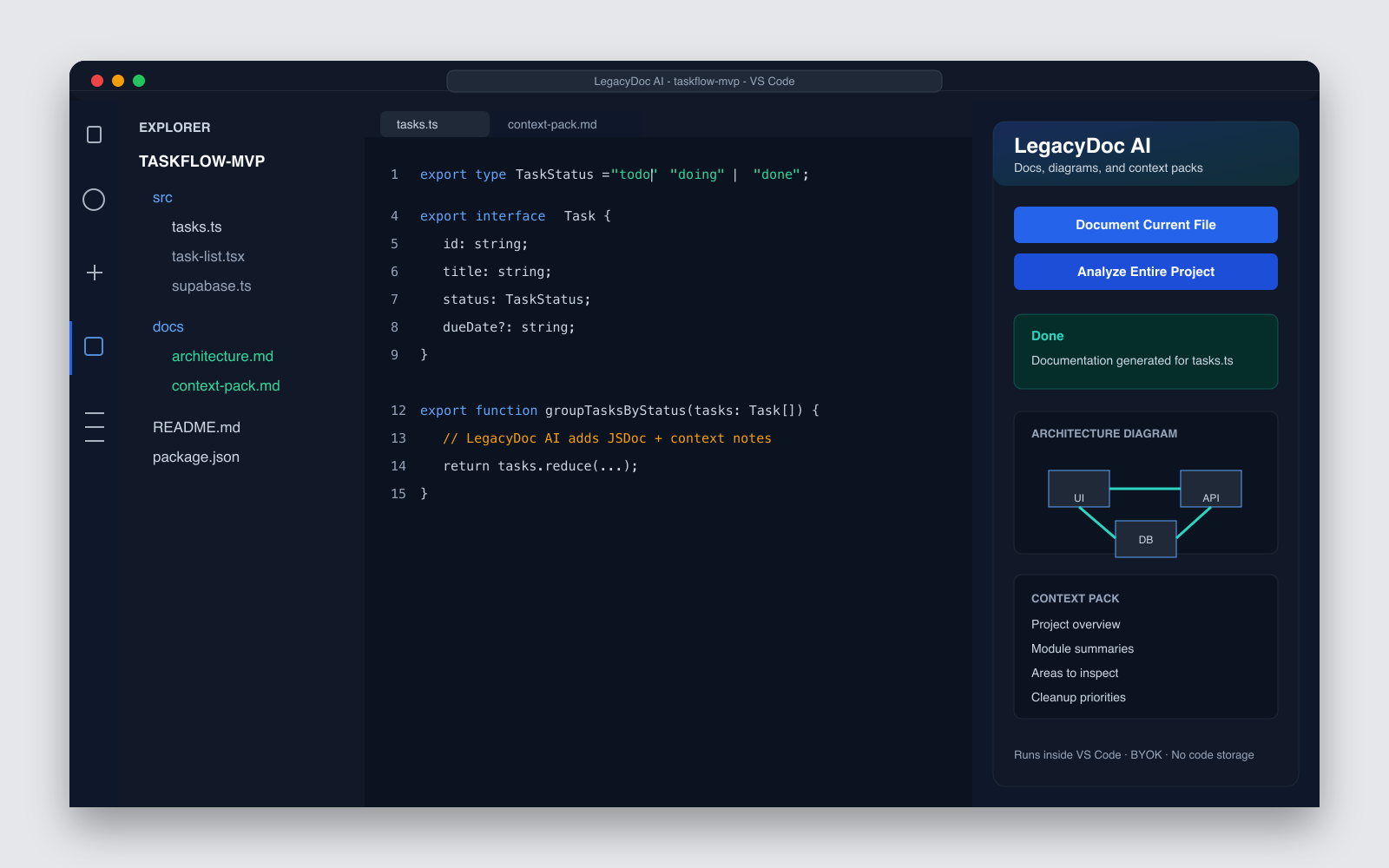
Your AI-generated app runs, but cleanup quotes get vague when nobody understands the codebase. Before you refactor, hire a cleanup service, or ask Claude Code, Cursor, or Codex to help, generate the architecture map, review notes, and cleanup priorities first. Treat LegacyDoc AI as vibe code cleaner prep, not an automatic code rewrite tool. This vibe code cleanup workflow is for reducing discovery cost before the first cleanup task starts.
Review handoff snapshot
Audit focus
- Architecture map before cleanup
- Risky files and review boundaries
- Context pack for AI coding agents
Map
Audit
Handoff
Quick answer
Looking for vibe code cleanup services or a specialist quote?
Before you ask a cleanup specialist or service for a quote, prepare the facts they need: what the app does, how the code is organized, which flows feel risky, and what should be cleaned first. LegacyDoc AI creates that cleanup prep package from your local VS Code workspace. This makes vibe code cleanup easier to scope because the provider can review evidence instead of guessing from a repo link.
For a specialist
Send architecture maps, module summaries, risk notes, and cleanup priorities before the first call.
For AI cleanup
Give Claude Code, Cursor, or Codex a project context pack before asking for refactors.
For a quote
Separate discovery work from real cleanup work so quotes are easier to compare.
If you searched
vibe coding cleanup
You probably have a working AI-built app that is starting to feel hard to change.
If you need
vibe code cleanup services
Create a context pack first so a freelancer or specialist can start from facts instead of guessing.
If you want
a vibe code cleaner
Start with a project map and cleanup priorities before asking AI to rewrite or refactor code.
If you use
Claude Code, Cursor, or Codex
Give the agent a compact project map and cleanup plan before asking it to rewrite anything.
Who needs vibe code cleanup readiness
Non-technical founders
You used Lovable, v0, Bolt, or Replit to build your MVP and now need a developer to take it further.
Indie hackers
You shipped fast with Cursor or Claude Code and now need to clean up before scaling or onboarding a team.
Devs inheriting AI prototypes
You're taking over someone else's AI-generated codebase and need to understand it before touching anything.
Teams preparing for review
You need shared context before a refactor sprint, code review, or freelancer engagement.
Why AI code cleanup fails without context
What to generate before cleanup
Architecture map
A Mermaid diagram showing how modules, routes, and components connect.
Module summaries
Plain-language descriptions of what each folder and file does.
Areas to inspect
Flagged sections that need closer review before making changes.
Cleanup priority list
An ordered list of what to address first, second, and later.
AI-ready context pack
A structured file you can share with Claude Code, Cursor, or Codex.
Missing documentation
Identified gaps in JSDoc, README, and inline comments.
A safer vibe coding cleanup workflow
Treat AI-generated code as a draft. Before large cleanup prompts, create a small, reviewable plan that both humans and AI tools can follow.
01
Map the app
Identify routes, modules, data flow, and large files before touching code.
02
Find risky areas
List duplicated logic, missing docs, unclear APIs, config gaps, and untested paths.
03
Prioritize cleanup
Separate urgent cleanup from later refactors so the first pass stays small.
04
Guide the cleaner
Share the context pack with Claude Code, Cursor, Codex, or a human specialist before cleanup begins.
Cleanup brief scorecard
A good vibe code cleanup brief makes the next action obvious
Vague cleanup requests create vague estimates. A useful vibe code cleanup brief should let a developer, freelancer, or AI coding agent decide what to inspect first, what to leave alone, and what result would count as done. Use this scorecard before you pay for vibe code cleanup, before you ask for a specialist quote, or before you run a large refactor prompt in an AI coding tool.
1. Product and risk context
Explain what the app does, which users depend on it, and which flows cannot break. Vibe code cleanup should protect the product before it improves the code.
2. Architecture and ownership map
List the main folders, routes, data flow, and owners. Vibe code cleanup is faster when the reviewer can see boundaries before opening every file.
3. Known cleanup targets
Name the exact files, modules, or behaviors that feel fragile. Vibe code cleanup should start from specific symptoms instead of a generic request to make the repo cleaner.
4. Verification plan
Write how you will know the cleanup worked: flows to test, commands to run, screenshots to compare, and checks that should stay green after vibe code cleanup.
5. Scope boundary
Separate discovery, documentation, refactoring, testing, and launch hardening. Vibe code cleanup gets expensive when those jobs are mixed into one undefined task.
6. Handoff format
Prepare a concise context pack that another person or model can read. Vibe code cleanup should end with a codebase that is easier to understand next week, not just quieter today.
When the brief is ready
If the brief answers these six points, your first vibe code cleanup pass can be smaller and easier to review. If the brief is missing several points, use LegacyDoc AI to generate an audit report and context pack before you ask for vibe code cleanup help. The goal is not to make the page longer; the goal is to make the next cleanup decision measurable.
DIY cleanup vs hiring a cleanup specialist
Both work. The right choice depends on your time, budget, and how comfortable you are reading code.
DIY with AI tools
- — Lower cost, more time investment
- — Works well with Claude Code, Cursor, or Codex
- — You stay in control of every change
- — Best when you have some technical background
Hiring a specialist
- — Faster turnaround, higher cost
- — Useful when you need to ship soon
- — Needs strong project context to be efficient
- — Best when you don't want to read code yourself
Before you ask for a cleanup quote
Cleanup services become hard to price when the request is just “here is my repo, please fix it.” Give a specialist or freelancer a compact context pack first, so the quote is about the real cleanup work.
What the app does
A short product summary, main user flows, and what must keep working after cleanup.
How the code is shaped
Stack, entry points, architecture map, module summaries, and setup instructions.
What feels risky
Known bugs, oversized files, auth or payment concerns, data-flow uncertainty, and missing tests.
What you want first
A ranked cleanup list: launch blockers, quote blockers, nice-to-have refactors, and later polish.
# Vibe Code Cleanup Quote Brief

## Project
- What the app does:
- Stack:
- Current status:
- What must not break:

## Context
- Architecture map:
- Module summaries:
- Setup notes:
- Known risky files:

## Problems
- Bugs or behavior issues:
- Performance concerns:
- Auth / payment / data concerns:
- Missing docs or tests:

## Cleanup priority
1.
2.
3.

## Ask
Please quote the discovery work separately from cleanup implementation.
Please tell me which parts are blockers before launch and which can wait.
What a cleanup specialist needs before starting
Without this context, even an experienced specialist will spend the first day or two onboarding — billable hours that could go toward actual cleanup.
Common vibe-coded app problems
Duplicated UI logic
Similar components built multiple times across the app.
Unclear API boundaries
Hard to tell where data enters or exits the system.
Scattered config
Environment variables and constants spread across many files.
Oversized components
Single files with 300+ lines doing many unrelated things.
Missing setup docs
No clear instructions for how to run or modify the project.
No test plan
No structured way to verify the app still works after changes.
Cleanup workflows
Clean up yourself with AI
Generate the context pack, then share it with Claude Code, Cursor, or Codex to guide cleanup in small, reviewable steps.
Hand off to a cleanup specialist
Give the specialist your architecture map, module summaries, and cleanup priorities so they can start immediately.
Hire a freelancer or developer
Share the context pack so the developer understands the codebase before writing a single line.
Related resources
Service
Vibe Coding Cleanup Services Prep
Prepare the evidence package before asking a cleanup service or specialist for a quote.
Service
AI App Launch Audit
Ask for a launch-readiness audit before users, investors, or a cleanup specialist see the app.
Checklist
Vibe Code Cleanup Checklist
Use a practical checklist before refactor, handoff, or a cleanup quote.
Template
Cleanup Brief Template
Copy a quote-ready cleanup brief before asking a specialist or freelancer for help.
Use case
AI Codebase Context
Create a compact project brief before asking an AI coding tool to change code.
Tool
Cleanup Cost Calculator
Estimate discovery scope and prepare a quote-ready cleanup brief before hiring help.
Use case
Document Legacy Code
Generate documentation and architecture context for existing projects.
Tool
AI Code Audit Report
Turn codebase context into an audit-ready report before cleanup.
Example
Sample Audit Report
See what a finished context report looks like.
Resource
Production Ready Checklist
Check whether an AI-built app is ready to launch before cleanup or handoff.
FAQ
What is vibe coding cleanup?
Vibe coding cleanup is the process of reviewing, documenting, refactoring, and stabilizing an AI-generated or rapidly prototyped app so it becomes easier to maintain, hand off, and safely change.
Is LegacyDoc AI a vibe code cleaner?
It is not an automatic vibe code cleaner. LegacyDoc AI creates the architecture map, module summaries, areas to inspect, and cleanup priorities you should review before using AI tools or hiring someone to clean up the code.
Do I need a vibe code cleanup specialist?
Not always. If you have development experience, you can use AI tools like Claude Code or Cursor with a good context pack to guide cleanup yourself. A specialist is useful when you need faster results or lack the technical background.
Can LegacyDoc AI clean the code automatically?
No. LegacyDoc AI generates documentation, architecture maps, and context packs. It helps you understand and prepare the codebase — but it does not rewrite or automatically fix your code.
What should I prepare before refactoring AI-generated code?
At minimum: an architecture map, module summaries, a list of areas to inspect, and a cleanup priority list. LegacyDoc AI can generate all of these from your local codebase.
What should I send before asking for a vibe code cleanup quote?
Send a short project brief, stack, setup notes, architecture map, module summaries, known issues, areas to inspect, and the top cleanup priorities. A cleanup specialist or freelancer can scope the work faster when they are not starting from a vague GitHub link.
Can a context pack reduce cleanup service cost?
It can reduce discovery time and make quotes easier to compare. It does not guarantee a lower price, but it helps separate real cleanup work from paid onboarding and reverse-engineering time.
How much do vibe coding cleanup services cost?
Pricing varies by codebase size, risk, stack, and whether you need discovery, documentation, refactoring, testing, or handoff work. A context pack helps the provider quote actual cleanup work instead of spending the first paid hours understanding the project.
Is this a security audit?
No. LegacyDoc AI does not perform penetration testing, vulnerability scanning, or formal security certification. It helps you understand and document your codebase before cleanup or review.
Prepare your vibe-coded app for cleanup
Runs inside VS Code. BYOK. Free to install.
vibe code cleanup decision checklist
This section keeps vibe code cleanup focused on one search intent. A reader comparing options for vibe code cleanup should quickly see the task, the evidence, the handoff value, and the next action without leaving the page.
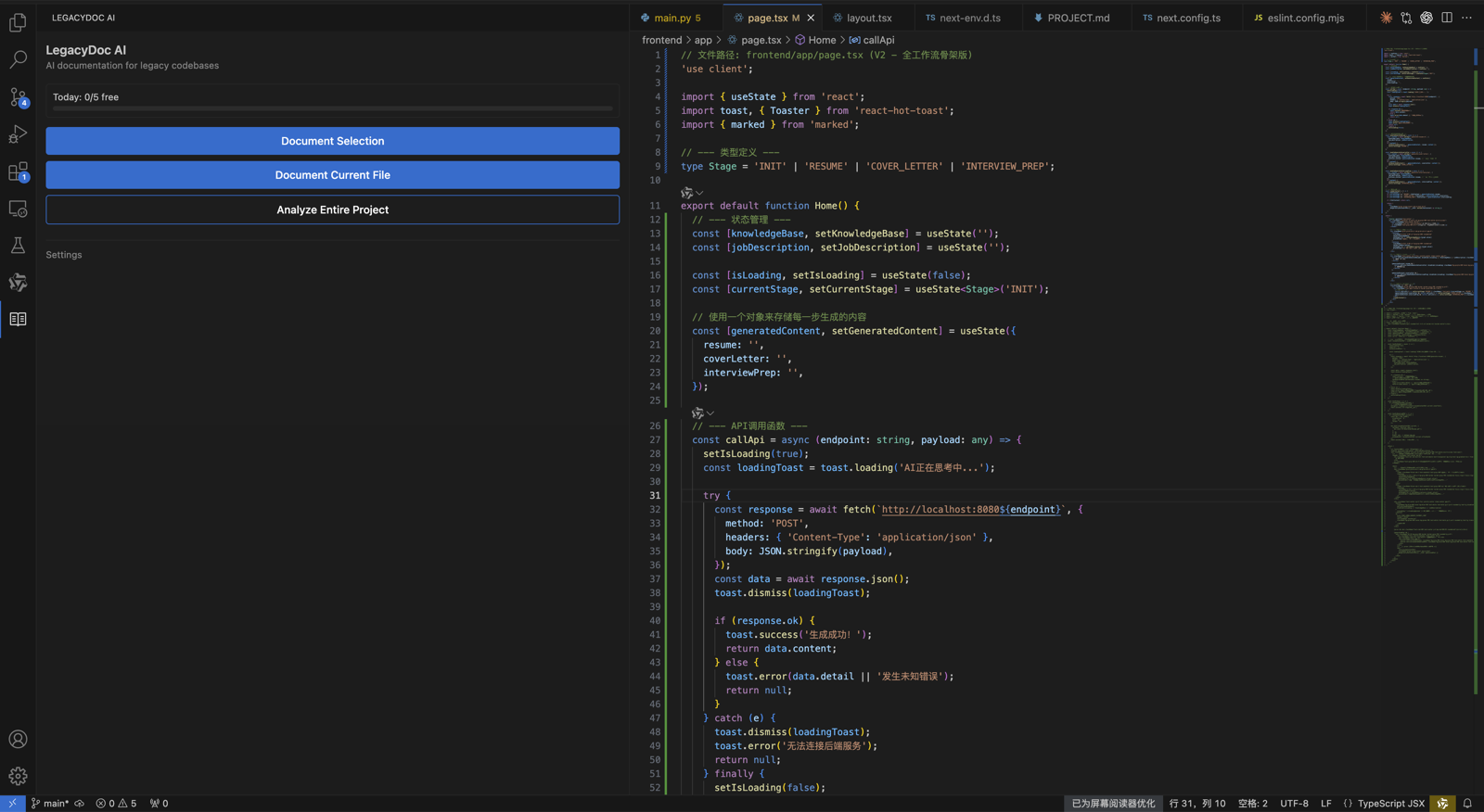
vibe code cleanup checkpoint 1
Use vibe code cleanup as the page promise, then verify that vibe code cleanup is supported by the headline, the example, the internal links, the call to action, and the reader's next step. A strong vibe code cleanup page should explain who needs vibe code cleanup, what evidence is required before acting, and how RomantiCode reduces uncertainty for founders, developers, cleanup specialists, and AI coding agents. Keep the vibe code cleanup checklist tied to a real workflow: inspect the codebase, map risky files, prepare context, compare options, and decide whether to audit, refactor, hire help, or continue with an AI assistant.
vibe code cleanup checkpoint 2
Use vibe code cleanup as the page promise, then verify that vibe code cleanup is supported by the headline, the example, the internal links, the call to action, and the reader's next step. A strong vibe code cleanup page should explain who needs vibe code cleanup, what evidence is required before acting, and how RomantiCode reduces uncertainty for founders, developers, cleanup specialists, and AI coding agents. Keep the vibe code cleanup checklist tied to a real workflow: inspect the codebase, map risky files, prepare context, compare options, and decide whether to audit, refactor, hire help, or continue with an AI assistant.
vibe code cleanup checkpoint 3
Use vibe code cleanup as the page promise, then verify that vibe code cleanup is supported by the headline, the example, the internal links, the call to action, and the reader's next step. A strong vibe code cleanup page should explain who needs vibe code cleanup, what evidence is required before acting, and how RomantiCode reduces uncertainty for founders, developers, cleanup specialists, and AI coding agents. Keep the vibe code cleanup checklist tied to a real workflow: inspect the codebase, map risky files, prepare context, compare options, and decide whether to audit, refactor, hire help, or continue with an AI assistant.
vibe code cleanup checkpoint 4
Use vibe code cleanup as the page promise, then verify that vibe code cleanup is supported by the headline, the example, the internal links, the call to action, and the reader's next step. A strong vibe code cleanup page should explain who needs vibe code cleanup, what evidence is required before acting, and how RomantiCode reduces uncertainty for founders, developers, cleanup specialists, and AI coding agents. Keep the vibe code cleanup checklist tied to a real workflow: inspect the codebase, map risky files, prepare context, compare options, and decide whether to audit, refactor, hire help, or continue with an AI assistant.
vibe code cleanup checkpoint 5
Use vibe code cleanup as the page promise, then verify that vibe code cleanup is supported by the headline, the example, the internal links, the call to action, and the reader's next step. A strong vibe code cleanup page should explain who needs vibe code cleanup, what evidence is required before acting, and how RomantiCode reduces uncertainty for founders, developers, cleanup specialists, and AI coding agents. Keep the vibe code cleanup checklist tied to a real workflow: inspect the codebase, map risky files, prepare context, compare options, and decide whether to audit, refactor, hire help, or continue with an AI assistant.
vibe code cleanup checkpoint 6
Use vibe code cleanup as the page promise, then verify that vibe code cleanup is supported by the headline, the example, the internal links, the call to action, and the reader's next step. A strong vibe code cleanup page should explain who needs vibe code cleanup, what evidence is required before acting, and how RomantiCode reduces uncertainty for founders, developers, cleanup specialists, and AI coding agents. Keep the vibe code cleanup checklist tied to a real workflow: inspect the codebase, map risky files, prepare context, compare options, and decide whether to audit, refactor, hire help, or continue with an AI assistant.
vibe code cleanup checkpoint 7
Use vibe code cleanup as the page promise, then verify that vibe code cleanup is supported by the headline, the example, the internal links, the call to action, and the reader's next step. A strong vibe code cleanup page should explain who needs vibe code cleanup, what evidence is required before acting, and how RomantiCode reduces uncertainty for founders, developers, cleanup specialists, and AI coding agents. Keep the vibe code cleanup checklist tied to a real workflow: inspect the codebase, map risky files, prepare context, compare options, and decide whether to audit, refactor, hire help, or continue with an AI assistant.
vibe code cleanup checkpoint 8
Use vibe code cleanup as the page promise, then verify that vibe code cleanup is supported by the headline, the example, the internal links, the call to action, and the reader's next step. A strong vibe code cleanup page should explain who needs vibe code cleanup, what evidence is required before acting, and how RomantiCode reduces uncertainty for founders, developers, cleanup specialists, and AI coding agents. Keep the vibe code cleanup checklist tied to a real workflow: inspect the codebase, map risky files, prepare context, compare options, and decide whether to audit, refactor, hire help, or continue with an AI assistant.
vibe code cleanup checkpoint 9
Use vibe code cleanup as the page promise, then verify that vibe code cleanup is supported by the headline, the example, the internal links, the call to action, and the reader's next step. A strong vibe code cleanup page should explain who needs vibe code cleanup, what evidence is required before acting, and how RomantiCode reduces uncertainty for founders, developers, cleanup specialists, and AI coding agents. Keep the vibe code cleanup checklist tied to a real workflow: inspect the codebase, map risky files, prepare context, compare options, and decide whether to audit, refactor, hire help, or continue with an AI assistant.
vibe code cleanup checkpoint 10
Use vibe code cleanup as the page promise, then verify that vibe code cleanup is supported by the headline, the example, the internal links, the call to action, and the reader's next step. A strong vibe code cleanup page should explain who needs vibe code cleanup, what evidence is required before acting, and how RomantiCode reduces uncertainty for founders, developers, cleanup specialists, and AI coding agents. Keep the vibe code cleanup checklist tied to a real workflow: inspect the codebase, map risky files, prepare context, compare options, and decide whether to audit, refactor, hire help, or continue with an AI assistant.
vibe code cleanup checkpoint 11
Use vibe code cleanup as the page promise, then verify that vibe code cleanup is supported by the headline, the example, the internal links, the call to action, and the reader's next step. A strong vibe code cleanup page should explain who needs vibe code cleanup, what evidence is required before acting, and how RomantiCode reduces uncertainty for founders, developers, cleanup specialists, and AI coding agents. Keep the vibe code cleanup checklist tied to a real workflow: inspect the codebase, map risky files, prepare context, compare options, and decide whether to audit, refactor, hire help, or continue with an AI assistant.
vibe code cleanup checkpoint 12
Use vibe code cleanup as the page promise, then verify that vibe code cleanup is supported by the headline, the example, the internal links, the call to action, and the reader's next step. A strong vibe code cleanup page should explain who needs vibe code cleanup, what evidence is required before acting, and how RomantiCode reduces uncertainty for founders, developers, cleanup specialists, and AI coding agents. Keep the vibe code cleanup checklist tied to a real workflow: inspect the codebase, map risky files, prepare context, compare options, and decide whether to audit, refactor, hire help, or continue with an AI assistant.
vibe code cleanup checkpoint 13
Use vibe code cleanup as the page promise, then verify that vibe code cleanup is supported by the headline, the example, the internal links, the call to action, and the reader's next step. A strong vibe code cleanup page should explain who needs vibe code cleanup, what evidence is required before acting, and how RomantiCode reduces uncertainty for founders, developers, cleanup specialists, and AI coding agents. Keep the vibe code cleanup checklist tied to a real workflow: inspect the codebase, map risky files, prepare context, compare options, and decide whether to audit, refactor, hire help, or continue with an AI assistant.
vibe code cleanup checkpoint 14
Use vibe code cleanup as the page promise, then verify that vibe code cleanup is supported by the headline, the example, the internal links, the call to action, and the reader's next step. A strong vibe code cleanup page should explain who needs vibe code cleanup, what evidence is required before acting, and how RomantiCode reduces uncertainty for founders, developers, cleanup specialists, and AI coding agents. Keep the vibe code cleanup checklist tied to a real workflow: inspect the codebase, map risky files, prepare context, compare options, and decide whether to audit, refactor, hire help, or continue with an AI assistant.
vibe code cleanup checkpoint 15
Use vibe code cleanup as the page promise, then verify that vibe code cleanup is supported by the headline, the example, the internal links, the call to action, and the reader's next step. A strong vibe code cleanup page should explain who needs vibe code cleanup, what evidence is required before acting, and how RomantiCode reduces uncertainty for founders, developers, cleanup specialists, and AI coding agents. Keep the vibe code cleanup checklist tied to a real workflow: inspect the codebase, map risky files, prepare context, compare options, and decide whether to audit, refactor, hire help, or continue with an AI assistant.
vibe code cleanup checkpoint 16
Use vibe code cleanup as the page promise, then verify that vibe code cleanup is supported by the headline, the example, the internal links, the call to action, and the reader's next step. A strong vibe code cleanup page should explain who needs vibe code cleanup, what evidence is required before acting, and how RomantiCode reduces uncertainty for founders, developers, cleanup specialists, and AI coding agents. Keep the vibe code cleanup checklist tied to a real workflow: inspect the codebase, map risky files, prepare context, compare options, and decide whether to audit, refactor, hire help, or continue with an AI assistant.
vibe code cleanup checkpoint 17
Use vibe code cleanup as the page promise, then verify that vibe code cleanup is supported by the headline, the example, the internal links, the call to action, and the reader's next step. A strong vibe code cleanup page should explain who needs vibe code cleanup, what evidence is required before acting, and how RomantiCode reduces uncertainty for founders, developers, cleanup specialists, and AI coding agents. Keep the vibe code cleanup checklist tied to a real workflow: inspect the codebase, map risky files, prepare context, compare options, and decide whether to audit, refactor, hire help, or continue with an AI assistant.
vibe code cleanup checkpoint 18
Use vibe code cleanup as the page promise, then verify that vibe code cleanup is supported by the headline, the example, the internal links, the call to action, and the reader's next step. A strong vibe code cleanup page should explain who needs vibe code cleanup, what evidence is required before acting, and how RomantiCode reduces uncertainty for founders, developers, cleanup specialists, and AI coding agents. Keep the vibe code cleanup checklist tied to a real workflow: inspect the codebase, map risky files, prepare context, compare options, and decide whether to audit, refactor, hire help, or continue with an AI assistant.
vibe code cleanup checkpoint 19
Use vibe code cleanup as the page promise, then verify that vibe code cleanup is supported by the headline, the example, the internal links, the call to action, and the reader's next step. A strong vibe code cleanup page should explain who needs vibe code cleanup, what evidence is required before acting, and how RomantiCode reduces uncertainty for founders, developers, cleanup specialists, and AI coding agents. Keep the vibe code cleanup checklist tied to a real workflow: inspect the codebase, map risky files, prepare context, compare options, and decide whether to audit, refactor, hire help, or continue with an AI assistant.
vibe code cleanup checkpoint 20
Use vibe code cleanup as the page promise, then verify that vibe code cleanup is supported by the headline, the example, the internal links, the call to action, and the reader's next step. A strong vibe code cleanup page should explain who needs vibe code cleanup, what evidence is required before acting, and how RomantiCode reduces uncertainty for founders, developers, cleanup specialists, and AI coding agents. Keep the vibe code cleanup checklist tied to a real workflow: inspect the codebase, map risky files, prepare context, compare options, and decide whether to audit, refactor, hire help, or continue with an AI assistant.
vibe code cleanup checkpoint 21
Use vibe code cleanup as the page promise, then verify that vibe code cleanup is supported by the headline, the example, the internal links, the call to action, and the reader's next step. A strong vibe code cleanup page should explain who needs vibe code cleanup, what evidence is required before acting, and how RomantiCode reduces uncertainty for founders, developers, cleanup specialists, and AI coding agents. Keep the vibe code cleanup checklist tied to a real workflow: inspect the codebase, map risky files, prepare context, compare options, and decide whether to audit, refactor, hire help, or continue with an AI assistant.
vibe code cleanup checkpoint 22
Use vibe code cleanup as the page promise, then verify that vibe code cleanup is supported by the headline, the example, the internal links, the call to action, and the reader's next step. A strong vibe code cleanup page should explain who needs vibe code cleanup, what evidence is required before acting, and how RomantiCode reduces uncertainty for founders, developers, cleanup specialists, and AI coding agents. Keep the vibe code cleanup checklist tied to a real workflow: inspect the codebase, map risky files, prepare context, compare options, and decide whether to audit, refactor, hire help, or continue with an AI assistant.
vibe code cleanup checkpoint 23
Use vibe code cleanup as the page promise, then verify that vibe code cleanup is supported by the headline, the example, the internal links, the call to action, and the reader's next step. A strong vibe code cleanup page should explain who needs vibe code cleanup, what evidence is required before acting, and how RomantiCode reduces uncertainty for founders, developers, cleanup specialists, and AI coding agents. Keep the vibe code cleanup checklist tied to a real workflow: inspect the codebase, map risky files, prepare context, compare options, and decide whether to audit, refactor, hire help, or continue with an AI assistant.
vibe code cleanup checkpoint 24
Use vibe code cleanup as the page promise, then verify that vibe code cleanup is supported by the headline, the example, the internal links, the call to action, and the reader's next step. A strong vibe code cleanup page should explain who needs vibe code cleanup, what evidence is required before acting, and how RomantiCode reduces uncertainty for founders, developers, cleanup specialists, and AI coding agents. Keep the vibe code cleanup checklist tied to a real workflow: inspect the codebase, map risky files, prepare context, compare options, and decide whether to audit, refactor, hire help, or continue with an AI assistant.
vibe code cleanup checkpoint 25
Use vibe code cleanup as the page promise, then verify that vibe code cleanup is supported by the headline, the example, the internal links, the call to action, and the reader's next step. A strong vibe code cleanup page should explain who needs vibe code cleanup, what evidence is required before acting, and how RomantiCode reduces uncertainty for founders, developers, cleanup specialists, and AI coding agents. Keep the vibe code cleanup checklist tied to a real workflow: inspect the codebase, map risky files, prepare context, compare options, and decide whether to audit, refactor, hire help, or continue with an AI assistant.
vibe code cleanup checkpoint 26
Use vibe code cleanup as the page promise, then verify that vibe code cleanup is supported by the headline, the example, the internal links, the call to action, and the reader's next step. A strong vibe code cleanup page should explain who needs vibe code cleanup, what evidence is required before acting, and how RomantiCode reduces uncertainty for founders, developers, cleanup specialists, and AI coding agents. Keep the vibe code cleanup checklist tied to a real workflow: inspect the codebase, map risky files, prepare context, compare options, and decide whether to audit, refactor, hire help, or continue with an AI assistant.
vibe code cleanup checkpoint 27
Use vibe code cleanup as the page promise, then verify that vibe code cleanup is supported by the headline, the example, the internal links, the call to action, and the reader's next step. A strong vibe code cleanup page should explain who needs vibe code cleanup, what evidence is required before acting, and how RomantiCode reduces uncertainty for founders, developers, cleanup specialists, and AI coding agents. Keep the vibe code cleanup checklist tied to a real workflow: inspect the codebase, map risky files, prepare context, compare options, and decide whether to audit, refactor, hire help, or continue with an AI assistant.
vibe code cleanup checkpoint 28
Use vibe code cleanup as the page promise, then verify that vibe code cleanup is supported by the headline, the example, the internal links, the call to action, and the reader's next step. A strong vibe code cleanup page should explain who needs vibe code cleanup, what evidence is required before acting, and how RomantiCode reduces uncertainty for founders, developers, cleanup specialists, and AI coding agents. Keep the vibe code cleanup checklist tied to a real workflow: inspect the codebase, map risky files, prepare context, compare options, and decide whether to audit, refactor, hire help, or continue with an AI assistant.
vibe code cleanup checkpoint 29
Use vibe code cleanup as the page promise, then verify that vibe code cleanup is supported by the headline, the example, the internal links, the call to action, and the reader's next step. A strong vibe code cleanup page should explain who needs vibe code cleanup, what evidence is required before acting, and how RomantiCode reduces uncertainty for founders, developers, cleanup specialists, and AI coding agents. Keep the vibe code cleanup checklist tied to a real workflow: inspect the codebase, map risky files, prepare context, compare options, and decide whether to audit, refactor, hire help, or continue with an AI assistant.
vibe code cleanup checkpoint 30
Use vibe code cleanup as the page promise, then verify that vibe code cleanup is supported by the headline, the example, the internal links, the call to action, and the reader's next step. A strong vibe code cleanup page should explain who needs vibe code cleanup, what evidence is required before acting, and how RomantiCode reduces uncertainty for founders, developers, cleanup specialists, and AI coding agents. Keep the vibe code cleanup checklist tied to a real workflow: inspect the codebase, map risky files, prepare context, compare options, and decide whether to audit, refactor, hire help, or continue with an AI assistant.
vibe code cleanup checkpoint 31
Use vibe code cleanup as the page promise, then verify that vibe code cleanup is supported by the headline, the example, the internal links, the call to action, and the reader's next step. A strong vibe code cleanup page should explain who needs vibe code cleanup, what evidence is required before acting, and how RomantiCode reduces uncertainty for founders, developers, cleanup specialists, and AI coding agents. Keep the vibe code cleanup checklist tied to a real workflow: inspect the codebase, map risky files, prepare context, compare options, and decide whether to audit, refactor, hire help, or continue with an AI assistant.
vibe code cleanup checkpoint 32
Use vibe code cleanup as the page promise, then verify that vibe code cleanup is supported by the headline, the example, the internal links, the call to action, and the reader's next step. A strong vibe code cleanup page should explain who needs vibe code cleanup, what evidence is required before acting, and how RomantiCode reduces uncertainty for founders, developers, cleanup specialists, and AI coding agents. Keep the vibe code cleanup checklist tied to a real workflow: inspect the codebase, map risky files, prepare context, compare options, and decide whether to audit, refactor, hire help, or continue with an AI assistant.
vibe code cleanup checkpoint 33
Use vibe code cleanup as the page promise, then verify that vibe code cleanup is supported by the headline, the example, the internal links, the call to action, and the reader's next step. A strong vibe code cleanup page should explain who needs vibe code cleanup, what evidence is required before acting, and how RomantiCode reduces uncertainty for founders, developers, cleanup specialists, and AI coding agents. Keep the vibe code cleanup checklist tied to a real workflow: inspect the codebase, map risky files, prepare context, compare options, and decide whether to audit, refactor, hire help, or continue with an AI assistant.
vibe code cleanup checkpoint 34
Use vibe code cleanup as the page promise, then verify that vibe code cleanup is supported by the headline, the example, the internal links, the call to action, and the reader's next step. A strong vibe code cleanup page should explain who needs vibe code cleanup, what evidence is required before acting, and how RomantiCode reduces uncertainty for founders, developers, cleanup specialists, and AI coding agents. Keep the vibe code cleanup checklist tied to a real workflow: inspect the codebase, map risky files, prepare context, compare options, and decide whether to audit, refactor, hire help, or continue with an AI assistant.
vibe code cleanup checkpoint 35
Use vibe code cleanup as the page promise, then verify that vibe code cleanup is supported by the headline, the example, the internal links, the call to action, and the reader's next step. A strong vibe code cleanup page should explain who needs vibe code cleanup, what evidence is required before acting, and how RomantiCode reduces uncertainty for founders, developers, cleanup specialists, and AI coding agents. Keep the vibe code cleanup checklist tied to a real workflow: inspect the codebase, map risky files, prepare context, compare options, and decide whether to audit, refactor, hire help, or continue with an AI assistant.
vibe code cleanup checkpoint 36
Use vibe code cleanup as the page promise, then verify that vibe code cleanup is supported by the headline, the example, the internal links, the call to action, and the reader's next step. A strong vibe code cleanup page should explain who needs vibe code cleanup, what evidence is required before acting, and how RomantiCode reduces uncertainty for founders, developers, cleanup specialists, and AI coding agents. Keep the vibe code cleanup checklist tied to a real workflow: inspect the codebase, map risky files, prepare context, compare options, and decide whether to audit, refactor, hire help, or continue with an AI assistant.
vibe code cleanup checkpoint 37
Use vibe code cleanup as the page promise, then verify that vibe code cleanup is supported by the headline, the example, the internal links, the call to action, and the reader's next step. A strong vibe code cleanup page should explain who needs vibe code cleanup, what evidence is required before acting, and how RomantiCode reduces uncertainty for founders, developers, cleanup specialists, and AI coding agents. Keep the vibe code cleanup checklist tied to a real workflow: inspect the codebase, map risky files, prepare context, compare options, and decide whether to audit, refactor, hire help, or continue with an AI assistant.
vibe code cleanup checkpoint 38
Use vibe code cleanup as the page promise, then verify that vibe code cleanup is supported by the headline, the example, the internal links, the call to action, and the reader's next step. A strong vibe code cleanup page should explain who needs vibe code cleanup, what evidence is required before acting, and how RomantiCode reduces uncertainty for founders, developers, cleanup specialists, and AI coding agents. Keep the vibe code cleanup checklist tied to a real workflow: inspect the codebase, map risky files, prepare context, compare options, and decide whether to audit, refactor, hire help, or continue with an AI assistant.
vibe code cleanup checkpoint 39
Use vibe code cleanup as the page promise, then verify that vibe code cleanup is supported by the headline, the example, the internal links, the call to action, and the reader's next step. A strong vibe code cleanup page should explain who needs vibe code cleanup, what evidence is required before acting, and how RomantiCode reduces uncertainty for founders, developers, cleanup specialists, and AI coding agents. Keep the vibe code cleanup checklist tied to a real workflow: inspect the codebase, map risky files, prepare context, compare options, and decide whether to audit, refactor, hire help, or continue with an AI assistant.
vibe code cleanup checkpoint 40
Use vibe code cleanup as the page promise, then verify that vibe code cleanup is supported by the headline, the example, the internal links, the call to action, and the reader's next step. A strong vibe code cleanup page should explain who needs vibe code cleanup, what evidence is required before acting, and how RomantiCode reduces uncertainty for founders, developers, cleanup specialists, and AI coding agents. Keep the vibe code cleanup checklist tied to a real workflow: inspect the codebase, map risky files, prepare context, compare options, and decide whether to audit, refactor, hire help, or continue with an AI assistant.
vibe code cleanup checkpoint 41
Use vibe code cleanup as the page promise, then verify that vibe code cleanup is supported by the headline, the example, the internal links, the call to action, and the reader's next step. A strong vibe code cleanup page should explain who needs vibe code cleanup, what evidence is required before acting, and how RomantiCode reduces uncertainty for founders, developers, cleanup specialists, and AI coding agents. Keep the vibe code cleanup checklist tied to a real workflow: inspect the codebase, map risky files, prepare context, compare options, and decide whether to audit, refactor, hire help, or continue with an AI assistant.
vibe code cleanup checkpoint 42
Use vibe code cleanup as the page promise, then verify that vibe code cleanup is supported by the headline, the example, the internal links, the call to action, and the reader's next step. A strong vibe code cleanup page should explain who needs vibe code cleanup, what evidence is required before acting, and how RomantiCode reduces uncertainty for founders, developers, cleanup specialists, and AI coding agents. Keep the vibe code cleanup checklist tied to a real workflow: inspect the codebase, map risky files, prepare context, compare options, and decide whether to audit, refactor, hire help, or continue with an AI assistant.
vibe code cleanup checkpoint 43
Use vibe code cleanup as the page promise, then verify that vibe code cleanup is supported by the headline, the example, the internal links, the call to action, and the reader's next step. A strong vibe code cleanup page should explain who needs vibe code cleanup, what evidence is required before acting, and how RomantiCode reduces uncertainty for founders, developers, cleanup specialists, and AI coding agents. Keep the vibe code cleanup checklist tied to a real workflow: inspect the codebase, map risky files, prepare context, compare options, and decide whether to audit, refactor, hire help, or continue with an AI assistant.
vibe code cleanup checkpoint 44
Use vibe code cleanup as the page promise, then verify that vibe code cleanup is supported by the headline, the example, the internal links, the call to action, and the reader's next step. A strong vibe code cleanup page should explain who needs vibe code cleanup, what evidence is required before acting, and how RomantiCode reduces uncertainty for founders, developers, cleanup specialists, and AI coding agents. Keep the vibe code cleanup checklist tied to a real workflow: inspect the codebase, map risky files, prepare context, compare options, and decide whether to audit, refactor, hire help, or continue with an AI assistant.
vibe code cleanup checkpoint 45
Use vibe code cleanup as the page promise, then verify that vibe code cleanup is supported by the headline, the example, the internal links, the call to action, and the reader's next step. A strong vibe code cleanup page should explain who needs vibe code cleanup, what evidence is required before acting, and how RomantiCode reduces uncertainty for founders, developers, cleanup specialists, and AI coding agents. Keep the vibe code cleanup checklist tied to a real workflow: inspect the codebase, map risky files, prepare context, compare options, and decide whether to audit, refactor, hire help, or continue with an AI assistant.
vibe code cleanup checkpoint 46
Use vibe code cleanup as the page promise, then verify that vibe code cleanup is supported by the headline, the example, the internal links, the call to action, and the reader's next step. A strong vibe code cleanup page should explain who needs vibe code cleanup, what evidence is required before acting, and how RomantiCode reduces uncertainty for founders, developers, cleanup specialists, and AI coding agents. Keep the vibe code cleanup checklist tied to a real workflow: inspect the codebase, map risky files, prepare context, compare options, and decide whether to audit, refactor, hire help, or continue with an AI assistant.
vibe code cleanup checkpoint 47
Use vibe code cleanup as the page promise, then verify that vibe code cleanup is supported by the headline, the example, the internal links, the call to action, and the reader's next step. A strong vibe code cleanup page should explain who needs vibe code cleanup, what evidence is required before acting, and how RomantiCode reduces uncertainty for founders, developers, cleanup specialists, and AI coding agents. Keep the vibe code cleanup checklist tied to a real workflow: inspect the codebase, map risky files, prepare context, compare options, and decide whether to audit, refactor, hire help, or continue with an AI assistant.
vibe code cleanup checkpoint 48
Use vibe code cleanup as the page promise, then verify that vibe code cleanup is supported by the headline, the example, the internal links, the call to action, and the reader's next step. A strong vibe code cleanup page should explain who needs vibe code cleanup, what evidence is required before acting, and how RomantiCode reduces uncertainty for founders, developers, cleanup specialists, and AI coding agents. Keep the vibe code cleanup checklist tied to a real workflow: inspect the codebase, map risky files, prepare context, compare options, and decide whether to audit, refactor, hire help, or continue with an AI assistant.
vibe code cleanup checkpoint 49
Use vibe code cleanup as the page promise, then verify that vibe code cleanup is supported by the headline, the example, the internal links, the call to action, and the reader's next step. A strong vibe code cleanup page should explain who needs vibe code cleanup, what evidence is required before acting, and how RomantiCode reduces uncertainty for founders, developers, cleanup specialists, and AI coding agents. Keep the vibe code cleanup checklist tied to a real workflow: inspect the codebase, map risky files, prepare context, compare options, and decide whether to audit, refactor, hire help, or continue with an AI assistant.
vibe code cleanup checkpoint 50
Use vibe code cleanup as the page promise, then verify that vibe code cleanup is supported by the headline, the example, the internal links, the call to action, and the reader's next step. A strong vibe code cleanup page should explain who needs vibe code cleanup, what evidence is required before acting, and how RomantiCode reduces uncertainty for founders, developers, cleanup specialists, and AI coding agents. Keep the vibe code cleanup checklist tied to a real workflow: inspect the codebase, map risky files, prepare context, compare options, and decide whether to audit, refactor, hire help, or continue with an AI assistant.
vibe code cleanup checkpoint 51
Use vibe code cleanup as the page promise, then verify that vibe code cleanup is supported by the headline, the example, the internal links, the call to action, and the reader's next step. A strong vibe code cleanup page should explain who needs vibe code cleanup, what evidence is required before acting, and how RomantiCode reduces uncertainty for founders, developers, cleanup specialists, and AI coding agents. Keep the vibe code cleanup checklist tied to a real workflow: inspect the codebase, map risky files, prepare context, compare options, and decide whether to audit, refactor, hire help, or continue with an AI assistant.
vibe code cleanup checkpoint 52
Use vibe code cleanup as the page promise, then verify that vibe code cleanup is supported by the headline, the example, the internal links, the call to action, and the reader's next step. A strong vibe code cleanup page should explain who needs vibe code cleanup, what evidence is required before acting, and how RomantiCode reduces uncertainty for founders, developers, cleanup specialists, and AI coding agents. Keep the vibe code cleanup checklist tied to a real workflow: inspect the codebase, map risky files, prepare context, compare options, and decide whether to audit, refactor, hire help, or continue with an AI assistant.