01
Preparing a cleanup quote
Generate the architecture map, module notes, and cleanup priorities a freelancer needs before they can scope the work.
LegacyDoc AI runs inside VS Code, uses your own AI API key, and keeps AI code audit pricing simple: try the free plan, then upgrade when repeated audit reports, docs, diagrams, and context packs become daily work.
Payment boundary
Review handoff snapshot
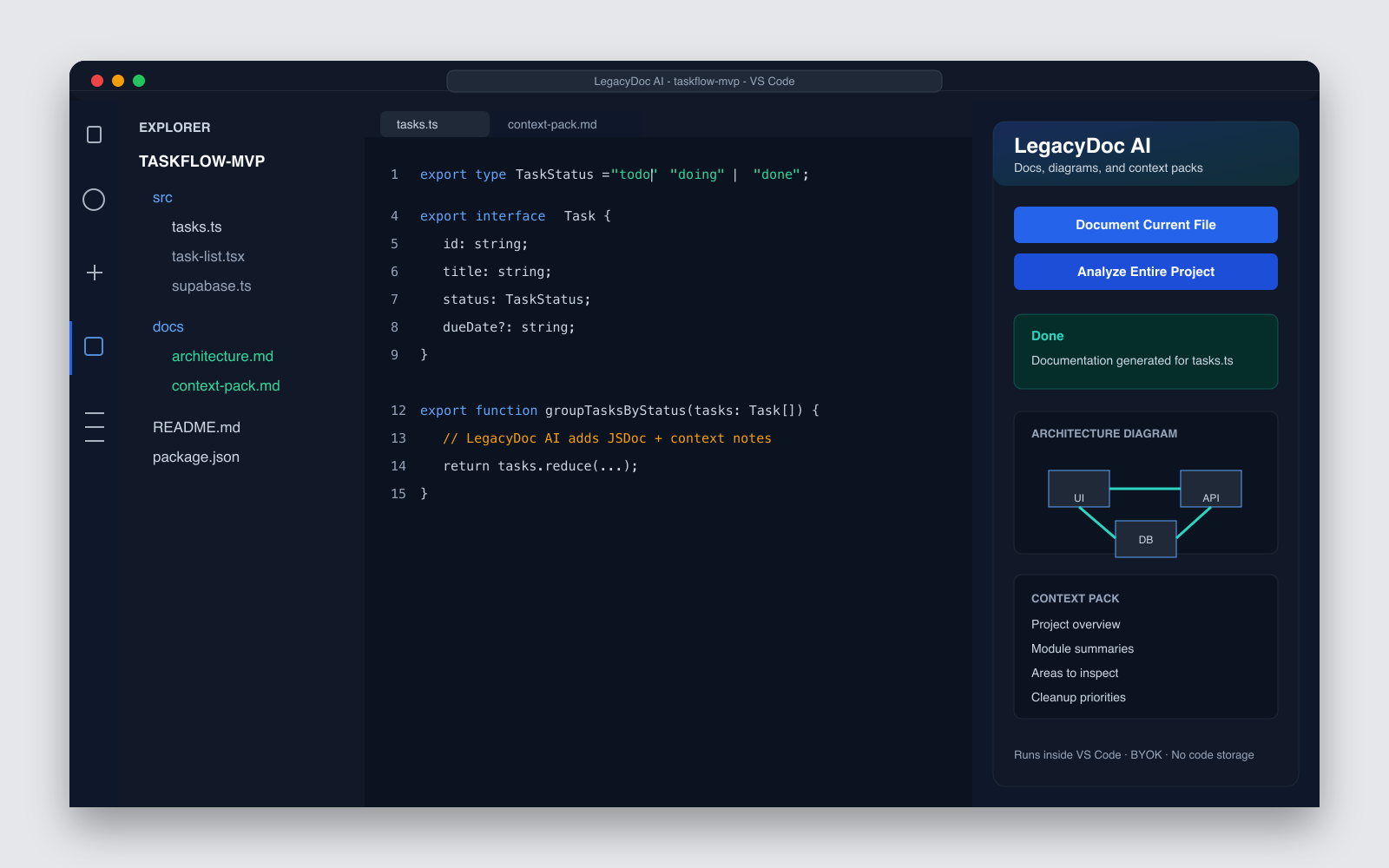
Audit focus
Map
Audit
Handoff
Free
$0
forever
Best for trying LegacyDoc AI on a small project or generating occasional docs and context packs.
Pro
$29
one-time
Best when you are cleaning up an AI-generated app, documenting an inherited codebase, or repeatedly preparing context for AI coding tools.
External references
Listed in curated AI code review and indie AI startup resources.
Upgrade trigger
Free is enough for a quick trial. Pro makes sense when the same project needs several passes before cleanup, launch review, or AI-agent handoff. If you are still estimating review scope, use the AI code audit cost calculator before choosing a plan.
01
Generate the architecture map, module notes, and cleanup priorities a freelancer needs before they can scope the work.
02
Run repeated audit passes across routes, auth, data flow, edge cases, and handoff notes without hitting the free daily limit.
03
Refresh context packs for Claude Code, Cursor, Codex, or Copilot as the project changes instead of rewriting briefs by hand.
People searching for AI code audit pricing are usually not comparing a decorative documentation tool. They are trying to understand what it will cost to inspect an AI-generated app, prepare a cleanup quote, or hand a messy codebase to a developer without wasting the first few hours on discovery. LegacyDoc AI keeps AI code audit pricing separate from consulting pricing: the extension helps you generate the project map and audit-ready context inside VS Code, while a human cleanup specialist can use that context to quote deeper work.
This page explains AI code audit pricing from the product side. The free plan is for testing the workflow on a small project. The Pro plan is for repeated audit passes, large cleanup preparation, launch review, and AI-agent handoff. If you need a full service review, use the AI app launch audit page; if you want the extension that creates the context pack, this AI code audit pricing page is the right starting point.
Use AI code audit pricing at $0 when you only need a trial, a few docs, or one small context pack.
Use AI code audit pricing at $29 one-time when repeated project analysis, batch docs, and audit context matter.
AI code audit pricing is not the same as hiring a developer; it prepares the evidence needed before cleanup.
When business risk is higher, pair AI code audit pricing with a human-reviewed launch audit request.
A cheap AI code audit pricing page is not useful if it only produces a generic summary. The value comes from reducing discovery time: architecture notes, risky module lists, documentation gaps, cleanup priorities, and a context pack that Claude Code, Cursor, Codex, or a human reviewer can actually use. That is why the Pro plan focuses on unlimited generations and batch processing instead of a complicated usage meter.
Start free. If five daily generations are enough, your AI code audit pricing is effectively zero while you test fit.
Upgrade to Pro when a cleanup quote needs multiple passes across routes, modules, docs, diagrams, and risk notes.
Use Pro when AI code audit pricing should support repeated context refreshes for every refactor, launch review, and handoff.
A practical AI code audit pricing rule
If one generated report is enough, stay free. If you need to document several folders, prepare a quote pack, compare AI-generated assumptions, and refresh context after changes, the one-time Pro license is usually cheaper than paying a developer to rediscover the codebase from scratch. AI code audit pricing is most useful when it turns a vague cleanup request into a concrete list of files, risks, and next actions.
A messy AI-built app often has two separate costs. The first cost is discovery: understanding routes, modules, data flow, dependencies, generated assumptions, and handoff risk. The second cost is actual remediation: editing code, writing tests, fixing architecture, and deploying safely. LegacyDoc AI focuses on the discovery layer. It helps create the map and evidence that make the second cost easier to estimate.
That boundary is important when you compare tools. A hosted scanner may charge per repository, per seat, or per scan. A consultant may charge by hour or by project. LegacyDoc AI is a VS Code extension with a free trial and a simple Pro license. Use it before a quote call, before a long refactor session, or before asking a coding agent to make changes across unfamiliar files.
If the first hour of a cleanup project is usually spent asking what the app does, the extension is meant to make that hour more structured before anyone commits to larger work.
The payment and activation flow is intentionally simple, so you can get back to the codebase.
01
Pay with Creem
Checkout is handled by Creem as the payment provider.
02
Get your license by email
Use the same email to find the license key after purchase.
03
Activate inside VS Code
Paste the license key into LegacyDoc AI settings to unlock Pro.
Good fit
Not a fit
No. Install LegacyDoc AI from the VS Code Marketplace and use the free plan with 5 generations per day.
No. Pro is a one-time $29 purchase for the current license terms.
Upgrade when the daily limit blocks real work: preparing a cleanup quote pack, reviewing an AI-generated app before launch, documenting an inherited codebase, or repeatedly generating context for Claude Code, Cursor, Codex, or another coding agent.
Your Pro license key is sent to the email used during checkout. Paste it into VS Code settings to unlock Pro features.
Yes. A Pro license can be activated on up to 3 devices you personally use.
No. LegacyDoc AI runs inside VS Code. Your code is sent only to the AI provider you configure with your own API key, not to RomantiCode servers.
Payments are processed by Creem. If something goes wrong with activation or the product does not work for your setup, contact contact@romanticode.com and we will review the request.
Install free first, or upgrade when the daily limit slows you down.
This section keeps AI code audit pricing focused on one search intent. A reader comparing options for AI code audit pricing should quickly see the task, the evidence, the handoff value, and the next action without leaving the page.
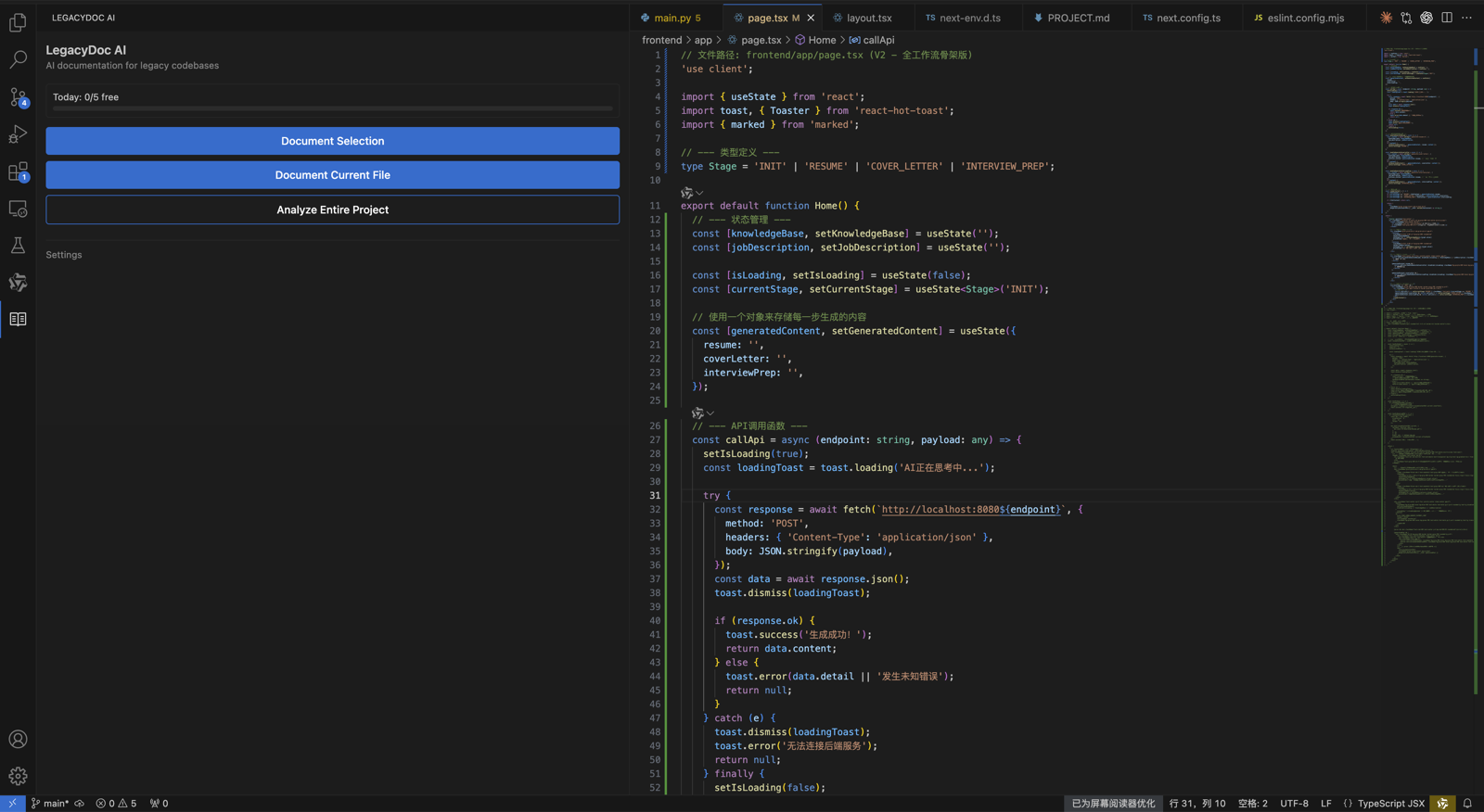
Use AI code audit pricing as the page promise, then verify that AI code audit pricing is supported by the headline, the example, the internal links, the call to action, and the reader's next step. A strong AI code audit pricing page should explain who needs AI code audit pricing, what evidence is required before acting, and how RomantiCode reduces uncertainty for founders, developers, cleanup specialists, and AI coding agents. Keep the AI code audit pricing checklist tied to a real workflow: inspect the codebase, map risky files, prepare context, compare options, and decide whether to audit, refactor, hire help, or continue with an AI assistant.
Use AI code audit pricing as the page promise, then verify that AI code audit pricing is supported by the headline, the example, the internal links, the call to action, and the reader's next step. A strong AI code audit pricing page should explain who needs AI code audit pricing, what evidence is required before acting, and how RomantiCode reduces uncertainty for founders, developers, cleanup specialists, and AI coding agents. Keep the AI code audit pricing checklist tied to a real workflow: inspect the codebase, map risky files, prepare context, compare options, and decide whether to audit, refactor, hire help, or continue with an AI assistant.
Use AI code audit pricing as the page promise, then verify that AI code audit pricing is supported by the headline, the example, the internal links, the call to action, and the reader's next step. A strong AI code audit pricing page should explain who needs AI code audit pricing, what evidence is required before acting, and how RomantiCode reduces uncertainty for founders, developers, cleanup specialists, and AI coding agents. Keep the AI code audit pricing checklist tied to a real workflow: inspect the codebase, map risky files, prepare context, compare options, and decide whether to audit, refactor, hire help, or continue with an AI assistant.
Use AI code audit pricing as the page promise, then verify that AI code audit pricing is supported by the headline, the example, the internal links, the call to action, and the reader's next step. A strong AI code audit pricing page should explain who needs AI code audit pricing, what evidence is required before acting, and how RomantiCode reduces uncertainty for founders, developers, cleanup specialists, and AI coding agents. Keep the AI code audit pricing checklist tied to a real workflow: inspect the codebase, map risky files, prepare context, compare options, and decide whether to audit, refactor, hire help, or continue with an AI assistant.
Use AI code audit pricing as the page promise, then verify that AI code audit pricing is supported by the headline, the example, the internal links, the call to action, and the reader's next step. A strong AI code audit pricing page should explain who needs AI code audit pricing, what evidence is required before acting, and how RomantiCode reduces uncertainty for founders, developers, cleanup specialists, and AI coding agents. Keep the AI code audit pricing checklist tied to a real workflow: inspect the codebase, map risky files, prepare context, compare options, and decide whether to audit, refactor, hire help, or continue with an AI assistant.
Use AI code audit pricing as the page promise, then verify that AI code audit pricing is supported by the headline, the example, the internal links, the call to action, and the reader's next step. A strong AI code audit pricing page should explain who needs AI code audit pricing, what evidence is required before acting, and how RomantiCode reduces uncertainty for founders, developers, cleanup specialists, and AI coding agents. Keep the AI code audit pricing checklist tied to a real workflow: inspect the codebase, map risky files, prepare context, compare options, and decide whether to audit, refactor, hire help, or continue with an AI assistant.
Use AI code audit pricing as the page promise, then verify that AI code audit pricing is supported by the headline, the example, the internal links, the call to action, and the reader's next step. A strong AI code audit pricing page should explain who needs AI code audit pricing, what evidence is required before acting, and how RomantiCode reduces uncertainty for founders, developers, cleanup specialists, and AI coding agents. Keep the AI code audit pricing checklist tied to a real workflow: inspect the codebase, map risky files, prepare context, compare options, and decide whether to audit, refactor, hire help, or continue with an AI assistant.
Use AI code audit pricing as the page promise, then verify that AI code audit pricing is supported by the headline, the example, the internal links, the call to action, and the reader's next step. A strong AI code audit pricing page should explain who needs AI code audit pricing, what evidence is required before acting, and how RomantiCode reduces uncertainty for founders, developers, cleanup specialists, and AI coding agents. Keep the AI code audit pricing checklist tied to a real workflow: inspect the codebase, map risky files, prepare context, compare options, and decide whether to audit, refactor, hire help, or continue with an AI assistant.
Use AI code audit pricing as the page promise, then verify that AI code audit pricing is supported by the headline, the example, the internal links, the call to action, and the reader's next step. A strong AI code audit pricing page should explain who needs AI code audit pricing, what evidence is required before acting, and how RomantiCode reduces uncertainty for founders, developers, cleanup specialists, and AI coding agents. Keep the AI code audit pricing checklist tied to a real workflow: inspect the codebase, map risky files, prepare context, compare options, and decide whether to audit, refactor, hire help, or continue with an AI assistant.
Use AI code audit pricing as the page promise, then verify that AI code audit pricing is supported by the headline, the example, the internal links, the call to action, and the reader's next step. A strong AI code audit pricing page should explain who needs AI code audit pricing, what evidence is required before acting, and how RomantiCode reduces uncertainty for founders, developers, cleanup specialists, and AI coding agents. Keep the AI code audit pricing checklist tied to a real workflow: inspect the codebase, map risky files, prepare context, compare options, and decide whether to audit, refactor, hire help, or continue with an AI assistant.
Use AI code audit pricing as the page promise, then verify that AI code audit pricing is supported by the headline, the example, the internal links, the call to action, and the reader's next step. A strong AI code audit pricing page should explain who needs AI code audit pricing, what evidence is required before acting, and how RomantiCode reduces uncertainty for founders, developers, cleanup specialists, and AI coding agents. Keep the AI code audit pricing checklist tied to a real workflow: inspect the codebase, map risky files, prepare context, compare options, and decide whether to audit, refactor, hire help, or continue with an AI assistant.
Use AI code audit pricing as the page promise, then verify that AI code audit pricing is supported by the headline, the example, the internal links, the call to action, and the reader's next step. A strong AI code audit pricing page should explain who needs AI code audit pricing, what evidence is required before acting, and how RomantiCode reduces uncertainty for founders, developers, cleanup specialists, and AI coding agents. Keep the AI code audit pricing checklist tied to a real workflow: inspect the codebase, map risky files, prepare context, compare options, and decide whether to audit, refactor, hire help, or continue with an AI assistant.
Use AI code audit pricing as the page promise, then verify that AI code audit pricing is supported by the headline, the example, the internal links, the call to action, and the reader's next step. A strong AI code audit pricing page should explain who needs AI code audit pricing, what evidence is required before acting, and how RomantiCode reduces uncertainty for founders, developers, cleanup specialists, and AI coding agents. Keep the AI code audit pricing checklist tied to a real workflow: inspect the codebase, map risky files, prepare context, compare options, and decide whether to audit, refactor, hire help, or continue with an AI assistant.
Use AI code audit pricing as the page promise, then verify that AI code audit pricing is supported by the headline, the example, the internal links, the call to action, and the reader's next step. A strong AI code audit pricing page should explain who needs AI code audit pricing, what evidence is required before acting, and how RomantiCode reduces uncertainty for founders, developers, cleanup specialists, and AI coding agents. Keep the AI code audit pricing checklist tied to a real workflow: inspect the codebase, map risky files, prepare context, compare options, and decide whether to audit, refactor, hire help, or continue with an AI assistant.
Use AI code audit pricing as the page promise, then verify that AI code audit pricing is supported by the headline, the example, the internal links, the call to action, and the reader's next step. A strong AI code audit pricing page should explain who needs AI code audit pricing, what evidence is required before acting, and how RomantiCode reduces uncertainty for founders, developers, cleanup specialists, and AI coding agents. Keep the AI code audit pricing checklist tied to a real workflow: inspect the codebase, map risky files, prepare context, compare options, and decide whether to audit, refactor, hire help, or continue with an AI assistant.
Use AI code audit pricing as the page promise, then verify that AI code audit pricing is supported by the headline, the example, the internal links, the call to action, and the reader's next step. A strong AI code audit pricing page should explain who needs AI code audit pricing, what evidence is required before acting, and how RomantiCode reduces uncertainty for founders, developers, cleanup specialists, and AI coding agents. Keep the AI code audit pricing checklist tied to a real workflow: inspect the codebase, map risky files, prepare context, compare options, and decide whether to audit, refactor, hire help, or continue with an AI assistant.
Use AI code audit pricing as the page promise, then verify that AI code audit pricing is supported by the headline, the example, the internal links, the call to action, and the reader's next step. A strong AI code audit pricing page should explain who needs AI code audit pricing, what evidence is required before acting, and how RomantiCode reduces uncertainty for founders, developers, cleanup specialists, and AI coding agents. Keep the AI code audit pricing checklist tied to a real workflow: inspect the codebase, map risky files, prepare context, compare options, and decide whether to audit, refactor, hire help, or continue with an AI assistant.
Use AI code audit pricing as the page promise, then verify that AI code audit pricing is supported by the headline, the example, the internal links, the call to action, and the reader's next step. A strong AI code audit pricing page should explain who needs AI code audit pricing, what evidence is required before acting, and how RomantiCode reduces uncertainty for founders, developers, cleanup specialists, and AI coding agents. Keep the AI code audit pricing checklist tied to a real workflow: inspect the codebase, map risky files, prepare context, compare options, and decide whether to audit, refactor, hire help, or continue with an AI assistant.
Use AI code audit pricing as the page promise, then verify that AI code audit pricing is supported by the headline, the example, the internal links, the call to action, and the reader's next step. A strong AI code audit pricing page should explain who needs AI code audit pricing, what evidence is required before acting, and how RomantiCode reduces uncertainty for founders, developers, cleanup specialists, and AI coding agents. Keep the AI code audit pricing checklist tied to a real workflow: inspect the codebase, map risky files, prepare context, compare options, and decide whether to audit, refactor, hire help, or continue with an AI assistant.
Use AI code audit pricing as the page promise, then verify that AI code audit pricing is supported by the headline, the example, the internal links, the call to action, and the reader's next step. A strong AI code audit pricing page should explain who needs AI code audit pricing, what evidence is required before acting, and how RomantiCode reduces uncertainty for founders, developers, cleanup specialists, and AI coding agents. Keep the AI code audit pricing checklist tied to a real workflow: inspect the codebase, map risky files, prepare context, compare options, and decide whether to audit, refactor, hire help, or continue with an AI assistant.
Use AI code audit pricing as the page promise, then verify that AI code audit pricing is supported by the headline, the example, the internal links, the call to action, and the reader's next step. A strong AI code audit pricing page should explain who needs AI code audit pricing, what evidence is required before acting, and how RomantiCode reduces uncertainty for founders, developers, cleanup specialists, and AI coding agents. Keep the AI code audit pricing checklist tied to a real workflow: inspect the codebase, map risky files, prepare context, compare options, and decide whether to audit, refactor, hire help, or continue with an AI assistant.
Use AI code audit pricing as the page promise, then verify that AI code audit pricing is supported by the headline, the example, the internal links, the call to action, and the reader's next step. A strong AI code audit pricing page should explain who needs AI code audit pricing, what evidence is required before acting, and how RomantiCode reduces uncertainty for founders, developers, cleanup specialists, and AI coding agents. Keep the AI code audit pricing checklist tied to a real workflow: inspect the codebase, map risky files, prepare context, compare options, and decide whether to audit, refactor, hire help, or continue with an AI assistant.
Use AI code audit pricing as the page promise, then verify that AI code audit pricing is supported by the headline, the example, the internal links, the call to action, and the reader's next step. A strong AI code audit pricing page should explain who needs AI code audit pricing, what evidence is required before acting, and how RomantiCode reduces uncertainty for founders, developers, cleanup specialists, and AI coding agents. Keep the AI code audit pricing checklist tied to a real workflow: inspect the codebase, map risky files, prepare context, compare options, and decide whether to audit, refactor, hire help, or continue with an AI assistant.
Use AI code audit pricing as the page promise, then verify that AI code audit pricing is supported by the headline, the example, the internal links, the call to action, and the reader's next step. A strong AI code audit pricing page should explain who needs AI code audit pricing, what evidence is required before acting, and how RomantiCode reduces uncertainty for founders, developers, cleanup specialists, and AI coding agents. Keep the AI code audit pricing checklist tied to a real workflow: inspect the codebase, map risky files, prepare context, compare options, and decide whether to audit, refactor, hire help, or continue with an AI assistant.
Use AI code audit pricing as the page promise, then verify that AI code audit pricing is supported by the headline, the example, the internal links, the call to action, and the reader's next step. A strong AI code audit pricing page should explain who needs AI code audit pricing, what evidence is required before acting, and how RomantiCode reduces uncertainty for founders, developers, cleanup specialists, and AI coding agents. Keep the AI code audit pricing checklist tied to a real workflow: inspect the codebase, map risky files, prepare context, compare options, and decide whether to audit, refactor, hire help, or continue with an AI assistant.
Use AI code audit pricing as the page promise, then verify that AI code audit pricing is supported by the headline, the example, the internal links, the call to action, and the reader's next step. A strong AI code audit pricing page should explain who needs AI code audit pricing, what evidence is required before acting, and how RomantiCode reduces uncertainty for founders, developers, cleanup specialists, and AI coding agents. Keep the AI code audit pricing checklist tied to a real workflow: inspect the codebase, map risky files, prepare context, compare options, and decide whether to audit, refactor, hire help, or continue with an AI assistant.
Use AI code audit pricing as the page promise, then verify that AI code audit pricing is supported by the headline, the example, the internal links, the call to action, and the reader's next step. A strong AI code audit pricing page should explain who needs AI code audit pricing, what evidence is required before acting, and how RomantiCode reduces uncertainty for founders, developers, cleanup specialists, and AI coding agents. Keep the AI code audit pricing checklist tied to a real workflow: inspect the codebase, map risky files, prepare context, compare options, and decide whether to audit, refactor, hire help, or continue with an AI assistant.
Use AI code audit pricing as the page promise, then verify that AI code audit pricing is supported by the headline, the example, the internal links, the call to action, and the reader's next step. A strong AI code audit pricing page should explain who needs AI code audit pricing, what evidence is required before acting, and how RomantiCode reduces uncertainty for founders, developers, cleanup specialists, and AI coding agents. Keep the AI code audit pricing checklist tied to a real workflow: inspect the codebase, map risky files, prepare context, compare options, and decide whether to audit, refactor, hire help, or continue with an AI assistant.
Use AI code audit pricing as the page promise, then verify that AI code audit pricing is supported by the headline, the example, the internal links, the call to action, and the reader's next step. A strong AI code audit pricing page should explain who needs AI code audit pricing, what evidence is required before acting, and how RomantiCode reduces uncertainty for founders, developers, cleanup specialists, and AI coding agents. Keep the AI code audit pricing checklist tied to a real workflow: inspect the codebase, map risky files, prepare context, compare options, and decide whether to audit, refactor, hire help, or continue with an AI assistant.
Use AI code audit pricing as the page promise, then verify that AI code audit pricing is supported by the headline, the example, the internal links, the call to action, and the reader's next step. A strong AI code audit pricing page should explain who needs AI code audit pricing, what evidence is required before acting, and how RomantiCode reduces uncertainty for founders, developers, cleanup specialists, and AI coding agents. Keep the AI code audit pricing checklist tied to a real workflow: inspect the codebase, map risky files, prepare context, compare options, and decide whether to audit, refactor, hire help, or continue with an AI assistant.
Use AI code audit pricing as the page promise, then verify that AI code audit pricing is supported by the headline, the example, the internal links, the call to action, and the reader's next step. A strong AI code audit pricing page should explain who needs AI code audit pricing, what evidence is required before acting, and how RomantiCode reduces uncertainty for founders, developers, cleanup specialists, and AI coding agents. Keep the AI code audit pricing checklist tied to a real workflow: inspect the codebase, map risky files, prepare context, compare options, and decide whether to audit, refactor, hire help, or continue with an AI assistant.
Use AI code audit pricing as the page promise, then verify that AI code audit pricing is supported by the headline, the example, the internal links, the call to action, and the reader's next step. A strong AI code audit pricing page should explain who needs AI code audit pricing, what evidence is required before acting, and how RomantiCode reduces uncertainty for founders, developers, cleanup specialists, and AI coding agents. Keep the AI code audit pricing checklist tied to a real workflow: inspect the codebase, map risky files, prepare context, compare options, and decide whether to audit, refactor, hire help, or continue with an AI assistant.
Use AI code audit pricing as the page promise, then verify that AI code audit pricing is supported by the headline, the example, the internal links, the call to action, and the reader's next step. A strong AI code audit pricing page should explain who needs AI code audit pricing, what evidence is required before acting, and how RomantiCode reduces uncertainty for founders, developers, cleanup specialists, and AI coding agents. Keep the AI code audit pricing checklist tied to a real workflow: inspect the codebase, map risky files, prepare context, compare options, and decide whether to audit, refactor, hire help, or continue with an AI assistant.
Use AI code audit pricing as the page promise, then verify that AI code audit pricing is supported by the headline, the example, the internal links, the call to action, and the reader's next step. A strong AI code audit pricing page should explain who needs AI code audit pricing, what evidence is required before acting, and how RomantiCode reduces uncertainty for founders, developers, cleanup specialists, and AI coding agents. Keep the AI code audit pricing checklist tied to a real workflow: inspect the codebase, map risky files, prepare context, compare options, and decide whether to audit, refactor, hire help, or continue with an AI assistant.
Use AI code audit pricing as the page promise, then verify that AI code audit pricing is supported by the headline, the example, the internal links, the call to action, and the reader's next step. A strong AI code audit pricing page should explain who needs AI code audit pricing, what evidence is required before acting, and how RomantiCode reduces uncertainty for founders, developers, cleanup specialists, and AI coding agents. Keep the AI code audit pricing checklist tied to a real workflow: inspect the codebase, map risky files, prepare context, compare options, and decide whether to audit, refactor, hire help, or continue with an AI assistant.
Use AI code audit pricing as the page promise, then verify that AI code audit pricing is supported by the headline, the example, the internal links, the call to action, and the reader's next step. A strong AI code audit pricing page should explain who needs AI code audit pricing, what evidence is required before acting, and how RomantiCode reduces uncertainty for founders, developers, cleanup specialists, and AI coding agents. Keep the AI code audit pricing checklist tied to a real workflow: inspect the codebase, map risky files, prepare context, compare options, and decide whether to audit, refactor, hire help, or continue with an AI assistant.
Use AI code audit pricing as the page promise, then verify that AI code audit pricing is supported by the headline, the example, the internal links, the call to action, and the reader's next step. A strong AI code audit pricing page should explain who needs AI code audit pricing, what evidence is required before acting, and how RomantiCode reduces uncertainty for founders, developers, cleanup specialists, and AI coding agents. Keep the AI code audit pricing checklist tied to a real workflow: inspect the codebase, map risky files, prepare context, compare options, and decide whether to audit, refactor, hire help, or continue with an AI assistant.
Use AI code audit pricing as the page promise, then verify that AI code audit pricing is supported by the headline, the example, the internal links, the call to action, and the reader's next step. A strong AI code audit pricing page should explain who needs AI code audit pricing, what evidence is required before acting, and how RomantiCode reduces uncertainty for founders, developers, cleanup specialists, and AI coding agents. Keep the AI code audit pricing checklist tied to a real workflow: inspect the codebase, map risky files, prepare context, compare options, and decide whether to audit, refactor, hire help, or continue with an AI assistant.
Use AI code audit pricing as the page promise, then verify that AI code audit pricing is supported by the headline, the example, the internal links, the call to action, and the reader's next step. A strong AI code audit pricing page should explain who needs AI code audit pricing, what evidence is required before acting, and how RomantiCode reduces uncertainty for founders, developers, cleanup specialists, and AI coding agents. Keep the AI code audit pricing checklist tied to a real workflow: inspect the codebase, map risky files, prepare context, compare options, and decide whether to audit, refactor, hire help, or continue with an AI assistant.
Use AI code audit pricing as the page promise, then verify that AI code audit pricing is supported by the headline, the example, the internal links, the call to action, and the reader's next step. A strong AI code audit pricing page should explain who needs AI code audit pricing, what evidence is required before acting, and how RomantiCode reduces uncertainty for founders, developers, cleanup specialists, and AI coding agents. Keep the AI code audit pricing checklist tied to a real workflow: inspect the codebase, map risky files, prepare context, compare options, and decide whether to audit, refactor, hire help, or continue with an AI assistant.
Use AI code audit pricing as the page promise, then verify that AI code audit pricing is supported by the headline, the example, the internal links, the call to action, and the reader's next step. A strong AI code audit pricing page should explain who needs AI code audit pricing, what evidence is required before acting, and how RomantiCode reduces uncertainty for founders, developers, cleanup specialists, and AI coding agents. Keep the AI code audit pricing checklist tied to a real workflow: inspect the codebase, map risky files, prepare context, compare options, and decide whether to audit, refactor, hire help, or continue with an AI assistant.
Use AI code audit pricing as the page promise, then verify that AI code audit pricing is supported by the headline, the example, the internal links, the call to action, and the reader's next step. A strong AI code audit pricing page should explain who needs AI code audit pricing, what evidence is required before acting, and how RomantiCode reduces uncertainty for founders, developers, cleanup specialists, and AI coding agents. Keep the AI code audit pricing checklist tied to a real workflow: inspect the codebase, map risky files, prepare context, compare options, and decide whether to audit, refactor, hire help, or continue with an AI assistant.
Use AI code audit pricing as the page promise, then verify that AI code audit pricing is supported by the headline, the example, the internal links, the call to action, and the reader's next step. A strong AI code audit pricing page should explain who needs AI code audit pricing, what evidence is required before acting, and how RomantiCode reduces uncertainty for founders, developers, cleanup specialists, and AI coding agents. Keep the AI code audit pricing checklist tied to a real workflow: inspect the codebase, map risky files, prepare context, compare options, and decide whether to audit, refactor, hire help, or continue with an AI assistant.
Use AI code audit pricing as the page promise, then verify that AI code audit pricing is supported by the headline, the example, the internal links, the call to action, and the reader's next step. A strong AI code audit pricing page should explain who needs AI code audit pricing, what evidence is required before acting, and how RomantiCode reduces uncertainty for founders, developers, cleanup specialists, and AI coding agents. Keep the AI code audit pricing checklist tied to a real workflow: inspect the codebase, map risky files, prepare context, compare options, and decide whether to audit, refactor, hire help, or continue with an AI assistant.
Use AI code audit pricing as the page promise, then verify that AI code audit pricing is supported by the headline, the example, the internal links, the call to action, and the reader's next step. A strong AI code audit pricing page should explain who needs AI code audit pricing, what evidence is required before acting, and how RomantiCode reduces uncertainty for founders, developers, cleanup specialists, and AI coding agents. Keep the AI code audit pricing checklist tied to a real workflow: inspect the codebase, map risky files, prepare context, compare options, and decide whether to audit, refactor, hire help, or continue with an AI assistant.
Use AI code audit pricing as the page promise, then verify that AI code audit pricing is supported by the headline, the example, the internal links, the call to action, and the reader's next step. A strong AI code audit pricing page should explain who needs AI code audit pricing, what evidence is required before acting, and how RomantiCode reduces uncertainty for founders, developers, cleanup specialists, and AI coding agents. Keep the AI code audit pricing checklist tied to a real workflow: inspect the codebase, map risky files, prepare context, compare options, and decide whether to audit, refactor, hire help, or continue with an AI assistant.
Use AI code audit pricing as the page promise, then verify that AI code audit pricing is supported by the headline, the example, the internal links, the call to action, and the reader's next step. A strong AI code audit pricing page should explain who needs AI code audit pricing, what evidence is required before acting, and how RomantiCode reduces uncertainty for founders, developers, cleanup specialists, and AI coding agents. Keep the AI code audit pricing checklist tied to a real workflow: inspect the codebase, map risky files, prepare context, compare options, and decide whether to audit, refactor, hire help, or continue with an AI assistant.
Use AI code audit pricing as the page promise, then verify that AI code audit pricing is supported by the headline, the example, the internal links, the call to action, and the reader's next step. A strong AI code audit pricing page should explain who needs AI code audit pricing, what evidence is required before acting, and how RomantiCode reduces uncertainty for founders, developers, cleanup specialists, and AI coding agents. Keep the AI code audit pricing checklist tied to a real workflow: inspect the codebase, map risky files, prepare context, compare options, and decide whether to audit, refactor, hire help, or continue with an AI assistant.
Use AI code audit pricing as the page promise, then verify that AI code audit pricing is supported by the headline, the example, the internal links, the call to action, and the reader's next step. A strong AI code audit pricing page should explain who needs AI code audit pricing, what evidence is required before acting, and how RomantiCode reduces uncertainty for founders, developers, cleanup specialists, and AI coding agents. Keep the AI code audit pricing checklist tied to a real workflow: inspect the codebase, map risky files, prepare context, compare options, and decide whether to audit, refactor, hire help, or continue with an AI assistant.
Use AI code audit pricing as the page promise, then verify that AI code audit pricing is supported by the headline, the example, the internal links, the call to action, and the reader's next step. A strong AI code audit pricing page should explain who needs AI code audit pricing, what evidence is required before acting, and how RomantiCode reduces uncertainty for founders, developers, cleanup specialists, and AI coding agents. Keep the AI code audit pricing checklist tied to a real workflow: inspect the codebase, map risky files, prepare context, compare options, and decide whether to audit, refactor, hire help, or continue with an AI assistant.
Use AI code audit pricing as the page promise, then verify that AI code audit pricing is supported by the headline, the example, the internal links, the call to action, and the reader's next step. A strong AI code audit pricing page should explain who needs AI code audit pricing, what evidence is required before acting, and how RomantiCode reduces uncertainty for founders, developers, cleanup specialists, and AI coding agents. Keep the AI code audit pricing checklist tied to a real workflow: inspect the codebase, map risky files, prepare context, compare options, and decide whether to audit, refactor, hire help, or continue with an AI assistant.
Use AI code audit pricing as the page promise, then verify that AI code audit pricing is supported by the headline, the example, the internal links, the call to action, and the reader's next step. A strong AI code audit pricing page should explain who needs AI code audit pricing, what evidence is required before acting, and how RomantiCode reduces uncertainty for founders, developers, cleanup specialists, and AI coding agents. Keep the AI code audit pricing checklist tied to a real workflow: inspect the codebase, map risky files, prepare context, compare options, and decide whether to audit, refactor, hire help, or continue with an AI assistant.