VS Code extension security checklist
Before installing an AI coding tool, documentation helper, theme, formatter, or productivity extension, review what it can access, where data goes, and what your team would do if the extension became risky.
Quick answer
Treat VS Code extensions as part of your developer supply chain. A good review checks the publisher, workspace access, secrets exposure, network behavior, update policy, and incident response path before private repositories or production credentials are involved.
Boundary: this checklist is not a malware scanner or formal security audit. It is a practical review workflow for indie developers and small teams deciding whether a VS Code extension is appropriate for a sensitive codebase.
When to use it
VS Code extension security checklist before installing developer tools
A VS Code extension security checklist is most useful before trust is granted. Many developer tools look small: a formatter, snippet helper, AI chat panel, documentation assistant, package helper, or theme. But once the tool runs inside the editor, it may sit beside private source code, terminals, local configuration, tokens, and build scripts. That is why the review should happen while the decision is still reversible.
Treat this VS Code extension security checklist as a lightweight gate. It does not say every new extension is dangerous. It says the team should know the publisher, the data path, the workspace boundary, and the rollback plan before the extension becomes part of daily development.
Before a developer installs a new AI coding extension
Use the VS Code extension security checklist before the first install, not after the extension has already seen private code. The goal is to decide whether the publisher, privacy boundary, update pattern, and required permissions fit the repository you are about to open.
Before a team adds an extension to an allowlist
Use the VS Code extension security checklist when a teammate asks to standardize on a tool. The review should capture why the tool is needed, which repos it can touch, what data may leave the workstation, and who owns future update reviews.
After a suspicious update, removal, or security warning
Use the VS Code extension security checklist as a quick incident note. Record the installed version, open repositories, accessible secrets, terminal access, and any credential rotation or workstation cleanup that happened after the warning.
Supply chain review
Check package installs before a coding agent runs them.
Extension trust and dependency trust meet on the same workstation. Before an AI coding extension, MCP server, or CI workflow runs install commands, review package scopes, lockfile changes, lifecycle scripts, and registry sources with the npm scope compromise checker.
npm scope compromise checkerWhy extension safety matters now
Developer workstations now sit close to source code, API keys, cloud credentials, local AI tools, CI scripts, and private repositories. When an extension runs inside that environment, it deserves the same trust review as any other supply-chain dependency.
Private code
Extensions may operate while private client or production repositories are open.
Local credentials
Developer machines often contain API keys, Git tokens, SSH keys, cloud profiles, and shell history.
AI context flow
AI-powered tools may send selected code or prompts to an external model provider.
VS Code extension security checklist for real repositories
Use this VS Code extension security checklist before installing a new extension, approving it for a team, or opening sensitive repositories while it is enabled. The questions are intentionally practical because small teams usually need a decision today: install, reject, isolate in a separate profile, or approve only for low-risk repositories.
Publisher and source
- • Confirm the publisher name, website, repository, and marketplace listing match.
- • Check whether the extension is actively maintained and has normal release history.
- • Be careful with copycat names, new publishers, or listings that imitate trusted tools.
- • Prefer tools with clear privacy, support, and issue-reporting channels.
Workspace access
- • Assume a VS Code extension can read files in the workspace it is allowed to operate on.
- • Avoid opening sensitive repositories with experimental or unknown extensions enabled.
- • Use separate VS Code profiles for client work, personal projects, and risky experiments.
- • Disable extensions you do not need for the current repository.
Secrets and credentials
- • Check whether the extension needs access to environment files, terminals, Git, or cloud profiles.
- • Keep API keys in trusted secret stores or environment variables, not random project files.
- • Rotate credentials if a suspicious extension was installed while sensitive repos were open.
- • Review shell history, local config, SSH keys, npm tokens, GitHub tokens, and cloud credentials after an incident.
Network and AI provider behavior
- • Understand where code or prompts are sent before using AI-powered extensions.
- • Prefer direct provider connections or clearly documented BYOK flows.
- • Avoid tools that proxy code without a clear privacy boundary.
- • Do not paste production secrets or private customer data into unknown extensions.
Updates and team policy
- • Review high-impact extension updates before rolling them out across a team.
- • Pin or approve extensions for sensitive workstations when possible.
- • Keep an allowlist for developer tools used on production-adjacent codebases.
- • Write down what to do if an extension is removed, compromised, or starts behaving unexpectedly.
Audit evidence
- • Record the extension version, publisher, install date, and reason for use.
- • Capture which repositories were open while a risky extension was enabled.
- • Document which secrets were accessible and whether they were rotated.
- • Keep a short post-incident checklist that a developer can actually complete.
Team policy
Turn the VS Code extension security checklist into an allowlist
A one-time review helps, but a team gets more value when the VS Code extension security checklist becomes a repeatable allowlist process. The allowlist does not need to be bureaucratic. A short Markdown table is enough: extension name, publisher, purpose, approved repos, denied repos, data path, owner, review date, and rollback action.
- • Is this extension allowed on client repositories, production-adjacent repositories, or only personal experiments?
- • Can the extension read workspace files, run commands, open terminals, or send selected context to a model provider?
- • Does the team need separate VS Code profiles for high-trust work, client work, and experimental AI tools?
- • Who checks marketplace updates, publisher changes, permission changes, and security advisories after the extension is approved?
If something looks wrong
VS Code extension security checklist after a suspicious extension event
If a marketplace listing disappears, a publisher changes, an extension starts requesting unexpected access, or a security article mentions a similar tool, do not rely on memory. Use the VS Code extension security checklist to create a short incident trail before people forget which workspace was open.
- 01 Disable the extension in every VS Code profile where it may have run.
- 02 Write down the exact publisher, extension ID, version, install time, and update time.
- 03 List which repositories, terminals, environment files, cloud profiles, and credentials were available.
- 04 Rotate high-risk tokens first: GitHub PATs, npm tokens, cloud keys, database URLs, SSH keys, and AI provider keys.
- 05 Check recent Git changes, shell history, task output, extension logs, and network alerts before reopening sensitive workspaces.
LegacyDoc AI trust boundary
How to review an AI-powered VS Code extension
LegacyDoc AI is built for local codebase documentation and AI-ready context generation. The trust boundary should be easy to understand before you install it.
If you are comparing AI coding tools, include LegacyDoc AI in the same VS Code extension security checklist you use for chat panels, refactor agents, test generators, and documentation extensions. The important question is not whether the tool is AI-powered. The important question is whether the data path, workspace access, and operational boundary are clear enough for the codebase in front of you.
Runs inside VS Code
You operate it from your own workspace and choose when to generate documentation or context.
Bring your own key
Use the model provider you configure, such as Anthropic, OpenAI, Gemini, Grok, or an OpenAI-compatible endpoint.
No RomantiCode proxy
Code is not routed through RomantiCode servers; it goes directly to the provider you configure.
Context before changes
LegacyDoc AI generates docs, architecture maps, and audit-ready context. It does not rewrite code automatically.
Copyable review note
A compact VS Code extension security checklist note
When the review needs to be fast, paste this short note into an issue, PR, or team doc. It keeps the decision concrete and gives future reviewers a place to start:
Extension:
Publisher:
Marketplace URL:
Repository / website:
Purpose:
Approved repositories:
Denied repositories:
Workspace access:
Terminal / task access:
Network or AI provider path:
Secrets that could be exposed:
Install date and version:
Update review owner:
Rollback / rotation plan:
Decision: approve / isolate / reject / needs more review
A VS Code extension security checklist works best when it changes behavior. If the note shows unclear data flow, unknown publisher history, unnecessary terminal access, or no rollback plan, isolate the extension in a separate VS Code profile or reject it for sensitive repositories.
AI extension permission review
Need an AI-specific permissions checklist?
This page covers the broader VS Code extension security checklist. If the tool is an AI coding extension, also review the AI-specific permission boundary: workspace files, provider routing, generated commands, terminals, secrets, VS Code profiles, and approval evidence. If that AI workflow uses MCP servers, run the MCP security scanner too, because tool calls and server permissions change the agent trust boundary.
FAQ
What should I check before installing a VS Code extension?
Check the publisher, marketplace listing, repository, release history, privacy boundary, workspace access, network behavior, and whether the extension needs to touch secrets, terminals, Git, or cloud credentials.
Can a VS Code extension access my code?
A VS Code extension can often read or interact with files in the workspace it operates on. Treat extensions as part of your developer supply chain, especially when you open private repositories.
Is this page a malware scanner?
No. This is a practical safety checklist for developers and small teams. It does not replace endpoint security, marketplace review, static analysis, threat intelligence, or incident response.
How does LegacyDoc AI handle code and API keys?
LegacyDoc AI runs inside VS Code and uses the AI provider you configure. Your code is sent directly to that provider, not to RomantiCode servers. You bring your own API key.
Should AI coding tools and documentation tools be reviewed too?
Yes. Any tool that reads your repository, summarizes code, opens terminals, or sends context to an external model should have a clear trust boundary and team policy.
VS Code extension security checklist decision checklist
This section keeps VS Code extension security checklist focused on one search intent. A reader comparing options for VS Code extension security checklist should quickly see the task, the evidence, the handoff value, and the next action without leaving the page.
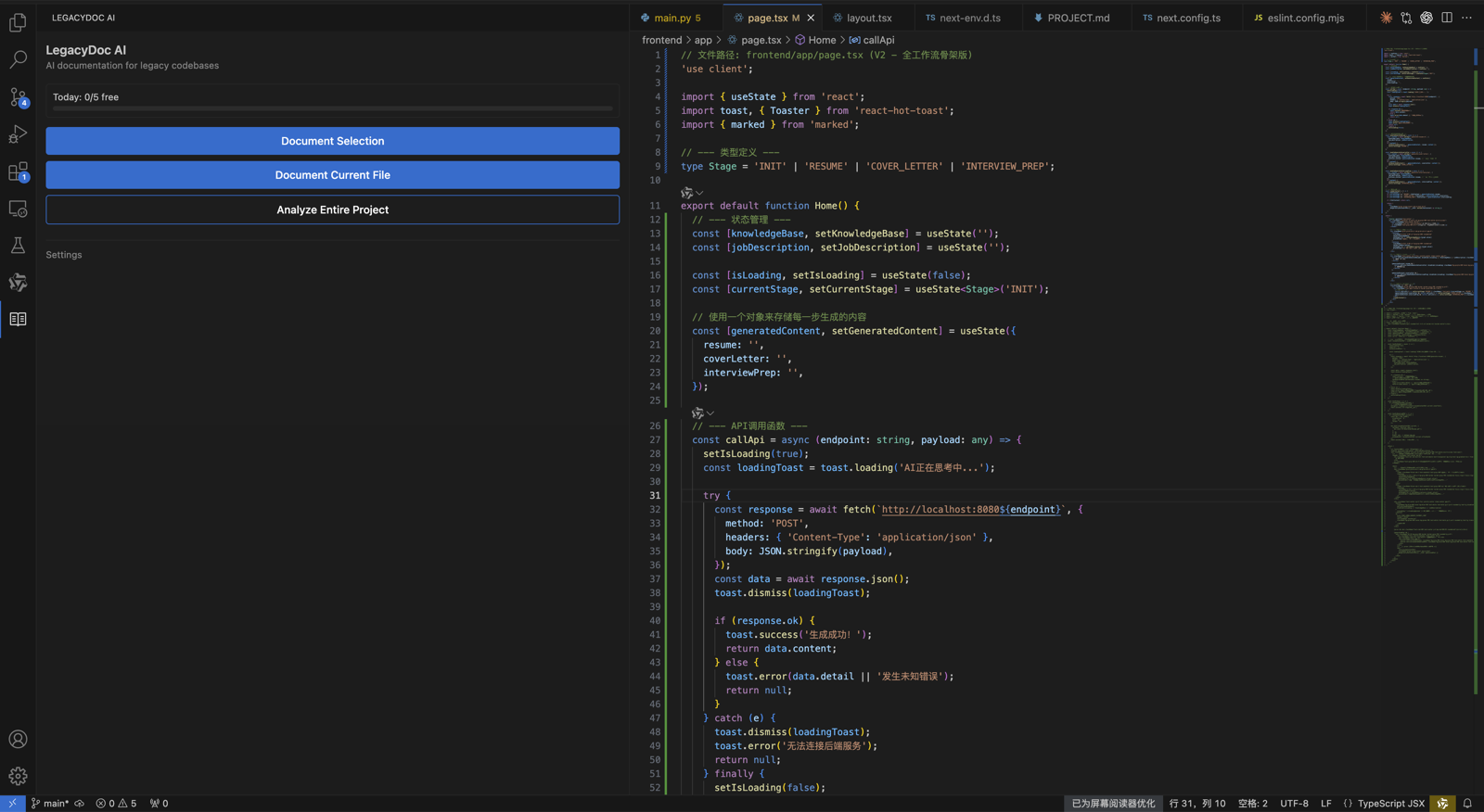
VS Code extension security checklist checkpoint 1
Use VS Code extension security checklist as the page promise, then verify that VS Code extension security checklist is supported by the headline, the example, the internal links, the call to action, and the reader's next step. A strong VS Code extension security checklist page should explain who needs VS Code extension security checklist, what evidence is required before acting, and how RomantiCode reduces uncertainty for founders, developers, cleanup specialists, and AI coding agents. Keep the VS Code extension security checklist checklist tied to a real workflow: inspect the codebase, map risky files, prepare context, compare options, and decide whether to audit, refactor, hire help, or continue with an AI assistant.
VS Code extension security checklist checkpoint 2
Use VS Code extension security checklist as the page promise, then verify that VS Code extension security checklist is supported by the headline, the example, the internal links, the call to action, and the reader's next step. A strong VS Code extension security checklist page should explain who needs VS Code extension security checklist, what evidence is required before acting, and how RomantiCode reduces uncertainty for founders, developers, cleanup specialists, and AI coding agents. Keep the VS Code extension security checklist checklist tied to a real workflow: inspect the codebase, map risky files, prepare context, compare options, and decide whether to audit, refactor, hire help, or continue with an AI assistant.
VS Code extension security checklist checkpoint 3
Use VS Code extension security checklist as the page promise, then verify that VS Code extension security checklist is supported by the headline, the example, the internal links, the call to action, and the reader's next step. A strong VS Code extension security checklist page should explain who needs VS Code extension security checklist, what evidence is required before acting, and how RomantiCode reduces uncertainty for founders, developers, cleanup specialists, and AI coding agents. Keep the VS Code extension security checklist checklist tied to a real workflow: inspect the codebase, map risky files, prepare context, compare options, and decide whether to audit, refactor, hire help, or continue with an AI assistant.
VS Code extension security checklist checkpoint 4
Use VS Code extension security checklist as the page promise, then verify that VS Code extension security checklist is supported by the headline, the example, the internal links, the call to action, and the reader's next step. A strong VS Code extension security checklist page should explain who needs VS Code extension security checklist, what evidence is required before acting, and how RomantiCode reduces uncertainty for founders, developers, cleanup specialists, and AI coding agents. Keep the VS Code extension security checklist checklist tied to a real workflow: inspect the codebase, map risky files, prepare context, compare options, and decide whether to audit, refactor, hire help, or continue with an AI assistant.
VS Code extension security checklist checkpoint 5
Use VS Code extension security checklist as the page promise, then verify that VS Code extension security checklist is supported by the headline, the example, the internal links, the call to action, and the reader's next step. A strong VS Code extension security checklist page should explain who needs VS Code extension security checklist, what evidence is required before acting, and how RomantiCode reduces uncertainty for founders, developers, cleanup specialists, and AI coding agents. Keep the VS Code extension security checklist checklist tied to a real workflow: inspect the codebase, map risky files, prepare context, compare options, and decide whether to audit, refactor, hire help, or continue with an AI assistant.
VS Code extension security checklist checkpoint 6
Use VS Code extension security checklist as the page promise, then verify that VS Code extension security checklist is supported by the headline, the example, the internal links, the call to action, and the reader's next step. A strong VS Code extension security checklist page should explain who needs VS Code extension security checklist, what evidence is required before acting, and how RomantiCode reduces uncertainty for founders, developers, cleanup specialists, and AI coding agents. Keep the VS Code extension security checklist checklist tied to a real workflow: inspect the codebase, map risky files, prepare context, compare options, and decide whether to audit, refactor, hire help, or continue with an AI assistant.
VS Code extension security checklist checkpoint 7
Use VS Code extension security checklist as the page promise, then verify that VS Code extension security checklist is supported by the headline, the example, the internal links, the call to action, and the reader's next step. A strong VS Code extension security checklist page should explain who needs VS Code extension security checklist, what evidence is required before acting, and how RomantiCode reduces uncertainty for founders, developers, cleanup specialists, and AI coding agents. Keep the VS Code extension security checklist checklist tied to a real workflow: inspect the codebase, map risky files, prepare context, compare options, and decide whether to audit, refactor, hire help, or continue with an AI assistant.
VS Code extension security checklist checkpoint 8
Use VS Code extension security checklist as the page promise, then verify that VS Code extension security checklist is supported by the headline, the example, the internal links, the call to action, and the reader's next step. A strong VS Code extension security checklist page should explain who needs VS Code extension security checklist, what evidence is required before acting, and how RomantiCode reduces uncertainty for founders, developers, cleanup specialists, and AI coding agents. Keep the VS Code extension security checklist checklist tied to a real workflow: inspect the codebase, map risky files, prepare context, compare options, and decide whether to audit, refactor, hire help, or continue with an AI assistant.
VS Code extension security checklist checkpoint 9
Use VS Code extension security checklist as the page promise, then verify that VS Code extension security checklist is supported by the headline, the example, the internal links, the call to action, and the reader's next step. A strong VS Code extension security checklist page should explain who needs VS Code extension security checklist, what evidence is required before acting, and how RomantiCode reduces uncertainty for founders, developers, cleanup specialists, and AI coding agents. Keep the VS Code extension security checklist checklist tied to a real workflow: inspect the codebase, map risky files, prepare context, compare options, and decide whether to audit, refactor, hire help, or continue with an AI assistant.
VS Code extension security checklist checkpoint 10
Use VS Code extension security checklist as the page promise, then verify that VS Code extension security checklist is supported by the headline, the example, the internal links, the call to action, and the reader's next step. A strong VS Code extension security checklist page should explain who needs VS Code extension security checklist, what evidence is required before acting, and how RomantiCode reduces uncertainty for founders, developers, cleanup specialists, and AI coding agents. Keep the VS Code extension security checklist checklist tied to a real workflow: inspect the codebase, map risky files, prepare context, compare options, and decide whether to audit, refactor, hire help, or continue with an AI assistant.
VS Code extension security checklist checkpoint 11
Use VS Code extension security checklist as the page promise, then verify that VS Code extension security checklist is supported by the headline, the example, the internal links, the call to action, and the reader's next step. A strong VS Code extension security checklist page should explain who needs VS Code extension security checklist, what evidence is required before acting, and how RomantiCode reduces uncertainty for founders, developers, cleanup specialists, and AI coding agents. Keep the VS Code extension security checklist checklist tied to a real workflow: inspect the codebase, map risky files, prepare context, compare options, and decide whether to audit, refactor, hire help, or continue with an AI assistant.
VS Code extension security checklist checkpoint 12
Use VS Code extension security checklist as the page promise, then verify that VS Code extension security checklist is supported by the headline, the example, the internal links, the call to action, and the reader's next step. A strong VS Code extension security checklist page should explain who needs VS Code extension security checklist, what evidence is required before acting, and how RomantiCode reduces uncertainty for founders, developers, cleanup specialists, and AI coding agents. Keep the VS Code extension security checklist checklist tied to a real workflow: inspect the codebase, map risky files, prepare context, compare options, and decide whether to audit, refactor, hire help, or continue with an AI assistant.
VS Code extension security checklist checkpoint 13
Use VS Code extension security checklist as the page promise, then verify that VS Code extension security checklist is supported by the headline, the example, the internal links, the call to action, and the reader's next step. A strong VS Code extension security checklist page should explain who needs VS Code extension security checklist, what evidence is required before acting, and how RomantiCode reduces uncertainty for founders, developers, cleanup specialists, and AI coding agents. Keep the VS Code extension security checklist checklist tied to a real workflow: inspect the codebase, map risky files, prepare context, compare options, and decide whether to audit, refactor, hire help, or continue with an AI assistant.
VS Code extension security checklist checkpoint 14
Use VS Code extension security checklist as the page promise, then verify that VS Code extension security checklist is supported by the headline, the example, the internal links, the call to action, and the reader's next step. A strong VS Code extension security checklist page should explain who needs VS Code extension security checklist, what evidence is required before acting, and how RomantiCode reduces uncertainty for founders, developers, cleanup specialists, and AI coding agents. Keep the VS Code extension security checklist checklist tied to a real workflow: inspect the codebase, map risky files, prepare context, compare options, and decide whether to audit, refactor, hire help, or continue with an AI assistant.
VS Code extension security checklist checkpoint 15
Use VS Code extension security checklist as the page promise, then verify that VS Code extension security checklist is supported by the headline, the example, the internal links, the call to action, and the reader's next step. A strong VS Code extension security checklist page should explain who needs VS Code extension security checklist, what evidence is required before acting, and how RomantiCode reduces uncertainty for founders, developers, cleanup specialists, and AI coding agents. Keep the VS Code extension security checklist checklist tied to a real workflow: inspect the codebase, map risky files, prepare context, compare options, and decide whether to audit, refactor, hire help, or continue with an AI assistant.
VS Code extension security checklist checkpoint 16
Use VS Code extension security checklist as the page promise, then verify that VS Code extension security checklist is supported by the headline, the example, the internal links, the call to action, and the reader's next step. A strong VS Code extension security checklist page should explain who needs VS Code extension security checklist, what evidence is required before acting, and how RomantiCode reduces uncertainty for founders, developers, cleanup specialists, and AI coding agents. Keep the VS Code extension security checklist checklist tied to a real workflow: inspect the codebase, map risky files, prepare context, compare options, and decide whether to audit, refactor, hire help, or continue with an AI assistant.
VS Code extension security checklist checkpoint 17
Use VS Code extension security checklist as the page promise, then verify that VS Code extension security checklist is supported by the headline, the example, the internal links, the call to action, and the reader's next step. A strong VS Code extension security checklist page should explain who needs VS Code extension security checklist, what evidence is required before acting, and how RomantiCode reduces uncertainty for founders, developers, cleanup specialists, and AI coding agents. Keep the VS Code extension security checklist checklist tied to a real workflow: inspect the codebase, map risky files, prepare context, compare options, and decide whether to audit, refactor, hire help, or continue with an AI assistant.
VS Code extension security checklist checkpoint 18
Use VS Code extension security checklist as the page promise, then verify that VS Code extension security checklist is supported by the headline, the example, the internal links, the call to action, and the reader's next step. A strong VS Code extension security checklist page should explain who needs VS Code extension security checklist, what evidence is required before acting, and how RomantiCode reduces uncertainty for founders, developers, cleanup specialists, and AI coding agents. Keep the VS Code extension security checklist checklist tied to a real workflow: inspect the codebase, map risky files, prepare context, compare options, and decide whether to audit, refactor, hire help, or continue with an AI assistant.
VS Code extension security checklist checkpoint 19
Use VS Code extension security checklist as the page promise, then verify that VS Code extension security checklist is supported by the headline, the example, the internal links, the call to action, and the reader's next step. A strong VS Code extension security checklist page should explain who needs VS Code extension security checklist, what evidence is required before acting, and how RomantiCode reduces uncertainty for founders, developers, cleanup specialists, and AI coding agents. Keep the VS Code extension security checklist checklist tied to a real workflow: inspect the codebase, map risky files, prepare context, compare options, and decide whether to audit, refactor, hire help, or continue with an AI assistant.
VS Code extension security checklist checkpoint 20
Use VS Code extension security checklist as the page promise, then verify that VS Code extension security checklist is supported by the headline, the example, the internal links, the call to action, and the reader's next step. A strong VS Code extension security checklist page should explain who needs VS Code extension security checklist, what evidence is required before acting, and how RomantiCode reduces uncertainty for founders, developers, cleanup specialists, and AI coding agents. Keep the VS Code extension security checklist checklist tied to a real workflow: inspect the codebase, map risky files, prepare context, compare options, and decide whether to audit, refactor, hire help, or continue with an AI assistant.
VS Code extension security checklist checkpoint 21
Use VS Code extension security checklist as the page promise, then verify that VS Code extension security checklist is supported by the headline, the example, the internal links, the call to action, and the reader's next step. A strong VS Code extension security checklist page should explain who needs VS Code extension security checklist, what evidence is required before acting, and how RomantiCode reduces uncertainty for founders, developers, cleanup specialists, and AI coding agents. Keep the VS Code extension security checklist checklist tied to a real workflow: inspect the codebase, map risky files, prepare context, compare options, and decide whether to audit, refactor, hire help, or continue with an AI assistant.
VS Code extension security checklist checkpoint 22
Use VS Code extension security checklist as the page promise, then verify that VS Code extension security checklist is supported by the headline, the example, the internal links, the call to action, and the reader's next step. A strong VS Code extension security checklist page should explain who needs VS Code extension security checklist, what evidence is required before acting, and how RomantiCode reduces uncertainty for founders, developers, cleanup specialists, and AI coding agents. Keep the VS Code extension security checklist checklist tied to a real workflow: inspect the codebase, map risky files, prepare context, compare options, and decide whether to audit, refactor, hire help, or continue with an AI assistant.
VS Code extension security checklist checkpoint 23
Use VS Code extension security checklist as the page promise, then verify that VS Code extension security checklist is supported by the headline, the example, the internal links, the call to action, and the reader's next step. A strong VS Code extension security checklist page should explain who needs VS Code extension security checklist, what evidence is required before acting, and how RomantiCode reduces uncertainty for founders, developers, cleanup specialists, and AI coding agents. Keep the VS Code extension security checklist checklist tied to a real workflow: inspect the codebase, map risky files, prepare context, compare options, and decide whether to audit, refactor, hire help, or continue with an AI assistant.
VS Code extension security checklist checkpoint 24
Use VS Code extension security checklist as the page promise, then verify that VS Code extension security checklist is supported by the headline, the example, the internal links, the call to action, and the reader's next step. A strong VS Code extension security checklist page should explain who needs VS Code extension security checklist, what evidence is required before acting, and how RomantiCode reduces uncertainty for founders, developers, cleanup specialists, and AI coding agents. Keep the VS Code extension security checklist checklist tied to a real workflow: inspect the codebase, map risky files, prepare context, compare options, and decide whether to audit, refactor, hire help, or continue with an AI assistant.
VS Code extension security checklist checkpoint 25
Use VS Code extension security checklist as the page promise, then verify that VS Code extension security checklist is supported by the headline, the example, the internal links, the call to action, and the reader's next step. A strong VS Code extension security checklist page should explain who needs VS Code extension security checklist, what evidence is required before acting, and how RomantiCode reduces uncertainty for founders, developers, cleanup specialists, and AI coding agents. Keep the VS Code extension security checklist checklist tied to a real workflow: inspect the codebase, map risky files, prepare context, compare options, and decide whether to audit, refactor, hire help, or continue with an AI assistant.
VS Code extension security checklist checkpoint 26
Use VS Code extension security checklist as the page promise, then verify that VS Code extension security checklist is supported by the headline, the example, the internal links, the call to action, and the reader's next step. A strong VS Code extension security checklist page should explain who needs VS Code extension security checklist, what evidence is required before acting, and how RomantiCode reduces uncertainty for founders, developers, cleanup specialists, and AI coding agents. Keep the VS Code extension security checklist checklist tied to a real workflow: inspect the codebase, map risky files, prepare context, compare options, and decide whether to audit, refactor, hire help, or continue with an AI assistant.
VS Code extension security checklist checkpoint 27
Use VS Code extension security checklist as the page promise, then verify that VS Code extension security checklist is supported by the headline, the example, the internal links, the call to action, and the reader's next step. A strong VS Code extension security checklist page should explain who needs VS Code extension security checklist, what evidence is required before acting, and how RomantiCode reduces uncertainty for founders, developers, cleanup specialists, and AI coding agents. Keep the VS Code extension security checklist checklist tied to a real workflow: inspect the codebase, map risky files, prepare context, compare options, and decide whether to audit, refactor, hire help, or continue with an AI assistant.
VS Code extension security checklist checkpoint 28
Use VS Code extension security checklist as the page promise, then verify that VS Code extension security checklist is supported by the headline, the example, the internal links, the call to action, and the reader's next step. A strong VS Code extension security checklist page should explain who needs VS Code extension security checklist, what evidence is required before acting, and how RomantiCode reduces uncertainty for founders, developers, cleanup specialists, and AI coding agents. Keep the VS Code extension security checklist checklist tied to a real workflow: inspect the codebase, map risky files, prepare context, compare options, and decide whether to audit, refactor, hire help, or continue with an AI assistant.
VS Code extension security checklist checkpoint 29
Use VS Code extension security checklist as the page promise, then verify that VS Code extension security checklist is supported by the headline, the example, the internal links, the call to action, and the reader's next step. A strong VS Code extension security checklist page should explain who needs VS Code extension security checklist, what evidence is required before acting, and how RomantiCode reduces uncertainty for founders, developers, cleanup specialists, and AI coding agents. Keep the VS Code extension security checklist checklist tied to a real workflow: inspect the codebase, map risky files, prepare context, compare options, and decide whether to audit, refactor, hire help, or continue with an AI assistant.
VS Code extension security checklist checkpoint 30
Use VS Code extension security checklist as the page promise, then verify that VS Code extension security checklist is supported by the headline, the example, the internal links, the call to action, and the reader's next step. A strong VS Code extension security checklist page should explain who needs VS Code extension security checklist, what evidence is required before acting, and how RomantiCode reduces uncertainty for founders, developers, cleanup specialists, and AI coding agents. Keep the VS Code extension security checklist checklist tied to a real workflow: inspect the codebase, map risky files, prepare context, compare options, and decide whether to audit, refactor, hire help, or continue with an AI assistant.
VS Code extension security checklist checkpoint 31
Use VS Code extension security checklist as the page promise, then verify that VS Code extension security checklist is supported by the headline, the example, the internal links, the call to action, and the reader's next step. A strong VS Code extension security checklist page should explain who needs VS Code extension security checklist, what evidence is required before acting, and how RomantiCode reduces uncertainty for founders, developers, cleanup specialists, and AI coding agents. Keep the VS Code extension security checklist checklist tied to a real workflow: inspect the codebase, map risky files, prepare context, compare options, and decide whether to audit, refactor, hire help, or continue with an AI assistant.
VS Code extension security checklist checkpoint 32
Use VS Code extension security checklist as the page promise, then verify that VS Code extension security checklist is supported by the headline, the example, the internal links, the call to action, and the reader's next step. A strong VS Code extension security checklist page should explain who needs VS Code extension security checklist, what evidence is required before acting, and how RomantiCode reduces uncertainty for founders, developers, cleanup specialists, and AI coding agents. Keep the VS Code extension security checklist checklist tied to a real workflow: inspect the codebase, map risky files, prepare context, compare options, and decide whether to audit, refactor, hire help, or continue with an AI assistant.
VS Code extension security checklist checkpoint 33
Use VS Code extension security checklist as the page promise, then verify that VS Code extension security checklist is supported by the headline, the example, the internal links, the call to action, and the reader's next step. A strong VS Code extension security checklist page should explain who needs VS Code extension security checklist, what evidence is required before acting, and how RomantiCode reduces uncertainty for founders, developers, cleanup specialists, and AI coding agents. Keep the VS Code extension security checklist checklist tied to a real workflow: inspect the codebase, map risky files, prepare context, compare options, and decide whether to audit, refactor, hire help, or continue with an AI assistant.
VS Code extension security checklist checkpoint 34
Use VS Code extension security checklist as the page promise, then verify that VS Code extension security checklist is supported by the headline, the example, the internal links, the call to action, and the reader's next step. A strong VS Code extension security checklist page should explain who needs VS Code extension security checklist, what evidence is required before acting, and how RomantiCode reduces uncertainty for founders, developers, cleanup specialists, and AI coding agents. Keep the VS Code extension security checklist checklist tied to a real workflow: inspect the codebase, map risky files, prepare context, compare options, and decide whether to audit, refactor, hire help, or continue with an AI assistant.
VS Code extension security checklist checkpoint 35
Use VS Code extension security checklist as the page promise, then verify that VS Code extension security checklist is supported by the headline, the example, the internal links, the call to action, and the reader's next step. A strong VS Code extension security checklist page should explain who needs VS Code extension security checklist, what evidence is required before acting, and how RomantiCode reduces uncertainty for founders, developers, cleanup specialists, and AI coding agents. Keep the VS Code extension security checklist checklist tied to a real workflow: inspect the codebase, map risky files, prepare context, compare options, and decide whether to audit, refactor, hire help, or continue with an AI assistant.
VS Code extension security checklist checkpoint 36
Use VS Code extension security checklist as the page promise, then verify that VS Code extension security checklist is supported by the headline, the example, the internal links, the call to action, and the reader's next step. A strong VS Code extension security checklist page should explain who needs VS Code extension security checklist, what evidence is required before acting, and how RomantiCode reduces uncertainty for founders, developers, cleanup specialists, and AI coding agents. Keep the VS Code extension security checklist checklist tied to a real workflow: inspect the codebase, map risky files, prepare context, compare options, and decide whether to audit, refactor, hire help, or continue with an AI assistant.
VS Code extension security checklist checkpoint 37
Use VS Code extension security checklist as the page promise, then verify that VS Code extension security checklist is supported by the headline, the example, the internal links, the call to action, and the reader's next step. A strong VS Code extension security checklist page should explain who needs VS Code extension security checklist, what evidence is required before acting, and how RomantiCode reduces uncertainty for founders, developers, cleanup specialists, and AI coding agents. Keep the VS Code extension security checklist checklist tied to a real workflow: inspect the codebase, map risky files, prepare context, compare options, and decide whether to audit, refactor, hire help, or continue with an AI assistant.
VS Code extension security checklist checkpoint 38
Use VS Code extension security checklist as the page promise, then verify that VS Code extension security checklist is supported by the headline, the example, the internal links, the call to action, and the reader's next step. A strong VS Code extension security checklist page should explain who needs VS Code extension security checklist, what evidence is required before acting, and how RomantiCode reduces uncertainty for founders, developers, cleanup specialists, and AI coding agents. Keep the VS Code extension security checklist checklist tied to a real workflow: inspect the codebase, map risky files, prepare context, compare options, and decide whether to audit, refactor, hire help, or continue with an AI assistant.
VS Code extension security checklist checkpoint 39
Use VS Code extension security checklist as the page promise, then verify that VS Code extension security checklist is supported by the headline, the example, the internal links, the call to action, and the reader's next step. A strong VS Code extension security checklist page should explain who needs VS Code extension security checklist, what evidence is required before acting, and how RomantiCode reduces uncertainty for founders, developers, cleanup specialists, and AI coding agents. Keep the VS Code extension security checklist checklist tied to a real workflow: inspect the codebase, map risky files, prepare context, compare options, and decide whether to audit, refactor, hire help, or continue with an AI assistant.
VS Code extension security checklist checkpoint 40
Use VS Code extension security checklist as the page promise, then verify that VS Code extension security checklist is supported by the headline, the example, the internal links, the call to action, and the reader's next step. A strong VS Code extension security checklist page should explain who needs VS Code extension security checklist, what evidence is required before acting, and how RomantiCode reduces uncertainty for founders, developers, cleanup specialists, and AI coding agents. Keep the VS Code extension security checklist checklist tied to a real workflow: inspect the codebase, map risky files, prepare context, compare options, and decide whether to audit, refactor, hire help, or continue with an AI assistant.
VS Code extension security checklist checkpoint 41
Use VS Code extension security checklist as the page promise, then verify that VS Code extension security checklist is supported by the headline, the example, the internal links, the call to action, and the reader's next step. A strong VS Code extension security checklist page should explain who needs VS Code extension security checklist, what evidence is required before acting, and how RomantiCode reduces uncertainty for founders, developers, cleanup specialists, and AI coding agents. Keep the VS Code extension security checklist checklist tied to a real workflow: inspect the codebase, map risky files, prepare context, compare options, and decide whether to audit, refactor, hire help, or continue with an AI assistant.
VS Code extension security checklist checkpoint 42
Use VS Code extension security checklist as the page promise, then verify that VS Code extension security checklist is supported by the headline, the example, the internal links, the call to action, and the reader's next step. A strong VS Code extension security checklist page should explain who needs VS Code extension security checklist, what evidence is required before acting, and how RomantiCode reduces uncertainty for founders, developers, cleanup specialists, and AI coding agents. Keep the VS Code extension security checklist checklist tied to a real workflow: inspect the codebase, map risky files, prepare context, compare options, and decide whether to audit, refactor, hire help, or continue with an AI assistant.
VS Code extension security checklist checkpoint 43
Use VS Code extension security checklist as the page promise, then verify that VS Code extension security checklist is supported by the headline, the example, the internal links, the call to action, and the reader's next step. A strong VS Code extension security checklist page should explain who needs VS Code extension security checklist, what evidence is required before acting, and how RomantiCode reduces uncertainty for founders, developers, cleanup specialists, and AI coding agents. Keep the VS Code extension security checklist checklist tied to a real workflow: inspect the codebase, map risky files, prepare context, compare options, and decide whether to audit, refactor, hire help, or continue with an AI assistant.
VS Code extension security checklist checkpoint 44
Use VS Code extension security checklist as the page promise, then verify that VS Code extension security checklist is supported by the headline, the example, the internal links, the call to action, and the reader's next step. A strong VS Code extension security checklist page should explain who needs VS Code extension security checklist, what evidence is required before acting, and how RomantiCode reduces uncertainty for founders, developers, cleanup specialists, and AI coding agents. Keep the VS Code extension security checklist checklist tied to a real workflow: inspect the codebase, map risky files, prepare context, compare options, and decide whether to audit, refactor, hire help, or continue with an AI assistant.
VS Code extension security checklist checkpoint 45
Use VS Code extension security checklist as the page promise, then verify that VS Code extension security checklist is supported by the headline, the example, the internal links, the call to action, and the reader's next step. A strong VS Code extension security checklist page should explain who needs VS Code extension security checklist, what evidence is required before acting, and how RomantiCode reduces uncertainty for founders, developers, cleanup specialists, and AI coding agents. Keep the VS Code extension security checklist checklist tied to a real workflow: inspect the codebase, map risky files, prepare context, compare options, and decide whether to audit, refactor, hire help, or continue with an AI assistant.
VS Code extension security checklist checkpoint 46
Use VS Code extension security checklist as the page promise, then verify that VS Code extension security checklist is supported by the headline, the example, the internal links, the call to action, and the reader's next step. A strong VS Code extension security checklist page should explain who needs VS Code extension security checklist, what evidence is required before acting, and how RomantiCode reduces uncertainty for founders, developers, cleanup specialists, and AI coding agents. Keep the VS Code extension security checklist checklist tied to a real workflow: inspect the codebase, map risky files, prepare context, compare options, and decide whether to audit, refactor, hire help, or continue with an AI assistant.
VS Code extension security checklist checkpoint 47
Use VS Code extension security checklist as the page promise, then verify that VS Code extension security checklist is supported by the headline, the example, the internal links, the call to action, and the reader's next step. A strong VS Code extension security checklist page should explain who needs VS Code extension security checklist, what evidence is required before acting, and how RomantiCode reduces uncertainty for founders, developers, cleanup specialists, and AI coding agents. Keep the VS Code extension security checklist checklist tied to a real workflow: inspect the codebase, map risky files, prepare context, compare options, and decide whether to audit, refactor, hire help, or continue with an AI assistant.
VS Code extension security checklist checkpoint 48
Use VS Code extension security checklist as the page promise, then verify that VS Code extension security checklist is supported by the headline, the example, the internal links, the call to action, and the reader's next step. A strong VS Code extension security checklist page should explain who needs VS Code extension security checklist, what evidence is required before acting, and how RomantiCode reduces uncertainty for founders, developers, cleanup specialists, and AI coding agents. Keep the VS Code extension security checklist checklist tied to a real workflow: inspect the codebase, map risky files, prepare context, compare options, and decide whether to audit, refactor, hire help, or continue with an AI assistant.
VS Code extension security checklist checkpoint 49
Use VS Code extension security checklist as the page promise, then verify that VS Code extension security checklist is supported by the headline, the example, the internal links, the call to action, and the reader's next step. A strong VS Code extension security checklist page should explain who needs VS Code extension security checklist, what evidence is required before acting, and how RomantiCode reduces uncertainty for founders, developers, cleanup specialists, and AI coding agents. Keep the VS Code extension security checklist checklist tied to a real workflow: inspect the codebase, map risky files, prepare context, compare options, and decide whether to audit, refactor, hire help, or continue with an AI assistant.
VS Code extension security checklist checkpoint 50
Use VS Code extension security checklist as the page promise, then verify that VS Code extension security checklist is supported by the headline, the example, the internal links, the call to action, and the reader's next step. A strong VS Code extension security checklist page should explain who needs VS Code extension security checklist, what evidence is required before acting, and how RomantiCode reduces uncertainty for founders, developers, cleanup specialists, and AI coding agents. Keep the VS Code extension security checklist checklist tied to a real workflow: inspect the codebase, map risky files, prepare context, compare options, and decide whether to audit, refactor, hire help, or continue with an AI assistant.
VS Code extension security checklist checkpoint 51
Use VS Code extension security checklist as the page promise, then verify that VS Code extension security checklist is supported by the headline, the example, the internal links, the call to action, and the reader's next step. A strong VS Code extension security checklist page should explain who needs VS Code extension security checklist, what evidence is required before acting, and how RomantiCode reduces uncertainty for founders, developers, cleanup specialists, and AI coding agents. Keep the VS Code extension security checklist checklist tied to a real workflow: inspect the codebase, map risky files, prepare context, compare options, and decide whether to audit, refactor, hire help, or continue with an AI assistant.
VS Code extension security checklist checkpoint 52
Use VS Code extension security checklist as the page promise, then verify that VS Code extension security checklist is supported by the headline, the example, the internal links, the call to action, and the reader's next step. A strong VS Code extension security checklist page should explain who needs VS Code extension security checklist, what evidence is required before acting, and how RomantiCode reduces uncertainty for founders, developers, cleanup specialists, and AI coding agents. Keep the VS Code extension security checklist checklist tied to a real workflow: inspect the codebase, map risky files, prepare context, compare options, and decide whether to audit, refactor, hire help, or continue with an AI assistant.