AI code audit checklist to audit AI code before launch
AI-generated code can run without being maintainable, reviewable, secure, or production-ready. Use this AI code audit checklist before cleanup, refactor, or launch.
Quick summary
This AI code audit checklist covers 8 areas to review before cleaning up, refactoring, or shipping AI-generated code:
- Architecture and ownership
- Dependencies and configuration
- Authentication and permissions to review
- Data flow and API boundaries
- Error handling and edge cases
- Tests and manual verification
- Documentation and onboarding
- Cleanup priority plan
It is also a practical secure coding checklist for AI apps when you need to inspect secrets, authentication, permissions, data flow, dependencies, and release readiness before asking a developer or AI coding tool to make changes.
If your search is simply how to audit AI code, use this AI code audit checklist as the manual review list and the report tool as the evidence generator. The checklist tells you what to look for; the report gives you the project-specific facts to inspect.
Use it as a starting point. Then generate an AI Code Audit Report with LegacyDoc AI to fill in the architecture map, module summaries, and cleanup priorities automatically.
When to use this checklist
Use an AI code audit checklist at the moments where mistakes become expensive.
Before launch
Use the AI code audit checklist to check auth, data flow, dependencies, and rollback risks before real users arrive.
Before refactor
Use the AI code audit checklist to find module boundaries and fragile files before asking Claude Code, Cursor, or Codex to rewrite anything.
Before handoff
Use the AI code audit checklist to give a developer, freelancer, or cleanup specialist a review list and project context first.
How to audit AI code
Audit AI code by checking evidence, not just generated output.
When you need to audit AI code, start with the AI code audit checklist below, then attach evidence from the actual repository. That keeps the review useful for launch, cleanup, handoff, or a second AI coding agent session.
1. Map
Find entry points, owners, data flow, generated assumptions, and modules that are safe or risky to edit.
2. Inspect
Review auth, permissions, dependencies, secrets, external APIs, billing paths, and migration code.
3. Verify
Tie each checklist item to tests, manual smoke checks, screenshots, logs, or a clear unknown status.
4. Prioritize
Separate launch blockers from cleanup tasks that can wait until after the first safe release.
5. Handoff
Turn findings into a report a developer, reviewer, cleanup specialist, Claude Code, Cursor, or Codex can use.
For a generated report instead of a manual list, use the audit AI code report tool before assigning broad cleanup or refactor work.
Readiness score
AI code audit checklist scoring guide
A useful AI code audit checklist should not end with a vague “looks fine.” Give each area a status so the next person knows whether the code is ready to ship, ready to clean up, or still too unclear to touch safely.
Green
The AI code audit checklist item has enough evidence: file path, owner, expected behavior, and either a passing test or a clear manual verification step.
Yellow
The AI code audit checklist item is understandable but incomplete. You know what to inspect next, but the project still needs documentation, tests, or a safer cleanup sequence.
Red
The AI code audit checklist item blocks launch or handoff. This usually means secrets, auth, billing, permissions, data deletion, migrations, or deployment behavior are unclear.
Unknown
The AI code audit checklist item has no reliable evidence yet. Mark it unknown instead of guessing, then generate a code audit report or ask the maintainer for context.
Checklist or report?
If you need to audit AI code for a handoff, generate a report first.
A checklist is useful for review discipline. A report is better when you need to hand the codebase to a developer, cleanup specialist, or AI coding agent. Generate the architecture map, module summaries, risk notes, and cleanup priorities, then use this checklist to decide what to fix first.
Note: This checklist is for understanding and preparing your codebase — not a substitute for a professional security audit. Items marked "review" or "inspect" mean you should look at them carefully, not that a tool has automatically verified them.
Agent-generated code review checkpoints before launch
Coding agents can produce working changes quickly, but the final decision still needs human judgment. Before shipping AI-generated code, add these four review points to your checklist.
Intent vs. impact
Confirm the change still solves the original product problem instead of optimizing a local metric like speed, fewer lines, or a passing test.
Exposure boundary
Look for secrets, internal endpoints, private architecture details, or user data paths that should not be copied into prompts, logs, reports, or shared context.
Edge-case behavior
Review empty states, failed external services, invalid inputs, permission errors, and rollback paths before treating the generated code as production-ready.
Human approval
Separate low-risk cleanup from changes that touch auth, billing, data deletion, permissions, deployment config, or security-sensitive flows.
A good AI code audit report should make these checkpoints easier to review: architecture, data flow, risky files, cleanup priorities, and what should not be changed blindly. If the architecture itself is unclear, start with the AI generated code architecture audit before asking an agent to refactor broad files. If your immediate question is whether an AI-built app is ready to launch, use the AI-generated code production ready checklist next.
Before-launch path
AI-generated code review before launch should end with a decision.
Do not create a second checklist just because an AI-built app is close to launch. Start with this review list, use a report to collect project evidence, then separate launch blockers from later cleanup work. That keeps the review specific without splitting the same search intent across multiple pages.
1. Map architecture
If the codebase is hard to explain, first map ownership, data flow, generated assumptions, and risky boundaries.
Run architecture audit2. Collect evidence
Generate an audit report so architecture, data flow, risky files, and cleanup priorities are tied to the real repository.
Use the report template3. Decide launch readiness
If the question is whether the app can ship, move from checklist items into production readiness and rollback decisions.
Review production readiness4. Prepare handoff
If a developer or cleanup specialist will help, turn the findings into a short brief with scope, blockers, and proof points.
Copy cleanup briefArchitecture and ownership
- Architecture map exists
- Each folder/file has a clear purpose
- No orphaned modules
- Entry point documented
- No oversized files (300+ lines)
Dependencies and configuration
- Dependencies listed and up to date
- No unused packages
- Env vars documented (not hardcoded)
- Dev/prod config separated
- Third-party services documented
Authentication and permissions to review
- Auth flows documented
- Secrets in env vars (not in code)
- Access control rules documented
- All protected routes actually require auth
Data flow and API boundaries
- API routes and inputs/outputs documented
- Data entry/exit points clear
- No undocumented external API calls
- Error handling consistent
Error handling and edge cases
- Errors handled consistently
- Loading and empty states handled
- Edge cases covered
- Plan for external service failures
Tests and manual verification
- Automated tests OR manual test plan
- Happy path documented
- Known bugs documented
- Deployment/smoke test plan
Documentation and onboarding
- README explains project
- Key functions have JSDoc / comments
- New dev can understand in under an hour
- AI-ready context file exists
Cleanup priority plan
- Highest-risk areas identified
- Cleanup vs. later items separated
- Safe-to-refactor parts identified
- Plan documented for team / AI tools
Printable / copyable checklist
Copy the checklist below into your README, project notes, or share it with your team or AI tools.
# AI Code Audit Checklist

## 1. Architecture and ownership
- [ ] Architecture map exists
- [ ] Each folder/file has a clear purpose
- [ ] No orphaned modules
- [ ] Entry point documented
- [ ] No oversized files (300+ lines)

## 2. Dependencies and configuration
- [ ] Dependencies listed and up to date
- [ ] No unused packages
- [ ] Env vars documented (not hardcoded)
- [ ] Dev/prod config separated
- [ ] Third-party services documented

## 3. Authentication and permissions to review
- [ ] Auth flows documented
- [ ] Secrets in env vars (not in code)
- [ ] Access control rules documented
- [ ] All protected routes actually require auth

## 4. Data flow and API boundaries
- [ ] API routes and inputs/outputs documented
- [ ] Data entry/exit points clear
- [ ] No undocumented external API calls
- [ ] Error handling consistent

## 5. Error handling and edge cases
- [ ] Errors handled consistently
- [ ] Loading and empty states handled
- [ ] Edge cases covered
- [ ] Plan for external service failures

## 6. Tests and manual verification
- [ ] Automated tests OR manual test plan
- [ ] Happy path documented
- [ ] Known bugs documented
- [ ] Deployment/smoke test plan

## 7. Documentation and onboarding
- [ ] README explains project
- [ ] Key functions have JSDoc / comments
- [ ] New dev can understand in under an hour
- [ ] AI-ready context file exists

## 8. Cleanup priority plan
- [ ] Highest-risk areas identified
- [ ] Cleanup vs. later items separated
- [ ] Safe-to-refactor parts identified
- [ ] Plan documented for team / AI tools
How to use this checklist with Claude Code, Cursor, or Codex
A six-step loop you can run inside VS Code.
- Generate an AI Code Audit Report with LegacyDoc AI to get the architecture map, module summaries, and cleanup priorities automatically.
- Open your AI coding tool (Claude Code, Cursor, or Codex) inside the same project.
- Share the generated context pack with the AI tool — paste it into the chat or include it as a context file.
- Ask the AI tool to walk through this checklist one section at a time, using the project context.
- For each item flagged as missing or weak, create a small, reviewable cleanup task.
- Tackle tasks in priority order. Re-run the audit report after major changes to update the context.
How LegacyDoc AI helps with this checklist
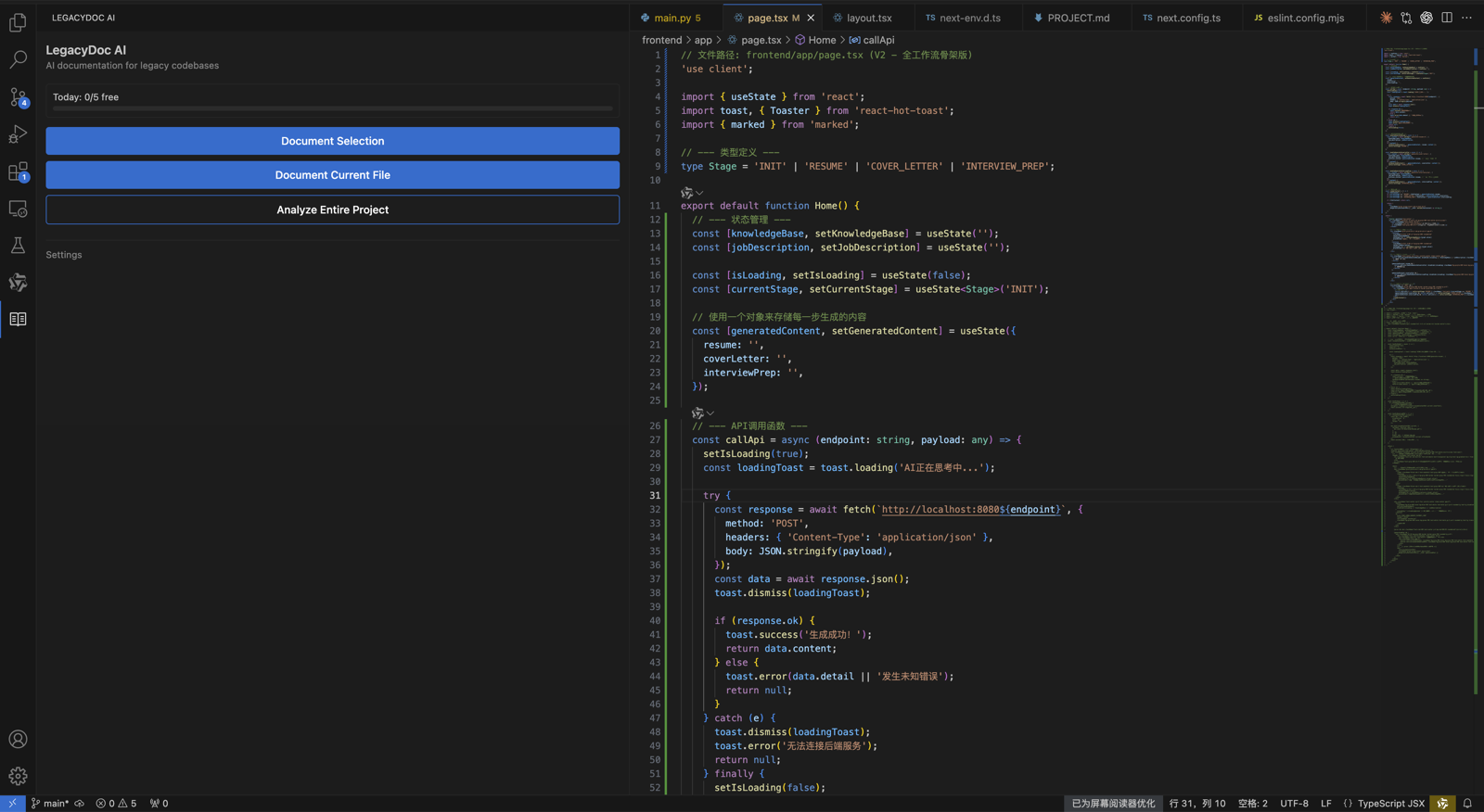
LegacyDoc AI is a local VS Code extension that generates documentation, architecture maps, and AI-ready context packs from your codebase. It can help you check off several items on this list automatically:
- Generate a Mermaid architecture map (item 1)
- Produce module and folder summaries (items 1, 7)
- Create a project context pack for Claude Code, Cursor, or Codex (item 7)
- Identify areas to inspect and cleanup priorities (items 1, 8)
- Add JSDoc and inline comments to undocumented functions (item 7)
It does not replace a professional security audit, does not automatically fix code, and does not guarantee production readiness. It helps you understand, document, and prepare — so you can make informed decisions.
See what the output looks like
Sample audit report
Curious what an actual audit report looks like before running it on your own code? We put together a text-based example for a fictional vibe-coded app — project overview, architecture map, areas to inspect, cleanup priorities, and AI-ready review notes.
Browse the sample audit reportFAQ
What is an AI code audit checklist?
An AI code audit checklist is a structured list of things to review before cleanup, refactoring, or launch. It covers architecture, dependencies, documentation, tests, security-sensitive areas, and cleanup priorities.
How do I audit AI code before launch?
Start by mapping the architecture, then review dependencies, auth, data flow, error handling, tests, documentation, and cleanup priorities. Use an AI code audit checklist for the review path and generate an audit report when you need project-specific evidence.
How should I use an AI code audit checklist before launch?
Start with the checklist, generate an AI code audit report, and review the risky areas before changing code. The report gives you architecture, module summaries, cleanup priorities, and handoff notes so the AI code audit checklist is grounded in the real project.
Is this a secure coding checklist for AI apps?
It can be used as a security-aware starting point for AI apps because it includes secrets, authentication, permissions, data flow, dependencies, and manual verification. It is not a replacement for a formal security audit or compliance review.
Is AI-generated code production-ready?
Not automatically. AI-generated code can work without being maintainable, secure, or well-documented. A review and cleanup process is usually needed before production use.
How do I review AI-generated code?
Start by understanding the architecture, then check documentation, dependencies, error handling, and test coverage. Use this checklist as a starting point, and generate a context pack to share with your team or AI tools.
Can AI audit its own code?
AI tools like Claude Code or Cursor can help review code, but they need context about your project to do it well. Generating a context pack first makes AI-assisted review much more effective.
What should I check before shipping agent-generated code?
Check whether the generated code matches the original intent, whether it exposes data or architecture details, how it behaves in edge cases, and which changes still need human approval before launch.
Generate an AI Code Audit Report
Let LegacyDoc AI generate the architecture map, module summaries, and context pack for your codebase.
AI code audit checklist decision checklist
This section keeps AI code audit checklist focused on one search intent. A reader comparing options for AI code audit checklist should quickly see the task, the evidence, the handoff value, and the next action without leaving the page.
AI code audit checklist checkpoint 1
Use AI code audit checklist as the page promise, then verify that AI code audit checklist is supported by the headline, the example, the internal links, the call to action, and the reader's next step. A strong AI code audit checklist page should explain who needs AI code audit checklist, what evidence is required before acting, and how RomantiCode reduces uncertainty for founders, developers, cleanup specialists, and AI coding agents. Keep the AI code audit checklist checklist tied to a real workflow: inspect the codebase, map risky files, prepare context, compare options, and decide whether to audit, refactor, hire help, or continue with an AI assistant.
AI code audit checklist checkpoint 2
Use AI code audit checklist as the page promise, then verify that AI code audit checklist is supported by the headline, the example, the internal links, the call to action, and the reader's next step. A strong AI code audit checklist page should explain who needs AI code audit checklist, what evidence is required before acting, and how RomantiCode reduces uncertainty for founders, developers, cleanup specialists, and AI coding agents. Keep the AI code audit checklist checklist tied to a real workflow: inspect the codebase, map risky files, prepare context, compare options, and decide whether to audit, refactor, hire help, or continue with an AI assistant.
AI code audit checklist checkpoint 3
Use AI code audit checklist as the page promise, then verify that AI code audit checklist is supported by the headline, the example, the internal links, the call to action, and the reader's next step. A strong AI code audit checklist page should explain who needs AI code audit checklist, what evidence is required before acting, and how RomantiCode reduces uncertainty for founders, developers, cleanup specialists, and AI coding agents. Keep the AI code audit checklist checklist tied to a real workflow: inspect the codebase, map risky files, prepare context, compare options, and decide whether to audit, refactor, hire help, or continue with an AI assistant.
AI code audit checklist checkpoint 4
Use AI code audit checklist as the page promise, then verify that AI code audit checklist is supported by the headline, the example, the internal links, the call to action, and the reader's next step. A strong AI code audit checklist page should explain who needs AI code audit checklist, what evidence is required before acting, and how RomantiCode reduces uncertainty for founders, developers, cleanup specialists, and AI coding agents. Keep the AI code audit checklist checklist tied to a real workflow: inspect the codebase, map risky files, prepare context, compare options, and decide whether to audit, refactor, hire help, or continue with an AI assistant.
AI code audit checklist checkpoint 5
Use AI code audit checklist as the page promise, then verify that AI code audit checklist is supported by the headline, the example, the internal links, the call to action, and the reader's next step. A strong AI code audit checklist page should explain who needs AI code audit checklist, what evidence is required before acting, and how RomantiCode reduces uncertainty for founders, developers, cleanup specialists, and AI coding agents. Keep the AI code audit checklist checklist tied to a real workflow: inspect the codebase, map risky files, prepare context, compare options, and decide whether to audit, refactor, hire help, or continue with an AI assistant.
AI code audit checklist checkpoint 6
Use AI code audit checklist as the page promise, then verify that AI code audit checklist is supported by the headline, the example, the internal links, the call to action, and the reader's next step. A strong AI code audit checklist page should explain who needs AI code audit checklist, what evidence is required before acting, and how RomantiCode reduces uncertainty for founders, developers, cleanup specialists, and AI coding agents. Keep the AI code audit checklist checklist tied to a real workflow: inspect the codebase, map risky files, prepare context, compare options, and decide whether to audit, refactor, hire help, or continue with an AI assistant.
AI code audit checklist checkpoint 7
Use AI code audit checklist as the page promise, then verify that AI code audit checklist is supported by the headline, the example, the internal links, the call to action, and the reader's next step. A strong AI code audit checklist page should explain who needs AI code audit checklist, what evidence is required before acting, and how RomantiCode reduces uncertainty for founders, developers, cleanup specialists, and AI coding agents. Keep the AI code audit checklist checklist tied to a real workflow: inspect the codebase, map risky files, prepare context, compare options, and decide whether to audit, refactor, hire help, or continue with an AI assistant.
AI code audit checklist checkpoint 8
Use AI code audit checklist as the page promise, then verify that AI code audit checklist is supported by the headline, the example, the internal links, the call to action, and the reader's next step. A strong AI code audit checklist page should explain who needs AI code audit checklist, what evidence is required before acting, and how RomantiCode reduces uncertainty for founders, developers, cleanup specialists, and AI coding agents. Keep the AI code audit checklist checklist tied to a real workflow: inspect the codebase, map risky files, prepare context, compare options, and decide whether to audit, refactor, hire help, or continue with an AI assistant.
AI code audit checklist checkpoint 9
Use AI code audit checklist as the page promise, then verify that AI code audit checklist is supported by the headline, the example, the internal links, the call to action, and the reader's next step. A strong AI code audit checklist page should explain who needs AI code audit checklist, what evidence is required before acting, and how RomantiCode reduces uncertainty for founders, developers, cleanup specialists, and AI coding agents. Keep the AI code audit checklist checklist tied to a real workflow: inspect the codebase, map risky files, prepare context, compare options, and decide whether to audit, refactor, hire help, or continue with an AI assistant.
AI code audit checklist checkpoint 10
Use AI code audit checklist as the page promise, then verify that AI code audit checklist is supported by the headline, the example, the internal links, the call to action, and the reader's next step. A strong AI code audit checklist page should explain who needs AI code audit checklist, what evidence is required before acting, and how RomantiCode reduces uncertainty for founders, developers, cleanup specialists, and AI coding agents. Keep the AI code audit checklist checklist tied to a real workflow: inspect the codebase, map risky files, prepare context, compare options, and decide whether to audit, refactor, hire help, or continue with an AI assistant.
AI code audit checklist checkpoint 11
Use AI code audit checklist as the page promise, then verify that AI code audit checklist is supported by the headline, the example, the internal links, the call to action, and the reader's next step. A strong AI code audit checklist page should explain who needs AI code audit checklist, what evidence is required before acting, and how RomantiCode reduces uncertainty for founders, developers, cleanup specialists, and AI coding agents. Keep the AI code audit checklist checklist tied to a real workflow: inspect the codebase, map risky files, prepare context, compare options, and decide whether to audit, refactor, hire help, or continue with an AI assistant.
AI code audit checklist checkpoint 12
Use AI code audit checklist as the page promise, then verify that AI code audit checklist is supported by the headline, the example, the internal links, the call to action, and the reader's next step. A strong AI code audit checklist page should explain who needs AI code audit checklist, what evidence is required before acting, and how RomantiCode reduces uncertainty for founders, developers, cleanup specialists, and AI coding agents. Keep the AI code audit checklist checklist tied to a real workflow: inspect the codebase, map risky files, prepare context, compare options, and decide whether to audit, refactor, hire help, or continue with an AI assistant.
AI code audit checklist checkpoint 13
Use AI code audit checklist as the page promise, then verify that AI code audit checklist is supported by the headline, the example, the internal links, the call to action, and the reader's next step. A strong AI code audit checklist page should explain who needs AI code audit checklist, what evidence is required before acting, and how RomantiCode reduces uncertainty for founders, developers, cleanup specialists, and AI coding agents. Keep the AI code audit checklist checklist tied to a real workflow: inspect the codebase, map risky files, prepare context, compare options, and decide whether to audit, refactor, hire help, or continue with an AI assistant.
AI code audit checklist checkpoint 14
Use AI code audit checklist as the page promise, then verify that AI code audit checklist is supported by the headline, the example, the internal links, the call to action, and the reader's next step. A strong AI code audit checklist page should explain who needs AI code audit checklist, what evidence is required before acting, and how RomantiCode reduces uncertainty for founders, developers, cleanup specialists, and AI coding agents. Keep the AI code audit checklist checklist tied to a real workflow: inspect the codebase, map risky files, prepare context, compare options, and decide whether to audit, refactor, hire help, or continue with an AI assistant.
AI code audit checklist checkpoint 15
Use AI code audit checklist as the page promise, then verify that AI code audit checklist is supported by the headline, the example, the internal links, the call to action, and the reader's next step. A strong AI code audit checklist page should explain who needs AI code audit checklist, what evidence is required before acting, and how RomantiCode reduces uncertainty for founders, developers, cleanup specialists, and AI coding agents. Keep the AI code audit checklist checklist tied to a real workflow: inspect the codebase, map risky files, prepare context, compare options, and decide whether to audit, refactor, hire help, or continue with an AI assistant.
AI code audit checklist checkpoint 16
Use AI code audit checklist as the page promise, then verify that AI code audit checklist is supported by the headline, the example, the internal links, the call to action, and the reader's next step. A strong AI code audit checklist page should explain who needs AI code audit checklist, what evidence is required before acting, and how RomantiCode reduces uncertainty for founders, developers, cleanup specialists, and AI coding agents. Keep the AI code audit checklist checklist tied to a real workflow: inspect the codebase, map risky files, prepare context, compare options, and decide whether to audit, refactor, hire help, or continue with an AI assistant.
AI code audit checklist checkpoint 17
Use AI code audit checklist as the page promise, then verify that AI code audit checklist is supported by the headline, the example, the internal links, the call to action, and the reader's next step. A strong AI code audit checklist page should explain who needs AI code audit checklist, what evidence is required before acting, and how RomantiCode reduces uncertainty for founders, developers, cleanup specialists, and AI coding agents. Keep the AI code audit checklist checklist tied to a real workflow: inspect the codebase, map risky files, prepare context, compare options, and decide whether to audit, refactor, hire help, or continue with an AI assistant.
AI code audit checklist checkpoint 18
Use AI code audit checklist as the page promise, then verify that AI code audit checklist is supported by the headline, the example, the internal links, the call to action, and the reader's next step. A strong AI code audit checklist page should explain who needs AI code audit checklist, what evidence is required before acting, and how RomantiCode reduces uncertainty for founders, developers, cleanup specialists, and AI coding agents. Keep the AI code audit checklist checklist tied to a real workflow: inspect the codebase, map risky files, prepare context, compare options, and decide whether to audit, refactor, hire help, or continue with an AI assistant.
AI code audit checklist checkpoint 19
Use AI code audit checklist as the page promise, then verify that AI code audit checklist is supported by the headline, the example, the internal links, the call to action, and the reader's next step. A strong AI code audit checklist page should explain who needs AI code audit checklist, what evidence is required before acting, and how RomantiCode reduces uncertainty for founders, developers, cleanup specialists, and AI coding agents. Keep the AI code audit checklist checklist tied to a real workflow: inspect the codebase, map risky files, prepare context, compare options, and decide whether to audit, refactor, hire help, or continue with an AI assistant.
AI code audit checklist checkpoint 20
Use AI code audit checklist as the page promise, then verify that AI code audit checklist is supported by the headline, the example, the internal links, the call to action, and the reader's next step. A strong AI code audit checklist page should explain who needs AI code audit checklist, what evidence is required before acting, and how RomantiCode reduces uncertainty for founders, developers, cleanup specialists, and AI coding agents. Keep the AI code audit checklist checklist tied to a real workflow: inspect the codebase, map risky files, prepare context, compare options, and decide whether to audit, refactor, hire help, or continue with an AI assistant.
AI code audit checklist checkpoint 21
Use AI code audit checklist as the page promise, then verify that AI code audit checklist is supported by the headline, the example, the internal links, the call to action, and the reader's next step. A strong AI code audit checklist page should explain who needs AI code audit checklist, what evidence is required before acting, and how RomantiCode reduces uncertainty for founders, developers, cleanup specialists, and AI coding agents. Keep the AI code audit checklist checklist tied to a real workflow: inspect the codebase, map risky files, prepare context, compare options, and decide whether to audit, refactor, hire help, or continue with an AI assistant.
AI code audit checklist checkpoint 22
Use AI code audit checklist as the page promise, then verify that AI code audit checklist is supported by the headline, the example, the internal links, the call to action, and the reader's next step. A strong AI code audit checklist page should explain who needs AI code audit checklist, what evidence is required before acting, and how RomantiCode reduces uncertainty for founders, developers, cleanup specialists, and AI coding agents. Keep the AI code audit checklist checklist tied to a real workflow: inspect the codebase, map risky files, prepare context, compare options, and decide whether to audit, refactor, hire help, or continue with an AI assistant.
AI code audit checklist checkpoint 23
Use AI code audit checklist as the page promise, then verify that AI code audit checklist is supported by the headline, the example, the internal links, the call to action, and the reader's next step. A strong AI code audit checklist page should explain who needs AI code audit checklist, what evidence is required before acting, and how RomantiCode reduces uncertainty for founders, developers, cleanup specialists, and AI coding agents. Keep the AI code audit checklist checklist tied to a real workflow: inspect the codebase, map risky files, prepare context, compare options, and decide whether to audit, refactor, hire help, or continue with an AI assistant.
AI code audit checklist checkpoint 24
Use AI code audit checklist as the page promise, then verify that AI code audit checklist is supported by the headline, the example, the internal links, the call to action, and the reader's next step. A strong AI code audit checklist page should explain who needs AI code audit checklist, what evidence is required before acting, and how RomantiCode reduces uncertainty for founders, developers, cleanup specialists, and AI coding agents. Keep the AI code audit checklist checklist tied to a real workflow: inspect the codebase, map risky files, prepare context, compare options, and decide whether to audit, refactor, hire help, or continue with an AI assistant.
AI code audit checklist checkpoint 25
Use AI code audit checklist as the page promise, then verify that AI code audit checklist is supported by the headline, the example, the internal links, the call to action, and the reader's next step. A strong AI code audit checklist page should explain who needs AI code audit checklist, what evidence is required before acting, and how RomantiCode reduces uncertainty for founders, developers, cleanup specialists, and AI coding agents. Keep the AI code audit checklist checklist tied to a real workflow: inspect the codebase, map risky files, prepare context, compare options, and decide whether to audit, refactor, hire help, or continue with an AI assistant.
AI code audit checklist checkpoint 26
Use AI code audit checklist as the page promise, then verify that AI code audit checklist is supported by the headline, the example, the internal links, the call to action, and the reader's next step. A strong AI code audit checklist page should explain who needs AI code audit checklist, what evidence is required before acting, and how RomantiCode reduces uncertainty for founders, developers, cleanup specialists, and AI coding agents. Keep the AI code audit checklist checklist tied to a real workflow: inspect the codebase, map risky files, prepare context, compare options, and decide whether to audit, refactor, hire help, or continue with an AI assistant.
AI code audit checklist checkpoint 27
Use AI code audit checklist as the page promise, then verify that AI code audit checklist is supported by the headline, the example, the internal links, the call to action, and the reader's next step. A strong AI code audit checklist page should explain who needs AI code audit checklist, what evidence is required before acting, and how RomantiCode reduces uncertainty for founders, developers, cleanup specialists, and AI coding agents. Keep the AI code audit checklist checklist tied to a real workflow: inspect the codebase, map risky files, prepare context, compare options, and decide whether to audit, refactor, hire help, or continue with an AI assistant.
AI code audit checklist checkpoint 28
Use AI code audit checklist as the page promise, then verify that AI code audit checklist is supported by the headline, the example, the internal links, the call to action, and the reader's next step. A strong AI code audit checklist page should explain who needs AI code audit checklist, what evidence is required before acting, and how RomantiCode reduces uncertainty for founders, developers, cleanup specialists, and AI coding agents. Keep the AI code audit checklist checklist tied to a real workflow: inspect the codebase, map risky files, prepare context, compare options, and decide whether to audit, refactor, hire help, or continue with an AI assistant.
AI code audit checklist checkpoint 29
Use AI code audit checklist as the page promise, then verify that AI code audit checklist is supported by the headline, the example, the internal links, the call to action, and the reader's next step. A strong AI code audit checklist page should explain who needs AI code audit checklist, what evidence is required before acting, and how RomantiCode reduces uncertainty for founders, developers, cleanup specialists, and AI coding agents. Keep the AI code audit checklist checklist tied to a real workflow: inspect the codebase, map risky files, prepare context, compare options, and decide whether to audit, refactor, hire help, or continue with an AI assistant.
AI code audit checklist checkpoint 30
Use AI code audit checklist as the page promise, then verify that AI code audit checklist is supported by the headline, the example, the internal links, the call to action, and the reader's next step. A strong AI code audit checklist page should explain who needs AI code audit checklist, what evidence is required before acting, and how RomantiCode reduces uncertainty for founders, developers, cleanup specialists, and AI coding agents. Keep the AI code audit checklist checklist tied to a real workflow: inspect the codebase, map risky files, prepare context, compare options, and decide whether to audit, refactor, hire help, or continue with an AI assistant.
AI code audit checklist checkpoint 31
Use AI code audit checklist as the page promise, then verify that AI code audit checklist is supported by the headline, the example, the internal links, the call to action, and the reader's next step. A strong AI code audit checklist page should explain who needs AI code audit checklist, what evidence is required before acting, and how RomantiCode reduces uncertainty for founders, developers, cleanup specialists, and AI coding agents. Keep the AI code audit checklist checklist tied to a real workflow: inspect the codebase, map risky files, prepare context, compare options, and decide whether to audit, refactor, hire help, or continue with an AI assistant.
AI code audit checklist checkpoint 32
Use AI code audit checklist as the page promise, then verify that AI code audit checklist is supported by the headline, the example, the internal links, the call to action, and the reader's next step. A strong AI code audit checklist page should explain who needs AI code audit checklist, what evidence is required before acting, and how RomantiCode reduces uncertainty for founders, developers, cleanup specialists, and AI coding agents. Keep the AI code audit checklist checklist tied to a real workflow: inspect the codebase, map risky files, prepare context, compare options, and decide whether to audit, refactor, hire help, or continue with an AI assistant.
AI code audit checklist checkpoint 33
Use AI code audit checklist as the page promise, then verify that AI code audit checklist is supported by the headline, the example, the internal links, the call to action, and the reader's next step. A strong AI code audit checklist page should explain who needs AI code audit checklist, what evidence is required before acting, and how RomantiCode reduces uncertainty for founders, developers, cleanup specialists, and AI coding agents. Keep the AI code audit checklist checklist tied to a real workflow: inspect the codebase, map risky files, prepare context, compare options, and decide whether to audit, refactor, hire help, or continue with an AI assistant.
AI code audit checklist checkpoint 34
Use AI code audit checklist as the page promise, then verify that AI code audit checklist is supported by the headline, the example, the internal links, the call to action, and the reader's next step. A strong AI code audit checklist page should explain who needs AI code audit checklist, what evidence is required before acting, and how RomantiCode reduces uncertainty for founders, developers, cleanup specialists, and AI coding agents. Keep the AI code audit checklist checklist tied to a real workflow: inspect the codebase, map risky files, prepare context, compare options, and decide whether to audit, refactor, hire help, or continue with an AI assistant.
AI code audit checklist checkpoint 35
Use AI code audit checklist as the page promise, then verify that AI code audit checklist is supported by the headline, the example, the internal links, the call to action, and the reader's next step. A strong AI code audit checklist page should explain who needs AI code audit checklist, what evidence is required before acting, and how RomantiCode reduces uncertainty for founders, developers, cleanup specialists, and AI coding agents. Keep the AI code audit checklist checklist tied to a real workflow: inspect the codebase, map risky files, prepare context, compare options, and decide whether to audit, refactor, hire help, or continue with an AI assistant.
AI code audit checklist checkpoint 36
Use AI code audit checklist as the page promise, then verify that AI code audit checklist is supported by the headline, the example, the internal links, the call to action, and the reader's next step. A strong AI code audit checklist page should explain who needs AI code audit checklist, what evidence is required before acting, and how RomantiCode reduces uncertainty for founders, developers, cleanup specialists, and AI coding agents. Keep the AI code audit checklist checklist tied to a real workflow: inspect the codebase, map risky files, prepare context, compare options, and decide whether to audit, refactor, hire help, or continue with an AI assistant.
AI code audit checklist checkpoint 37
Use AI code audit checklist as the page promise, then verify that AI code audit checklist is supported by the headline, the example, the internal links, the call to action, and the reader's next step. A strong AI code audit checklist page should explain who needs AI code audit checklist, what evidence is required before acting, and how RomantiCode reduces uncertainty for founders, developers, cleanup specialists, and AI coding agents. Keep the AI code audit checklist checklist tied to a real workflow: inspect the codebase, map risky files, prepare context, compare options, and decide whether to audit, refactor, hire help, or continue with an AI assistant.
AI code audit checklist checkpoint 38
Use AI code audit checklist as the page promise, then verify that AI code audit checklist is supported by the headline, the example, the internal links, the call to action, and the reader's next step. A strong AI code audit checklist page should explain who needs AI code audit checklist, what evidence is required before acting, and how RomantiCode reduces uncertainty for founders, developers, cleanup specialists, and AI coding agents. Keep the AI code audit checklist checklist tied to a real workflow: inspect the codebase, map risky files, prepare context, compare options, and decide whether to audit, refactor, hire help, or continue with an AI assistant.
AI code audit checklist checkpoint 39
Use AI code audit checklist as the page promise, then verify that AI code audit checklist is supported by the headline, the example, the internal links, the call to action, and the reader's next step. A strong AI code audit checklist page should explain who needs AI code audit checklist, what evidence is required before acting, and how RomantiCode reduces uncertainty for founders, developers, cleanup specialists, and AI coding agents. Keep the AI code audit checklist checklist tied to a real workflow: inspect the codebase, map risky files, prepare context, compare options, and decide whether to audit, refactor, hire help, or continue with an AI assistant.
AI code audit checklist checkpoint 40
Use AI code audit checklist as the page promise, then verify that AI code audit checklist is supported by the headline, the example, the internal links, the call to action, and the reader's next step. A strong AI code audit checklist page should explain who needs AI code audit checklist, what evidence is required before acting, and how RomantiCode reduces uncertainty for founders, developers, cleanup specialists, and AI coding agents. Keep the AI code audit checklist checklist tied to a real workflow: inspect the codebase, map risky files, prepare context, compare options, and decide whether to audit, refactor, hire help, or continue with an AI assistant.
AI code audit checklist checkpoint 41
Use AI code audit checklist as the page promise, then verify that AI code audit checklist is supported by the headline, the example, the internal links, the call to action, and the reader's next step. A strong AI code audit checklist page should explain who needs AI code audit checklist, what evidence is required before acting, and how RomantiCode reduces uncertainty for founders, developers, cleanup specialists, and AI coding agents. Keep the AI code audit checklist checklist tied to a real workflow: inspect the codebase, map risky files, prepare context, compare options, and decide whether to audit, refactor, hire help, or continue with an AI assistant.
AI code audit checklist checkpoint 42
Use AI code audit checklist as the page promise, then verify that AI code audit checklist is supported by the headline, the example, the internal links, the call to action, and the reader's next step. A strong AI code audit checklist page should explain who needs AI code audit checklist, what evidence is required before acting, and how RomantiCode reduces uncertainty for founders, developers, cleanup specialists, and AI coding agents. Keep the AI code audit checklist checklist tied to a real workflow: inspect the codebase, map risky files, prepare context, compare options, and decide whether to audit, refactor, hire help, or continue with an AI assistant.
AI code audit checklist checkpoint 43
Use AI code audit checklist as the page promise, then verify that AI code audit checklist is supported by the headline, the example, the internal links, the call to action, and the reader's next step. A strong AI code audit checklist page should explain who needs AI code audit checklist, what evidence is required before acting, and how RomantiCode reduces uncertainty for founders, developers, cleanup specialists, and AI coding agents. Keep the AI code audit checklist checklist tied to a real workflow: inspect the codebase, map risky files, prepare context, compare options, and decide whether to audit, refactor, hire help, or continue with an AI assistant.
AI code audit checklist checkpoint 44
Use AI code audit checklist as the page promise, then verify that AI code audit checklist is supported by the headline, the example, the internal links, the call to action, and the reader's next step. A strong AI code audit checklist page should explain who needs AI code audit checklist, what evidence is required before acting, and how RomantiCode reduces uncertainty for founders, developers, cleanup specialists, and AI coding agents. Keep the AI code audit checklist checklist tied to a real workflow: inspect the codebase, map risky files, prepare context, compare options, and decide whether to audit, refactor, hire help, or continue with an AI assistant.
AI code audit checklist checkpoint 45
Use AI code audit checklist as the page promise, then verify that AI code audit checklist is supported by the headline, the example, the internal links, the call to action, and the reader's next step. A strong AI code audit checklist page should explain who needs AI code audit checklist, what evidence is required before acting, and how RomantiCode reduces uncertainty for founders, developers, cleanup specialists, and AI coding agents. Keep the AI code audit checklist checklist tied to a real workflow: inspect the codebase, map risky files, prepare context, compare options, and decide whether to audit, refactor, hire help, or continue with an AI assistant.
AI code audit checklist checkpoint 46
Use AI code audit checklist as the page promise, then verify that AI code audit checklist is supported by the headline, the example, the internal links, the call to action, and the reader's next step. A strong AI code audit checklist page should explain who needs AI code audit checklist, what evidence is required before acting, and how RomantiCode reduces uncertainty for founders, developers, cleanup specialists, and AI coding agents. Keep the AI code audit checklist checklist tied to a real workflow: inspect the codebase, map risky files, prepare context, compare options, and decide whether to audit, refactor, hire help, or continue with an AI assistant.
AI code audit checklist checkpoint 47
Use AI code audit checklist as the page promise, then verify that AI code audit checklist is supported by the headline, the example, the internal links, the call to action, and the reader's next step. A strong AI code audit checklist page should explain who needs AI code audit checklist, what evidence is required before acting, and how RomantiCode reduces uncertainty for founders, developers, cleanup specialists, and AI coding agents. Keep the AI code audit checklist checklist tied to a real workflow: inspect the codebase, map risky files, prepare context, compare options, and decide whether to audit, refactor, hire help, or continue with an AI assistant.
AI code audit checklist checkpoint 48
Use AI code audit checklist as the page promise, then verify that AI code audit checklist is supported by the headline, the example, the internal links, the call to action, and the reader's next step. A strong AI code audit checklist page should explain who needs AI code audit checklist, what evidence is required before acting, and how RomantiCode reduces uncertainty for founders, developers, cleanup specialists, and AI coding agents. Keep the AI code audit checklist checklist tied to a real workflow: inspect the codebase, map risky files, prepare context, compare options, and decide whether to audit, refactor, hire help, or continue with an AI assistant.
AI code audit checklist checkpoint 49
Use AI code audit checklist as the page promise, then verify that AI code audit checklist is supported by the headline, the example, the internal links, the call to action, and the reader's next step. A strong AI code audit checklist page should explain who needs AI code audit checklist, what evidence is required before acting, and how RomantiCode reduces uncertainty for founders, developers, cleanup specialists, and AI coding agents. Keep the AI code audit checklist checklist tied to a real workflow: inspect the codebase, map risky files, prepare context, compare options, and decide whether to audit, refactor, hire help, or continue with an AI assistant.
AI code audit checklist checkpoint 50
Use AI code audit checklist as the page promise, then verify that AI code audit checklist is supported by the headline, the example, the internal links, the call to action, and the reader's next step. A strong AI code audit checklist page should explain who needs AI code audit checklist, what evidence is required before acting, and how RomantiCode reduces uncertainty for founders, developers, cleanup specialists, and AI coding agents. Keep the AI code audit checklist checklist tied to a real workflow: inspect the codebase, map risky files, prepare context, compare options, and decide whether to audit, refactor, hire help, or continue with an AI assistant.
AI code audit checklist checkpoint 51
Use AI code audit checklist as the page promise, then verify that AI code audit checklist is supported by the headline, the example, the internal links, the call to action, and the reader's next step. A strong AI code audit checklist page should explain who needs AI code audit checklist, what evidence is required before acting, and how RomantiCode reduces uncertainty for founders, developers, cleanup specialists, and AI coding agents. Keep the AI code audit checklist checklist tied to a real workflow: inspect the codebase, map risky files, prepare context, compare options, and decide whether to audit, refactor, hire help, or continue with an AI assistant.
AI code audit checklist checkpoint 52
Use AI code audit checklist as the page promise, then verify that AI code audit checklist is supported by the headline, the example, the internal links, the call to action, and the reader's next step. A strong AI code audit checklist page should explain who needs AI code audit checklist, what evidence is required before acting, and how RomantiCode reduces uncertainty for founders, developers, cleanup specialists, and AI coding agents. Keep the AI code audit checklist checklist tied to a real workflow: inspect the codebase, map risky files, prepare context, compare options, and decide whether to audit, refactor, hire help, or continue with an AI assistant.