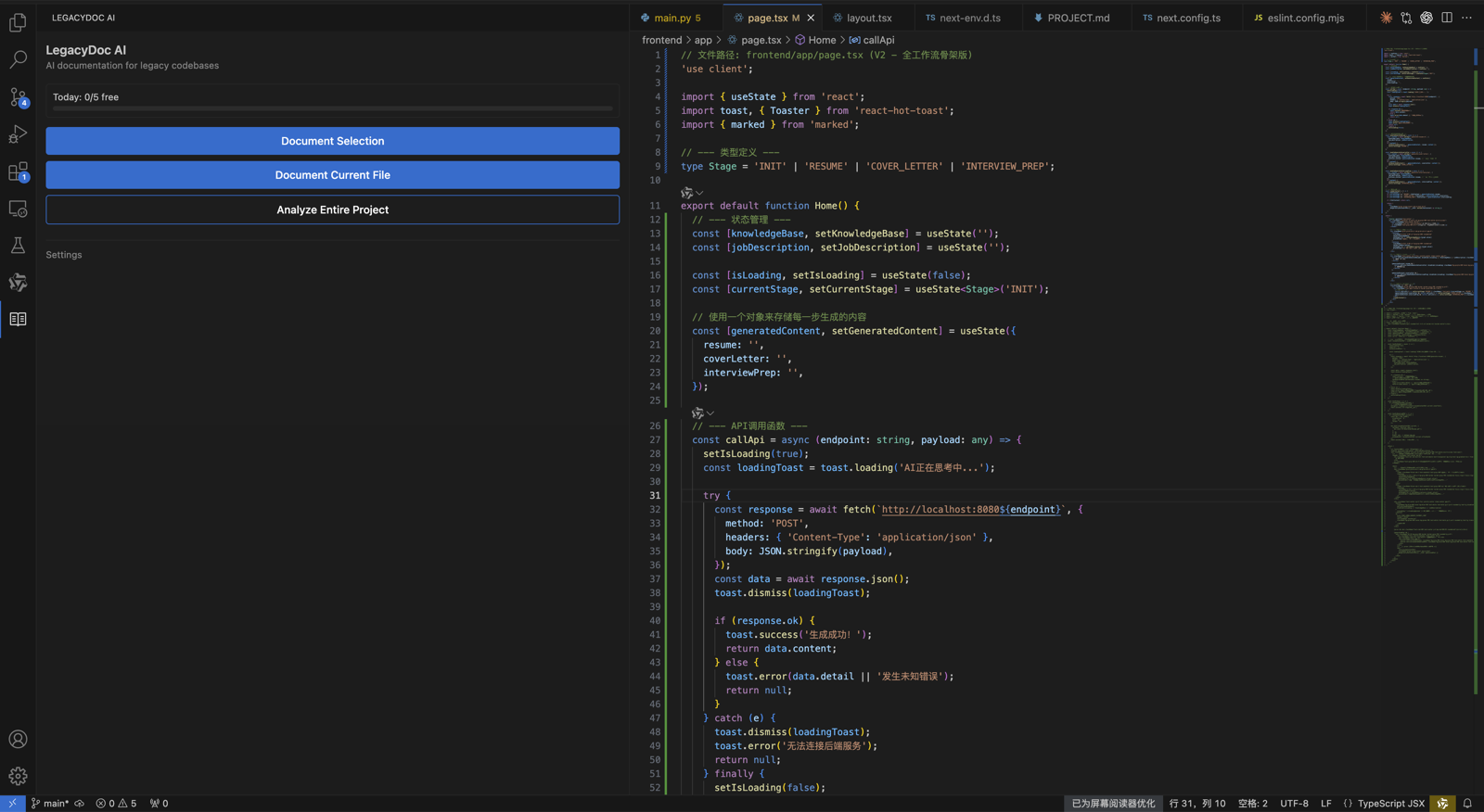
RomantiCode ("we", "us", "our") operates the LegacyDoc AI VS Code extension and the romanticode.com website.
This VS Code extension privacy policy explains what data we collect, what stays on your machine, and how
LegacyDoc AI fits into a bring-your-own-key developer workflow.
A VS Code extension privacy policy matters more when the extension touches source code. LegacyDoc AI is
designed as a local-first documentation and audit-context tool: the extension runs inside your editor,
stores configuration locally, and sends code only to the AI provider you configure. RomantiCode does not
operate a code proxy, repository scanner, or hosted analysis backend for your project files.
Data we collect
We collect minimal data:
API keys: Stored locally on your machine using VS Code's secure secrets storage (system keychain). We never transmit, store, or have access to your API keys.
License keys: Your Pro license key is stored locally in VS Code settings. License validation may involve a request to our payment provider (Creem) to verify activation status.
Usage counts: Free tier daily generation counts are stored locally using VS Code's globalState. No usage data is sent to our servers.
Code content: Your code is sent directly from your machine to the AI provider you configured (Anthropic, OpenAI, xAI, or your custom endpoint). We never see, store, or proxy your code.
Why this VS Code extension privacy policy is local-first
The safest default for a code documentation tool is to keep the workflow close to the developer's machine.
This VS Code extension privacy policy therefore separates three different surfaces: your local editor state,
your chosen AI provider, and the romanticode.com website. The extension itself is not a hosted SaaS scanner.
It does not upload a repository to RomantiCode servers, does not build a remote code index, and does not
create a persistent copy of your project for later analysis.
When you ask LegacyDoc AI to generate documentation, comments, diagrams, or an AI-ready context pack, the
extension reads selected files from your local workspace and calls the provider endpoint configured by you.
That provider might be Anthropic, OpenAI, Google, xAI, or an OpenAI-compatible endpoint. Their privacy terms
govern what happens after the request reaches that provider. This VS Code extension privacy policy covers
what RomantiCode controls: we do not see your API key, do not receive your source code, and do not store the
generated output on our servers.
API keys in this VS Code extension privacy policy
API keys are sensitive because they can create cost and expose access to your AI provider account. This VS Code
extension privacy policy uses a bring-your-own-key model. You paste the provider key into VS Code, and VS Code
stores it in secure secrets storage or the system keychain. RomantiCode cannot retrieve that key from your
machine and does not ask you to send it to a RomantiCode account.
Because you control the provider key, you also control provider selection, provider billing, and provider
data retention settings where those settings are available. If your organization has strict rules about code
leaving the device, configure LegacyDoc AI only with a provider and endpoint approved by your organization.
This VS Code extension privacy policy does not override your employment agreement, client contract, or
internal security policy.
Code content and generated documentation
LegacyDoc AI may read code, comments, folder names, file names, and surrounding context from the local
workspace when you run a generation command. The selected content is used to create JSDoc, Markdown docs,
Mermaid diagrams, module summaries, audit notes, or project context packs. RomantiCode does not keep a copy
of that code content. This VS Code extension privacy policy intentionally avoids a hosted "sync everything"
model because the product is meant for developers who want documentation without adding another code storage
vendor.
Generated documentation is shown in VS Code for review. Depending on the command you choose, you may preview
a diff, write a Markdown file, insert comments, or save an architecture note in your repository. Once written,
those generated files become part of your local project and your normal version-control practices apply.
Review generated documentation before committing it, especially when it describes security-sensitive flows,
customer data, business logic, or unfinished implementation details.
Data we do NOT collect
We do not collect personal information through the extension
We do not track your coding activity
We do not use analytics or telemetry in the extension
We do not sell any data to third parties
Website analytics are separate from the extension
The romanticode.com website may use Google Analytics and Vercel hosting logs to understand visits, clicks,
page performance, referrals, and conversion paths. That website measurement is separate from the extension
workflow described in this VS Code extension privacy policy. Website analytics do not give RomantiCode
access to your local codebase, editor commands, generated documentation, or API keys.
If you click from the website to the VS Code Marketplace, Creem checkout, GitHub, or another external page,
that destination may have its own analytics, cookies, account system, and privacy practices. Use the
provider documentation for those services if you need a complete compliance review.
Security boundaries for teams
Teams reviewing this VS Code extension privacy policy should treat LegacyDoc AI as a local editor extension
plus a user-selected AI provider call. The main security questions are: which files can a developer select,
which provider endpoint is allowed, whether the provider may use submitted data for training, and whether
generated docs should be reviewed before being committed. RomantiCode does not change those organizational
decisions.
For sensitive repositories, start with a small non-production folder, confirm the provider endpoint, review
the exact prompt and output, and document the team's allowed usage. If the extension is used to prepare a
cleanup quote, launch audit, or AI coding handoff, keep the output focused on architecture, module ownership,
risky areas, and review notes rather than secrets or customer data.
Changes to this VS Code extension privacy policy
We may update this VS Code extension privacy policy when the website, payment flow, extension behavior, or
supported AI provider options change. Material changes will be reflected on this page with an updated date.
If you rely on LegacyDoc AI for client work, compliance review, or company-wide developer tooling, review
this page before rolling the extension out to a broader team.
Practical checklist before using the extension at work
If you are using LegacyDoc AI inside a company repository, confirm the same things you would confirm for any
editor extension that can read source files. Check whether the project allows AI-assisted documentation,
whether the selected provider is approved, whether generated docs may be committed, and whether sensitive
folders should be excluded from prompts. These questions are not unique to RomantiCode; they are part of
responsible use for developer tools that interact with private code.
A practical rollout can start with a harmless module, a sample branch, and a narrow command. Review exactly
what is sent to the provider, inspect the generated Markdown, and decide whether the team wants the output
in the repository. For client projects, confirm permission before sending code to any external provider.
For open-source projects, still review generated text before publishing because documentation can reveal
assumptions, TODOs, or incomplete security-sensitive behavior.
Summary for security reviewers
LegacyDoc AI is best understood as an editor-side workflow helper. It does not create a RomantiCode account
for your repository, does not ask you to upload a zip file, and does not keep a cloud copy of generated docs.
The most important review items are provider selection, local secret storage, user permissions, generated
output review, and the team's own rules for using AI with source code.
Reviewers can also compare this setup with other developer tools by asking one practical question: where does
source code travel after the user clicks generate? For LegacyDoc AI, the relevant path is local workspace to
the user-selected provider endpoint, plus local review inside the editor. Website analytics, checkout, and
product documentation remain separate from that source-code path.
Keep this page with procurement notes, internal security tickets, and provider approvals so future reviews can
trace the same boundary without reinterpreting the product from scratch.
Third-party services
AI providers: When you use the extension, your code is sent to the AI provider you selected (e.g., Anthropic, OpenAI). Their respective privacy policies apply to that data.
Creem (payment): Pro license purchases are processed by Creem (creem.io). Their privacy policy governs payment data.
Website
The romanticode.com website is a static site hosted on Vercel. We use Google Analytics for basic visitor analytics on the website (separate from the VS Code extension).
Vercel may collect basic access logs (IP address, user agent) as part of standard web hosting.
Contact
If you have questions about this privacy policy, please contact us at
contact@romanticode.com.
SEO audit support
VS Code extension privacy policy decision checklist
This section keeps VS Code extension privacy policy focused on one search intent. A reader comparing options for VS Code extension privacy policy
should quickly see the task, the evidence, the handoff value, and the next action without leaving the page.
RomantiCode uses real VS Code context to support VS Code extension privacy policy decisions before cleanup, audit, or handoff.
VS Code extension privacy policy checkpoint 1
Use VS Code extension privacy policy as the page promise, then verify that VS Code extension privacy policy is supported by the headline,
the example, the internal links, the call to action, and the reader's next step. A strong VS Code extension privacy policy
page should explain who needs VS Code extension privacy policy, what evidence is required before acting, and how RomantiCode
reduces uncertainty for founders, developers, cleanup specialists, and AI coding agents. Keep the
VS Code extension privacy policy checklist tied to a real workflow: inspect the codebase, map risky files, prepare context,
compare options, and decide whether to audit, refactor, hire help, or continue with an AI assistant.
VS Code extension privacy policy checkpoint 2
Use VS Code extension privacy policy as the page promise, then verify that VS Code extension privacy policy is supported by the headline,
the example, the internal links, the call to action, and the reader's next step. A strong VS Code extension privacy policy
page should explain who needs VS Code extension privacy policy, what evidence is required before acting, and how RomantiCode
reduces uncertainty for founders, developers, cleanup specialists, and AI coding agents. Keep the
VS Code extension privacy policy checklist tied to a real workflow: inspect the codebase, map risky files, prepare context,
compare options, and decide whether to audit, refactor, hire help, or continue with an AI assistant.
VS Code extension privacy policy checkpoint 3
Use VS Code extension privacy policy as the page promise, then verify that VS Code extension privacy policy is supported by the headline,
the example, the internal links, the call to action, and the reader's next step. A strong VS Code extension privacy policy
page should explain who needs VS Code extension privacy policy, what evidence is required before acting, and how RomantiCode
reduces uncertainty for founders, developers, cleanup specialists, and AI coding agents. Keep the
VS Code extension privacy policy checklist tied to a real workflow: inspect the codebase, map risky files, prepare context,
compare options, and decide whether to audit, refactor, hire help, or continue with an AI assistant.
VS Code extension privacy policy checkpoint 4
Use VS Code extension privacy policy as the page promise, then verify that VS Code extension privacy policy is supported by the headline,
the example, the internal links, the call to action, and the reader's next step. A strong VS Code extension privacy policy
page should explain who needs VS Code extension privacy policy, what evidence is required before acting, and how RomantiCode
reduces uncertainty for founders, developers, cleanup specialists, and AI coding agents. Keep the
VS Code extension privacy policy checklist tied to a real workflow: inspect the codebase, map risky files, prepare context,
compare options, and decide whether to audit, refactor, hire help, or continue with an AI assistant.
VS Code extension privacy policy checkpoint 5
Use VS Code extension privacy policy as the page promise, then verify that VS Code extension privacy policy is supported by the headline,
the example, the internal links, the call to action, and the reader's next step. A strong VS Code extension privacy policy
page should explain who needs VS Code extension privacy policy, what evidence is required before acting, and how RomantiCode
reduces uncertainty for founders, developers, cleanup specialists, and AI coding agents. Keep the
VS Code extension privacy policy checklist tied to a real workflow: inspect the codebase, map risky files, prepare context,
compare options, and decide whether to audit, refactor, hire help, or continue with an AI assistant.
VS Code extension privacy policy checkpoint 6
Use VS Code extension privacy policy as the page promise, then verify that VS Code extension privacy policy is supported by the headline,
the example, the internal links, the call to action, and the reader's next step. A strong VS Code extension privacy policy
page should explain who needs VS Code extension privacy policy, what evidence is required before acting, and how RomantiCode
reduces uncertainty for founders, developers, cleanup specialists, and AI coding agents. Keep the
VS Code extension privacy policy checklist tied to a real workflow: inspect the codebase, map risky files, prepare context,
compare options, and decide whether to audit, refactor, hire help, or continue with an AI assistant.
VS Code extension privacy policy checkpoint 7
Use VS Code extension privacy policy as the page promise, then verify that VS Code extension privacy policy is supported by the headline,
the example, the internal links, the call to action, and the reader's next step. A strong VS Code extension privacy policy
page should explain who needs VS Code extension privacy policy, what evidence is required before acting, and how RomantiCode
reduces uncertainty for founders, developers, cleanup specialists, and AI coding agents. Keep the
VS Code extension privacy policy checklist tied to a real workflow: inspect the codebase, map risky files, prepare context,
compare options, and decide whether to audit, refactor, hire help, or continue with an AI assistant.
VS Code extension privacy policy checkpoint 8
Use VS Code extension privacy policy as the page promise, then verify that VS Code extension privacy policy is supported by the headline,
the example, the internal links, the call to action, and the reader's next step. A strong VS Code extension privacy policy
page should explain who needs VS Code extension privacy policy, what evidence is required before acting, and how RomantiCode
reduces uncertainty for founders, developers, cleanup specialists, and AI coding agents. Keep the
VS Code extension privacy policy checklist tied to a real workflow: inspect the codebase, map risky files, prepare context,
compare options, and decide whether to audit, refactor, hire help, or continue with an AI assistant.
VS Code extension privacy policy checkpoint 9
Use VS Code extension privacy policy as the page promise, then verify that VS Code extension privacy policy is supported by the headline,
the example, the internal links, the call to action, and the reader's next step. A strong VS Code extension privacy policy
page should explain who needs VS Code extension privacy policy, what evidence is required before acting, and how RomantiCode
reduces uncertainty for founders, developers, cleanup specialists, and AI coding agents. Keep the
VS Code extension privacy policy checklist tied to a real workflow: inspect the codebase, map risky files, prepare context,
compare options, and decide whether to audit, refactor, hire help, or continue with an AI assistant.
VS Code extension privacy policy checkpoint 10
Use VS Code extension privacy policy as the page promise, then verify that VS Code extension privacy policy is supported by the headline,
the example, the internal links, the call to action, and the reader's next step. A strong VS Code extension privacy policy
page should explain who needs VS Code extension privacy policy, what evidence is required before acting, and how RomantiCode
reduces uncertainty for founders, developers, cleanup specialists, and AI coding agents. Keep the
VS Code extension privacy policy checklist tied to a real workflow: inspect the codebase, map risky files, prepare context,
compare options, and decide whether to audit, refactor, hire help, or continue with an AI assistant.
VS Code extension privacy policy checkpoint 11
Use VS Code extension privacy policy as the page promise, then verify that VS Code extension privacy policy is supported by the headline,
the example, the internal links, the call to action, and the reader's next step. A strong VS Code extension privacy policy
page should explain who needs VS Code extension privacy policy, what evidence is required before acting, and how RomantiCode
reduces uncertainty for founders, developers, cleanup specialists, and AI coding agents. Keep the
VS Code extension privacy policy checklist tied to a real workflow: inspect the codebase, map risky files, prepare context,
compare options, and decide whether to audit, refactor, hire help, or continue with an AI assistant.
VS Code extension privacy policy checkpoint 12
Use VS Code extension privacy policy as the page promise, then verify that VS Code extension privacy policy is supported by the headline,
the example, the internal links, the call to action, and the reader's next step. A strong VS Code extension privacy policy
page should explain who needs VS Code extension privacy policy, what evidence is required before acting, and how RomantiCode
reduces uncertainty for founders, developers, cleanup specialists, and AI coding agents. Keep the
VS Code extension privacy policy checklist tied to a real workflow: inspect the codebase, map risky files, prepare context,
compare options, and decide whether to audit, refactor, hire help, or continue with an AI assistant.
VS Code extension privacy policy checkpoint 13
Use VS Code extension privacy policy as the page promise, then verify that VS Code extension privacy policy is supported by the headline,
the example, the internal links, the call to action, and the reader's next step. A strong VS Code extension privacy policy
page should explain who needs VS Code extension privacy policy, what evidence is required before acting, and how RomantiCode
reduces uncertainty for founders, developers, cleanup specialists, and AI coding agents. Keep the
VS Code extension privacy policy checklist tied to a real workflow: inspect the codebase, map risky files, prepare context,
compare options, and decide whether to audit, refactor, hire help, or continue with an AI assistant.
VS Code extension privacy policy checkpoint 14
Use VS Code extension privacy policy as the page promise, then verify that VS Code extension privacy policy is supported by the headline,
the example, the internal links, the call to action, and the reader's next step. A strong VS Code extension privacy policy
page should explain who needs VS Code extension privacy policy, what evidence is required before acting, and how RomantiCode
reduces uncertainty for founders, developers, cleanup specialists, and AI coding agents. Keep the
VS Code extension privacy policy checklist tied to a real workflow: inspect the codebase, map risky files, prepare context,
compare options, and decide whether to audit, refactor, hire help, or continue with an AI assistant.
VS Code extension privacy policy checkpoint 15
Use VS Code extension privacy policy as the page promise, then verify that VS Code extension privacy policy is supported by the headline,
the example, the internal links, the call to action, and the reader's next step. A strong VS Code extension privacy policy
page should explain who needs VS Code extension privacy policy, what evidence is required before acting, and how RomantiCode
reduces uncertainty for founders, developers, cleanup specialists, and AI coding agents. Keep the
VS Code extension privacy policy checklist tied to a real workflow: inspect the codebase, map risky files, prepare context,
compare options, and decide whether to audit, refactor, hire help, or continue with an AI assistant.
VS Code extension privacy policy checkpoint 16
Use VS Code extension privacy policy as the page promise, then verify that VS Code extension privacy policy is supported by the headline,
the example, the internal links, the call to action, and the reader's next step. A strong VS Code extension privacy policy
page should explain who needs VS Code extension privacy policy, what evidence is required before acting, and how RomantiCode
reduces uncertainty for founders, developers, cleanup specialists, and AI coding agents. Keep the
VS Code extension privacy policy checklist tied to a real workflow: inspect the codebase, map risky files, prepare context,
compare options, and decide whether to audit, refactor, hire help, or continue with an AI assistant.
VS Code extension privacy policy checkpoint 17
Use VS Code extension privacy policy as the page promise, then verify that VS Code extension privacy policy is supported by the headline,
the example, the internal links, the call to action, and the reader's next step. A strong VS Code extension privacy policy
page should explain who needs VS Code extension privacy policy, what evidence is required before acting, and how RomantiCode
reduces uncertainty for founders, developers, cleanup specialists, and AI coding agents. Keep the
VS Code extension privacy policy checklist tied to a real workflow: inspect the codebase, map risky files, prepare context,
compare options, and decide whether to audit, refactor, hire help, or continue with an AI assistant.
VS Code extension privacy policy checkpoint 18
Use VS Code extension privacy policy as the page promise, then verify that VS Code extension privacy policy is supported by the headline,
the example, the internal links, the call to action, and the reader's next step. A strong VS Code extension privacy policy
page should explain who needs VS Code extension privacy policy, what evidence is required before acting, and how RomantiCode
reduces uncertainty for founders, developers, cleanup specialists, and AI coding agents. Keep the
VS Code extension privacy policy checklist tied to a real workflow: inspect the codebase, map risky files, prepare context,
compare options, and decide whether to audit, refactor, hire help, or continue with an AI assistant.
VS Code extension privacy policy checkpoint 19
Use VS Code extension privacy policy as the page promise, then verify that VS Code extension privacy policy is supported by the headline,
the example, the internal links, the call to action, and the reader's next step. A strong VS Code extension privacy policy
page should explain who needs VS Code extension privacy policy, what evidence is required before acting, and how RomantiCode
reduces uncertainty for founders, developers, cleanup specialists, and AI coding agents. Keep the
VS Code extension privacy policy checklist tied to a real workflow: inspect the codebase, map risky files, prepare context,
compare options, and decide whether to audit, refactor, hire help, or continue with an AI assistant.
VS Code extension privacy policy checkpoint 20
Use VS Code extension privacy policy as the page promise, then verify that VS Code extension privacy policy is supported by the headline,
the example, the internal links, the call to action, and the reader's next step. A strong VS Code extension privacy policy
page should explain who needs VS Code extension privacy policy, what evidence is required before acting, and how RomantiCode
reduces uncertainty for founders, developers, cleanup specialists, and AI coding agents. Keep the
VS Code extension privacy policy checklist tied to a real workflow: inspect the codebase, map risky files, prepare context,
compare options, and decide whether to audit, refactor, hire help, or continue with an AI assistant.
VS Code extension privacy policy checkpoint 21
Use VS Code extension privacy policy as the page promise, then verify that VS Code extension privacy policy is supported by the headline,
the example, the internal links, the call to action, and the reader's next step. A strong VS Code extension privacy policy
page should explain who needs VS Code extension privacy policy, what evidence is required before acting, and how RomantiCode
reduces uncertainty for founders, developers, cleanup specialists, and AI coding agents. Keep the
VS Code extension privacy policy checklist tied to a real workflow: inspect the codebase, map risky files, prepare context,
compare options, and decide whether to audit, refactor, hire help, or continue with an AI assistant.
VS Code extension privacy policy checkpoint 22
Use VS Code extension privacy policy as the page promise, then verify that VS Code extension privacy policy is supported by the headline,
the example, the internal links, the call to action, and the reader's next step. A strong VS Code extension privacy policy
page should explain who needs VS Code extension privacy policy, what evidence is required before acting, and how RomantiCode
reduces uncertainty for founders, developers, cleanup specialists, and AI coding agents. Keep the
VS Code extension privacy policy checklist tied to a real workflow: inspect the codebase, map risky files, prepare context,
compare options, and decide whether to audit, refactor, hire help, or continue with an AI assistant.
VS Code extension privacy policy checkpoint 23
Use VS Code extension privacy policy as the page promise, then verify that VS Code extension privacy policy is supported by the headline,
the example, the internal links, the call to action, and the reader's next step. A strong VS Code extension privacy policy
page should explain who needs VS Code extension privacy policy, what evidence is required before acting, and how RomantiCode
reduces uncertainty for founders, developers, cleanup specialists, and AI coding agents. Keep the
VS Code extension privacy policy checklist tied to a real workflow: inspect the codebase, map risky files, prepare context,
compare options, and decide whether to audit, refactor, hire help, or continue with an AI assistant.
VS Code extension privacy policy checkpoint 24
Use VS Code extension privacy policy as the page promise, then verify that VS Code extension privacy policy is supported by the headline,
the example, the internal links, the call to action, and the reader's next step. A strong VS Code extension privacy policy
page should explain who needs VS Code extension privacy policy, what evidence is required before acting, and how RomantiCode
reduces uncertainty for founders, developers, cleanup specialists, and AI coding agents. Keep the
VS Code extension privacy policy checklist tied to a real workflow: inspect the codebase, map risky files, prepare context,
compare options, and decide whether to audit, refactor, hire help, or continue with an AI assistant.
VS Code extension privacy policy checkpoint 25
Use VS Code extension privacy policy as the page promise, then verify that VS Code extension privacy policy is supported by the headline,
the example, the internal links, the call to action, and the reader's next step. A strong VS Code extension privacy policy
page should explain who needs VS Code extension privacy policy, what evidence is required before acting, and how RomantiCode
reduces uncertainty for founders, developers, cleanup specialists, and AI coding agents. Keep the
VS Code extension privacy policy checklist tied to a real workflow: inspect the codebase, map risky files, prepare context,
compare options, and decide whether to audit, refactor, hire help, or continue with an AI assistant.
VS Code extension privacy policy checkpoint 26
Use VS Code extension privacy policy as the page promise, then verify that VS Code extension privacy policy is supported by the headline,
the example, the internal links, the call to action, and the reader's next step. A strong VS Code extension privacy policy
page should explain who needs VS Code extension privacy policy, what evidence is required before acting, and how RomantiCode
reduces uncertainty for founders, developers, cleanup specialists, and AI coding agents. Keep the
VS Code extension privacy policy checklist tied to a real workflow: inspect the codebase, map risky files, prepare context,
compare options, and decide whether to audit, refactor, hire help, or continue with an AI assistant.
VS Code extension privacy policy checkpoint 27
Use VS Code extension privacy policy as the page promise, then verify that VS Code extension privacy policy is supported by the headline,
the example, the internal links, the call to action, and the reader's next step. A strong VS Code extension privacy policy
page should explain who needs VS Code extension privacy policy, what evidence is required before acting, and how RomantiCode
reduces uncertainty for founders, developers, cleanup specialists, and AI coding agents. Keep the
VS Code extension privacy policy checklist tied to a real workflow: inspect the codebase, map risky files, prepare context,
compare options, and decide whether to audit, refactor, hire help, or continue with an AI assistant.
VS Code extension privacy policy checkpoint 28
Use VS Code extension privacy policy as the page promise, then verify that VS Code extension privacy policy is supported by the headline,
the example, the internal links, the call to action, and the reader's next step. A strong VS Code extension privacy policy
page should explain who needs VS Code extension privacy policy, what evidence is required before acting, and how RomantiCode
reduces uncertainty for founders, developers, cleanup specialists, and AI coding agents. Keep the
VS Code extension privacy policy checklist tied to a real workflow: inspect the codebase, map risky files, prepare context,
compare options, and decide whether to audit, refactor, hire help, or continue with an AI assistant.
VS Code extension privacy policy checkpoint 29
Use VS Code extension privacy policy as the page promise, then verify that VS Code extension privacy policy is supported by the headline,
the example, the internal links, the call to action, and the reader's next step. A strong VS Code extension privacy policy
page should explain who needs VS Code extension privacy policy, what evidence is required before acting, and how RomantiCode
reduces uncertainty for founders, developers, cleanup specialists, and AI coding agents. Keep the
VS Code extension privacy policy checklist tied to a real workflow: inspect the codebase, map risky files, prepare context,
compare options, and decide whether to audit, refactor, hire help, or continue with an AI assistant.
VS Code extension privacy policy checkpoint 30
Use VS Code extension privacy policy as the page promise, then verify that VS Code extension privacy policy is supported by the headline,
the example, the internal links, the call to action, and the reader's next step. A strong VS Code extension privacy policy
page should explain who needs VS Code extension privacy policy, what evidence is required before acting, and how RomantiCode
reduces uncertainty for founders, developers, cleanup specialists, and AI coding agents. Keep the
VS Code extension privacy policy checklist tied to a real workflow: inspect the codebase, map risky files, prepare context,
compare options, and decide whether to audit, refactor, hire help, or continue with an AI assistant.
VS Code extension privacy policy checkpoint 31
Use VS Code extension privacy policy as the page promise, then verify that VS Code extension privacy policy is supported by the headline,
the example, the internal links, the call to action, and the reader's next step. A strong VS Code extension privacy policy
page should explain who needs VS Code extension privacy policy, what evidence is required before acting, and how RomantiCode
reduces uncertainty for founders, developers, cleanup specialists, and AI coding agents. Keep the
VS Code extension privacy policy checklist tied to a real workflow: inspect the codebase, map risky files, prepare context,
compare options, and decide whether to audit, refactor, hire help, or continue with an AI assistant.
VS Code extension privacy policy checkpoint 32
Use VS Code extension privacy policy as the page promise, then verify that VS Code extension privacy policy is supported by the headline,
the example, the internal links, the call to action, and the reader's next step. A strong VS Code extension privacy policy
page should explain who needs VS Code extension privacy policy, what evidence is required before acting, and how RomantiCode
reduces uncertainty for founders, developers, cleanup specialists, and AI coding agents. Keep the
VS Code extension privacy policy checklist tied to a real workflow: inspect the codebase, map risky files, prepare context,
compare options, and decide whether to audit, refactor, hire help, or continue with an AI assistant.
VS Code extension privacy policy checkpoint 33
Use VS Code extension privacy policy as the page promise, then verify that VS Code extension privacy policy is supported by the headline,
the example, the internal links, the call to action, and the reader's next step. A strong VS Code extension privacy policy
page should explain who needs VS Code extension privacy policy, what evidence is required before acting, and how RomantiCode
reduces uncertainty for founders, developers, cleanup specialists, and AI coding agents. Keep the
VS Code extension privacy policy checklist tied to a real workflow: inspect the codebase, map risky files, prepare context,
compare options, and decide whether to audit, refactor, hire help, or continue with an AI assistant.
VS Code extension privacy policy checkpoint 34
Use VS Code extension privacy policy as the page promise, then verify that VS Code extension privacy policy is supported by the headline,
the example, the internal links, the call to action, and the reader's next step. A strong VS Code extension privacy policy
page should explain who needs VS Code extension privacy policy, what evidence is required before acting, and how RomantiCode
reduces uncertainty for founders, developers, cleanup specialists, and AI coding agents. Keep the
VS Code extension privacy policy checklist tied to a real workflow: inspect the codebase, map risky files, prepare context,
compare options, and decide whether to audit, refactor, hire help, or continue with an AI assistant.
VS Code extension privacy policy checkpoint 35
Use VS Code extension privacy policy as the page promise, then verify that VS Code extension privacy policy is supported by the headline,
the example, the internal links, the call to action, and the reader's next step. A strong VS Code extension privacy policy
page should explain who needs VS Code extension privacy policy, what evidence is required before acting, and how RomantiCode
reduces uncertainty for founders, developers, cleanup specialists, and AI coding agents. Keep the
VS Code extension privacy policy checklist tied to a real workflow: inspect the codebase, map risky files, prepare context,
compare options, and decide whether to audit, refactor, hire help, or continue with an AI assistant.
VS Code extension privacy policy checkpoint 36
Use VS Code extension privacy policy as the page promise, then verify that VS Code extension privacy policy is supported by the headline,
the example, the internal links, the call to action, and the reader's next step. A strong VS Code extension privacy policy
page should explain who needs VS Code extension privacy policy, what evidence is required before acting, and how RomantiCode
reduces uncertainty for founders, developers, cleanup specialists, and AI coding agents. Keep the
VS Code extension privacy policy checklist tied to a real workflow: inspect the codebase, map risky files, prepare context,
compare options, and decide whether to audit, refactor, hire help, or continue with an AI assistant.
VS Code extension privacy policy checkpoint 37
Use VS Code extension privacy policy as the page promise, then verify that VS Code extension privacy policy is supported by the headline,
the example, the internal links, the call to action, and the reader's next step. A strong VS Code extension privacy policy
page should explain who needs VS Code extension privacy policy, what evidence is required before acting, and how RomantiCode
reduces uncertainty for founders, developers, cleanup specialists, and AI coding agents. Keep the
VS Code extension privacy policy checklist tied to a real workflow: inspect the codebase, map risky files, prepare context,
compare options, and decide whether to audit, refactor, hire help, or continue with an AI assistant.
VS Code extension privacy policy checkpoint 38
Use VS Code extension privacy policy as the page promise, then verify that VS Code extension privacy policy is supported by the headline,
the example, the internal links, the call to action, and the reader's next step. A strong VS Code extension privacy policy
page should explain who needs VS Code extension privacy policy, what evidence is required before acting, and how RomantiCode
reduces uncertainty for founders, developers, cleanup specialists, and AI coding agents. Keep the
VS Code extension privacy policy checklist tied to a real workflow: inspect the codebase, map risky files, prepare context,
compare options, and decide whether to audit, refactor, hire help, or continue with an AI assistant.
VS Code extension privacy policy checkpoint 39
Use VS Code extension privacy policy as the page promise, then verify that VS Code extension privacy policy is supported by the headline,
the example, the internal links, the call to action, and the reader's next step. A strong VS Code extension privacy policy
page should explain who needs VS Code extension privacy policy, what evidence is required before acting, and how RomantiCode
reduces uncertainty for founders, developers, cleanup specialists, and AI coding agents. Keep the
VS Code extension privacy policy checklist tied to a real workflow: inspect the codebase, map risky files, prepare context,
compare options, and decide whether to audit, refactor, hire help, or continue with an AI assistant.
VS Code extension privacy policy checkpoint 40
Use VS Code extension privacy policy as the page promise, then verify that VS Code extension privacy policy is supported by the headline,
the example, the internal links, the call to action, and the reader's next step. A strong VS Code extension privacy policy
page should explain who needs VS Code extension privacy policy, what evidence is required before acting, and how RomantiCode
reduces uncertainty for founders, developers, cleanup specialists, and AI coding agents. Keep the
VS Code extension privacy policy checklist tied to a real workflow: inspect the codebase, map risky files, prepare context,
compare options, and decide whether to audit, refactor, hire help, or continue with an AI assistant.
VS Code extension privacy policy checkpoint 41
Use VS Code extension privacy policy as the page promise, then verify that VS Code extension privacy policy is supported by the headline,
the example, the internal links, the call to action, and the reader's next step. A strong VS Code extension privacy policy
page should explain who needs VS Code extension privacy policy, what evidence is required before acting, and how RomantiCode
reduces uncertainty for founders, developers, cleanup specialists, and AI coding agents. Keep the
VS Code extension privacy policy checklist tied to a real workflow: inspect the codebase, map risky files, prepare context,
compare options, and decide whether to audit, refactor, hire help, or continue with an AI assistant.
VS Code extension privacy policy checkpoint 42
Use VS Code extension privacy policy as the page promise, then verify that VS Code extension privacy policy is supported by the headline,
the example, the internal links, the call to action, and the reader's next step. A strong VS Code extension privacy policy
page should explain who needs VS Code extension privacy policy, what evidence is required before acting, and how RomantiCode
reduces uncertainty for founders, developers, cleanup specialists, and AI coding agents. Keep the
VS Code extension privacy policy checklist tied to a real workflow: inspect the codebase, map risky files, prepare context,
compare options, and decide whether to audit, refactor, hire help, or continue with an AI assistant.
VS Code extension privacy policy checkpoint 43
Use VS Code extension privacy policy as the page promise, then verify that VS Code extension privacy policy is supported by the headline,
the example, the internal links, the call to action, and the reader's next step. A strong VS Code extension privacy policy
page should explain who needs VS Code extension privacy policy, what evidence is required before acting, and how RomantiCode
reduces uncertainty for founders, developers, cleanup specialists, and AI coding agents. Keep the
VS Code extension privacy policy checklist tied to a real workflow: inspect the codebase, map risky files, prepare context,
compare options, and decide whether to audit, refactor, hire help, or continue with an AI assistant.
VS Code extension privacy policy checkpoint 44
Use VS Code extension privacy policy as the page promise, then verify that VS Code extension privacy policy is supported by the headline,
the example, the internal links, the call to action, and the reader's next step. A strong VS Code extension privacy policy
page should explain who needs VS Code extension privacy policy, what evidence is required before acting, and how RomantiCode
reduces uncertainty for founders, developers, cleanup specialists, and AI coding agents. Keep the
VS Code extension privacy policy checklist tied to a real workflow: inspect the codebase, map risky files, prepare context,
compare options, and decide whether to audit, refactor, hire help, or continue with an AI assistant.
VS Code extension privacy policy checkpoint 45
Use VS Code extension privacy policy as the page promise, then verify that VS Code extension privacy policy is supported by the headline,
the example, the internal links, the call to action, and the reader's next step. A strong VS Code extension privacy policy
page should explain who needs VS Code extension privacy policy, what evidence is required before acting, and how RomantiCode
reduces uncertainty for founders, developers, cleanup specialists, and AI coding agents. Keep the
VS Code extension privacy policy checklist tied to a real workflow: inspect the codebase, map risky files, prepare context,
compare options, and decide whether to audit, refactor, hire help, or continue with an AI assistant.
VS Code extension privacy policy checkpoint 46
Use VS Code extension privacy policy as the page promise, then verify that VS Code extension privacy policy is supported by the headline,
the example, the internal links, the call to action, and the reader's next step. A strong VS Code extension privacy policy
page should explain who needs VS Code extension privacy policy, what evidence is required before acting, and how RomantiCode
reduces uncertainty for founders, developers, cleanup specialists, and AI coding agents. Keep the
VS Code extension privacy policy checklist tied to a real workflow: inspect the codebase, map risky files, prepare context,
compare options, and decide whether to audit, refactor, hire help, or continue with an AI assistant.
VS Code extension privacy policy checkpoint 47
Use VS Code extension privacy policy as the page promise, then verify that VS Code extension privacy policy is supported by the headline,
the example, the internal links, the call to action, and the reader's next step. A strong VS Code extension privacy policy
page should explain who needs VS Code extension privacy policy, what evidence is required before acting, and how RomantiCode
reduces uncertainty for founders, developers, cleanup specialists, and AI coding agents. Keep the
VS Code extension privacy policy checklist tied to a real workflow: inspect the codebase, map risky files, prepare context,
compare options, and decide whether to audit, refactor, hire help, or continue with an AI assistant.
VS Code extension privacy policy checkpoint 48
Use VS Code extension privacy policy as the page promise, then verify that VS Code extension privacy policy is supported by the headline,
the example, the internal links, the call to action, and the reader's next step. A strong VS Code extension privacy policy
page should explain who needs VS Code extension privacy policy, what evidence is required before acting, and how RomantiCode
reduces uncertainty for founders, developers, cleanup specialists, and AI coding agents. Keep the
VS Code extension privacy policy checklist tied to a real workflow: inspect the codebase, map risky files, prepare context,
compare options, and decide whether to audit, refactor, hire help, or continue with an AI assistant.
VS Code extension privacy policy checkpoint 49
Use VS Code extension privacy policy as the page promise, then verify that VS Code extension privacy policy is supported by the headline,
the example, the internal links, the call to action, and the reader's next step. A strong VS Code extension privacy policy
page should explain who needs VS Code extension privacy policy, what evidence is required before acting, and how RomantiCode
reduces uncertainty for founders, developers, cleanup specialists, and AI coding agents. Keep the
VS Code extension privacy policy checklist tied to a real workflow: inspect the codebase, map risky files, prepare context,
compare options, and decide whether to audit, refactor, hire help, or continue with an AI assistant.
VS Code extension privacy policy checkpoint 50
Use VS Code extension privacy policy as the page promise, then verify that VS Code extension privacy policy is supported by the headline,
the example, the internal links, the call to action, and the reader's next step. A strong VS Code extension privacy policy
page should explain who needs VS Code extension privacy policy, what evidence is required before acting, and how RomantiCode
reduces uncertainty for founders, developers, cleanup specialists, and AI coding agents. Keep the
VS Code extension privacy policy checklist tied to a real workflow: inspect the codebase, map risky files, prepare context,
compare options, and decide whether to audit, refactor, hire help, or continue with an AI assistant.
VS Code extension privacy policy checkpoint 51
Use VS Code extension privacy policy as the page promise, then verify that VS Code extension privacy policy is supported by the headline,
the example, the internal links, the call to action, and the reader's next step. A strong VS Code extension privacy policy
page should explain who needs VS Code extension privacy policy, what evidence is required before acting, and how RomantiCode
reduces uncertainty for founders, developers, cleanup specialists, and AI coding agents. Keep the
VS Code extension privacy policy checklist tied to a real workflow: inspect the codebase, map risky files, prepare context,
compare options, and decide whether to audit, refactor, hire help, or continue with an AI assistant.
VS Code extension privacy policy checkpoint 52
Use VS Code extension privacy policy as the page promise, then verify that VS Code extension privacy policy is supported by the headline,
the example, the internal links, the call to action, and the reader's next step. A strong VS Code extension privacy policy
page should explain who needs VS Code extension privacy policy, what evidence is required before acting, and how RomantiCode
reduces uncertainty for founders, developers, cleanup specialists, and AI coding agents. Keep the
VS Code extension privacy policy checklist tied to a real workflow: inspect the codebase, map risky files, prepare context,
compare options, and decide whether to audit, refactor, hire help, or continue with an AI assistant.